Join us at FabCon Atlanta from March 16 - 20, 2026, for the ultimate Fabric, Power BI, AI and SQL community-led event. Save $200 with code FABCOMM.
Register now!The Power BI Data Visualization World Championships is back! Get ahead of the game and start preparing now! Learn more
Hello, i've been getting help from this forum for a long time, and this is my first time needing to ask a quesiton. It's been so helpful. However, i'm stumped on this. I have connected to a text file and filtered the query down to just the data I am needing. Now I'm trying to add a column to the query that will count the number of times a row has data in one of ten columns. I've pasted a table below with a sample of the data. I'm trying to grade the participants on frequency of participation. The values of each column are unique to how they connected to the event so they can all be a little different.
Does anyone have a suggestion on this?
| ID | Event 1 | Event 2 | Event 3 | Event 4 | Event 5 |
| 1 | dn321 | ||||
| 2 | as345 | as345 | |||
| 3 | se356 | ||||
| 4 | dn321 | dn321 | as345 | dn321 | dn321 |
| 5 | dn321 | dn322 | dn323 | ||
| 6 | se356 | se357 | se358 | se359 | |
| 7 | dn321 | dn322 | dn323 | as345 | se356 |
Solved! Go to Solution.
HI @Anonymous
So do you mean, for your row with an ID of 1 should return 1, while the row with an ID of 4 will return 5?
Hi osbrown,
Based on your description, you want to count nonblack data by each ID, right?
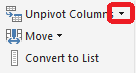
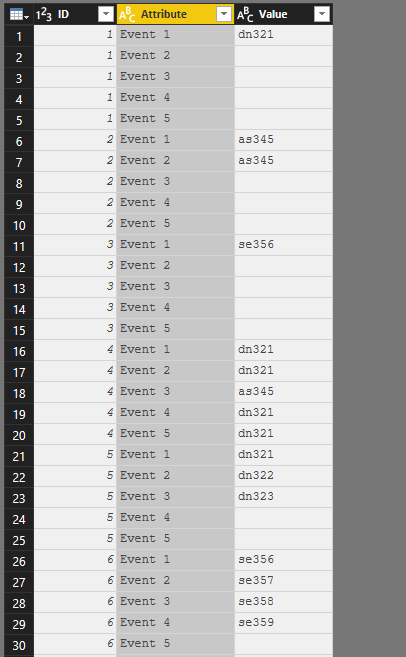
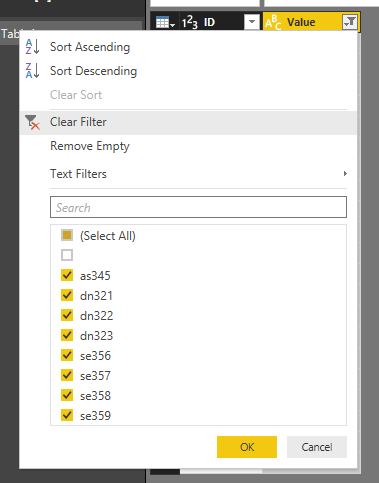
To achieve your requirement, please follow steps below:
= Table.SelectRows(#"Removed Columns", each [Value] <> "")
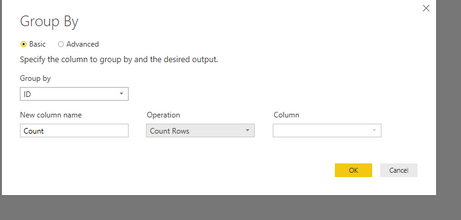
4.To count rows by ID, use group by function.
The result is like below and you can refer to PBIX file here:
https://www.dropbox.com/s/zajw7e5vj7ei1vo/For%20osbrown.pbix?dl=0
Best Regards,
Jimmy Tao
HI @Anonymous
So do you mean, for your row with an ID of 1 should return 1, while the row with an ID of 4 will return 5?
Hi @Anonymous
If so, this might be close to what you need. Just change the Table2 to your own table.
New Column =
IF(LEN('Table2'[Event 1])>1,1) +
IF(LEN('Table2'[Event 2])>1,1) +
IF(LEN('Table2'[Event 3])>1,1) +
IF(LEN('Table2'[Event 4])>1,1) +
IF(LEN('Table2'[Event 5])>1,1)
Hi @Anonymous
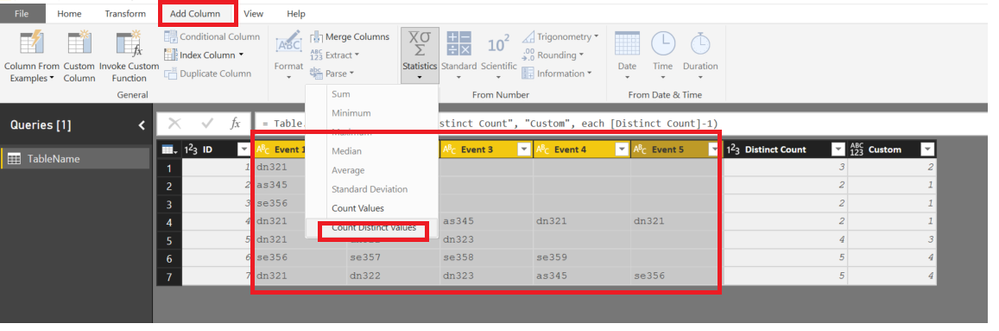
You can do this using QUERY EDITOR as well.... since your ROW values are all SAME
SELECT THE 10 COLUMNS>>>Go to ADD COLUMN tab >>> STATISTICS>>>DISCTINCTCOUNT
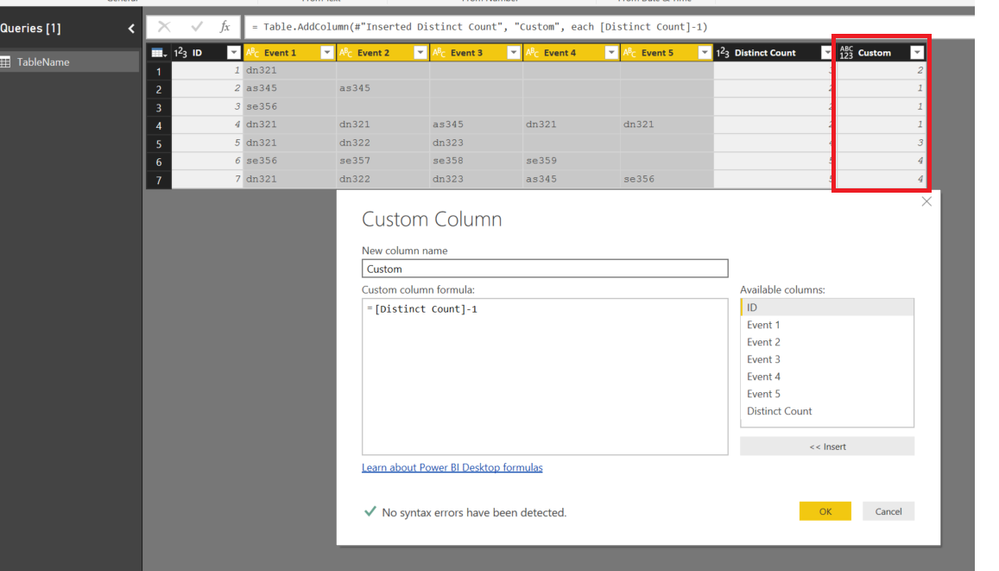
Now add a custom column substracting 1 from Distinct Count
The Power BI Data Visualization World Championships is back! Get ahead of the game and start preparing now!
Check out the November 2025 Power BI update to learn about new features.
| User | Count |
|---|---|
| 66 | |
| 44 | |
| 40 | |
| 29 | |
| 19 |
| User | Count |
|---|---|
| 200 | |
| 129 | |
| 102 | |
| 72 | |
| 56 |