Hi !
How you would optimise measure below? I tried to replace FILTER on KEEPFILTERS but performance stays the same.
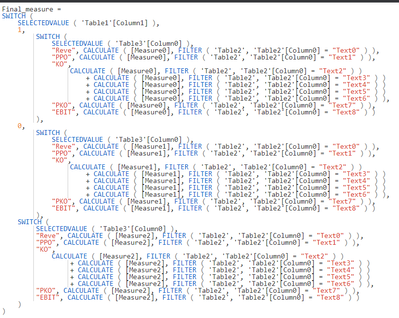
Final_measure =
SWITCH (
SELECTEDVALUE ( 'Table1'[Column1] ),
1,
SWITCH (
SELECTEDVALUE ( 'Table3'[Column0] ),
"Reve", CALCULATE ( [Measure0], FILTER ( 'Table2', 'Table2'[Column0] = "Text0" ) ),
"PPO", CALCULATE ( [Measure0], FILTER ( 'Table2', 'Table2'[Column0] = "Text1" ) ),
"KO",
CALCULATE ( [Measure0], FILTER ( 'Table2', 'Table2'[Column0] = "Text2" ) )
+ CALCULATE ( [Measure0], FILTER ( 'Table2', 'Table2'[Column0] = "Text3" ) )
+ CALCULATE ( [Measure0], FILTER ( 'Table2', 'Table2'[Column0] = "Text4" ) )
+ CALCULATE ( [Measure0], FILTER ( 'Table2', 'Table2'[Column0] = "Text5" ) )
+ CALCULATE ( [Measure0], FILTER ( 'Table2', 'Table2'[Column0] = "Text6" ) ),
"PKO", CALCULATE ( [Measure0], FILTER ( 'Table2', 'Table2'[Column0] = "Text7" ) ),
"EBIT", CALCULATE ( [Measure0], FILTER ( 'Table2', 'Table2'[Column0] = "Text8" ) )
),
0,
SWITCH (
SELECTEDVALUE ( 'Table3'[Column0] ),
"Reve", CALCULATE ( [Measure1], FILTER ( 'Table2', 'Table2'[Column0] = "Text0" ) ),
"PPO", CALCULATE ( [Measure1], FILTER ( 'Table2', 'Table2'[Column0] = "Text1" ) ),
"KO",
CALCULATE ( [Measure1], FILTER ( 'Table2', 'Table2'[Column0] = "Text2" ) )
+ CALCULATE ( [Measure1], FILTER ( 'Table2', 'Table2'[Column0] = "Text3" ) )
+ CALCULATE ( [Measure1], FILTER ( 'Table2', 'Table2'[Column0] = "Text4" ) )
+ CALCULATE ( [Measure1], FILTER ( 'Table2', 'Table2'[Column0] = "Text5" ) )
+ CALCULATE ( [Measure1], FILTER ( 'Table2', 'Table2'[Column0] = "Text6" ) ),
"PKO", CALCULATE ( [Measure1], FILTER ( 'Table2', 'Table2'[Column0] = "Text7" ) ),
"EBIT", CALCULATE ( [Measure1], FILTER ( 'Table2', 'Table2'[Column0] = "Text8" ) )
),
SWITCH (
SELECTEDVALUE ( 'Table3'[Column0] ),
"Reve", CALCULATE ( [Measure2], FILTER ( 'Table2', 'Table2'[Column0] = "Text0" ) ),
"PPO", CALCULATE ( [Measure2], FILTER ( 'Table2', 'Table2'[Column0] = "Text1" ) ),
"KO",
CALCULATE ( [Measure2], FILTER ( 'Table2', 'Table2'[Column0] = "Text2" ) )
+ CALCULATE ( [Measure2], FILTER ( 'Table2', 'Table2'[Column0] = "Text3" ) )
+ CALCULATE ( [Measure2], FILTER ( 'Table2', 'Table2'[Column0] = "Text4" ) )
+ CALCULATE ( [Measure2], FILTER ( 'Table2', 'Table2'[Column0] = "Text5" ) )
+ CALCULATE ( [Measure2], FILTER ( 'Table2', 'Table2'[Column0] = "Text6" ) ),
"PKO", CALCULATE ( [Measure2], FILTER ( 'Table2', 'Table2'[Column0] = "Text7" ) ),
"EBIT", CALCULATE ( [Measure2], FILTER ( 'Table2', 'Table2'[Column0] = "Text8" ) )
)
)


