Get certified for free when you join Fabric Data Days 2026 and dive into Fabric, Power BI, SQL, AI, and other essential data skills.
Join nowJuly 7 - July 17 | Round 2 of the Power BI Dataviz World Championships. Don't miss your chance! Learn more
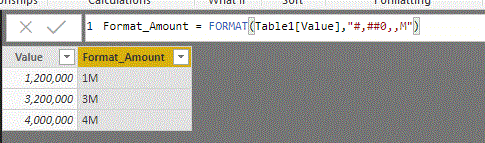
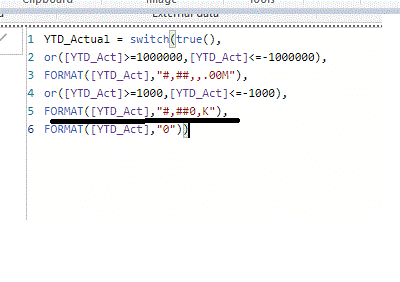
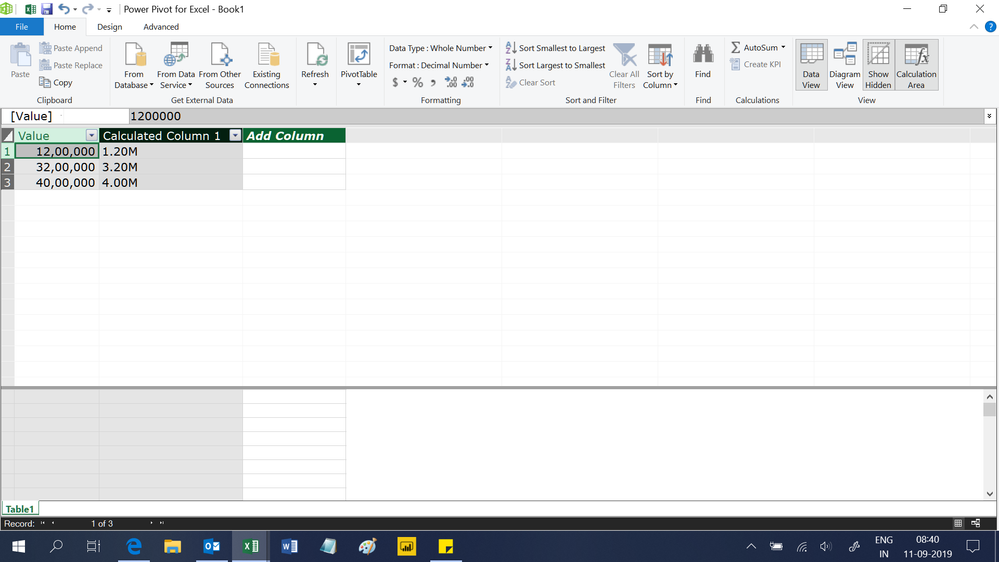
Hi: I would like to format the values in value column in Millions such as 1.2M or 1.23M (if the value is 1,230,000). However, the following syntax is currently chopping it off. Can you please let me know what would be the correct syntax to achieve my desired formatting?
Solved! Go to Solution.
@Icey wrote:Hi @powerinM ,
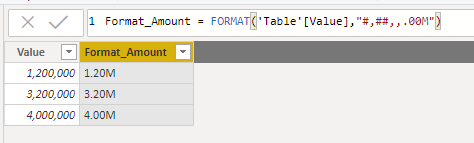
You can change your column like this:
Format_Amount = FORMAT('Table'[Value],"#,##,,.00M")
Best Regards,
Icey
If this post helps, then please consider Accept it as the solution to help the other members find it more quickly.
Hi @powerinM ,
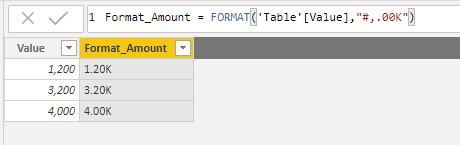
You can use this:
Format_Amount = FORMAT('Table'[Value],"#,.00K")
Best Regards,
Icey
If this post helps, then please consider Accept it as the solution to help the other members find it more quickly.
Hi @powerinM ,
Hi,
This one works
=FORMAT(Table1[Value]/1000000,"#,##0.00,,M")
Hi @powerinM ,
You can change your column like this:
Format_Amount = FORMAT('Table'[Value],"#,##,,.00M")
Best Regards,
Icey
If this post helps, then please consider Accept it as the solution to help the other members find it more quickly.
@Icey wrote:Hi @powerinM ,
You can change your column like this:
Format_Amount = FORMAT('Table'[Value],"#,##,,.00M")
Best Regards,
Icey
If this post helps, then please consider Accept it as the solution to help the other members find it more quickly.
Hi @powerinM ,
You can use this:
Format_Amount = FORMAT('Table'[Value],"#,.00K")
Best Regards,
Icey
If this post helps, then please consider Accept it as the solution to help the other members find it more quickly.
Join us in Barcelona for FabCon and SQLCon, the Fabric, Power BI, SQL, and AI community event. Save €200 with code FABCMTY200.
Join Fabric Data Days 2026: 60 days of free live/on-demand sessions, challenges, study groups, and certification opportunities.
| User | Count |
|---|---|
| 23 | |
| 22 | |
| 18 | |
| 17 | |
| 13 |
| User | Count |
|---|---|
| 63 | |
| 44 | |
| 42 | |
| 40 | |
| 40 |