
Join us at FabCon Atlanta from March 16 - 20, 2026, for the ultimate Fabric, Power BI, AI and SQL community-led event. Save $200 with code FABCOMM.
Register now!The Power BI Data Visualization World Championships is back! Get ahead of the game and start preparing now! Learn more
Hello,
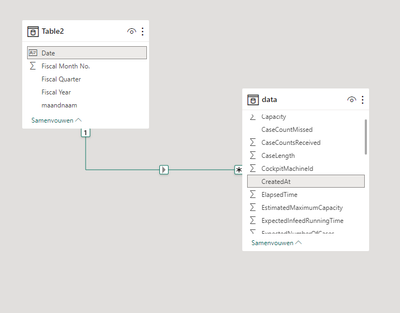
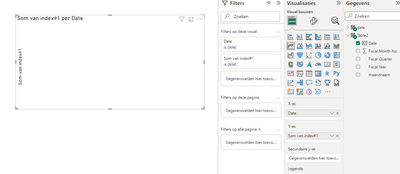
I'm stuck, normally if I connect my date table with my data table (date>1>*>date) and I pull up a visual with the date on x-as and some index on the y-as it should give me somehting but now I get absolutly nothing and I don't know what I'm doing wrong.
Solved! Go to Solution.
Hello @whazaaa ,
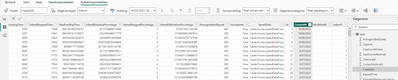
convert the createdAt column to date data type from Power Query.
If I answered your question, please mark my post as solution, Appreciate your Kudos 👍
Follow me on Linkedin
Vote for my Community Mobile App Idea 💡
Proud to be a Super User! | |
I changed the type in the table-overview but I should've done it in the powerquery, as proposed by @Idrissshatila
Hello @whazaaa ,
convert the createdAt column to date data type from Power Query.
If I answered your question, please mark my post as solution, Appreciate your Kudos 👍
Follow me on Linkedin
Vote for my Community Mobile App Idea 💡
Proud to be a Super User! | |
Thanks! problem solved 🙂
The Power BI Data Visualization World Championships is back! Get ahead of the game and start preparing now!
| User | Count |
|---|---|
| 41 | |
| 38 | |
| 36 | |
| 31 | |
| 28 |
| User | Count |
|---|---|
| 129 | |
| 88 | |
| 79 | |
| 68 | |
| 63 |