cancel
Showing results for 
Search instead for 
Did you mean: 

July 7 - July 17 | Round 2 of the Power BI Dataviz World Championships. Don't miss your chance! Learn more

Reply
ChristianE
Frequent Visitor

Date in data problem

Hi all


My date settings are "ddmmyyyy", but for some reason whenever im trying to filter a datacolumn (using the option date "filters -> After ") that specific menu is "mmddyyyy"


Is there any way to change this or is it a bug?

3 REPLIES 3
az38
Community Champion
Community Champion

Hi @ChristianE 

there is a difference between format that data dispalyed to user and locale date format

as I understand you set displayed format (possible in Modelling ribbon) as "ddmmyyyy", but its still "mmddyyyy" format as your system localization. So, built-in filter uses system format 

anyway try to change language in File-Options-Regional Settings


do not hesitate to give a kudo to useful posts and mark solutions as solution


do not hesitate to give a kudo to useful posts and mark solutions as solution
LinkedIn

Hi @az38 


I haven't changed any settings, they are at "Danish" (which uses "ddmmyyyy"), and it works fine everywhere except when i try to filter a table under the "data" panel (where it only accepts "mmddyyyy").


Hi @ChristianE 

As tested with this kind of setting, 

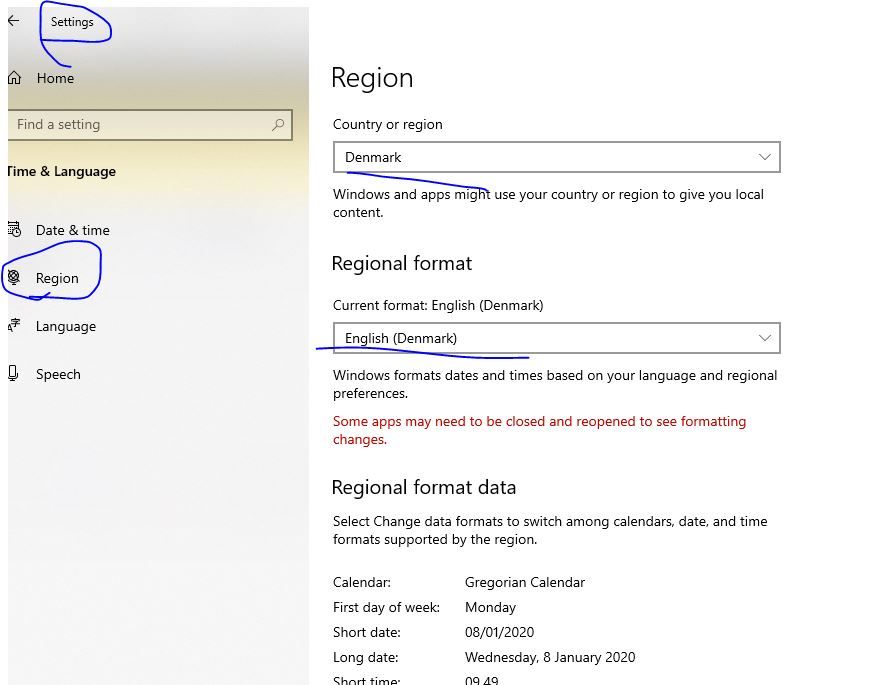
My server->Setting->Time&Language

Capture3.JPG

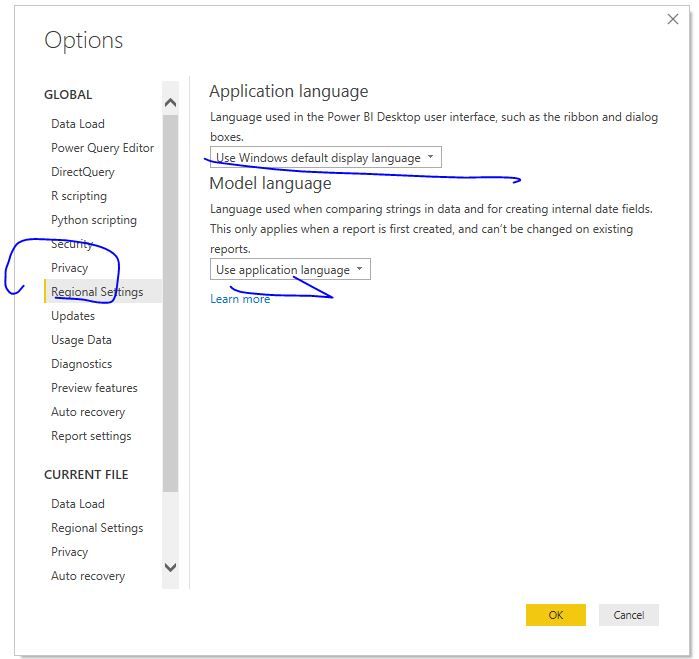
Power BI->Files->Options and Setting->Regional Settings

Capture4.JPG


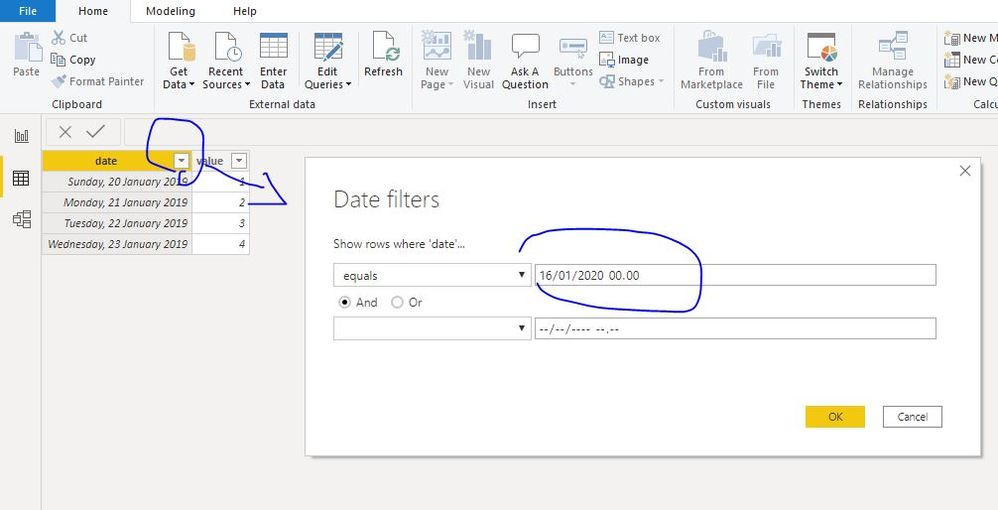
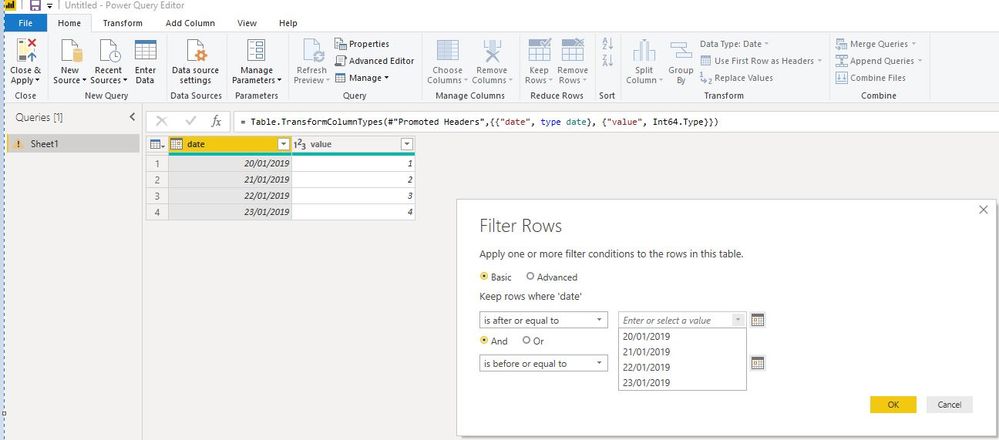
The format of date column is correct in both data model view and power query view filter.

Capture1.JPGCapture2.JPG

Please check your setting, if you have any probelm, feel free to let me know.


Best Regards
Maggie
Community Support Team _ Maggie Li
If this post helps, then please consider Accept it as the solution to help the other members find it more quickly.

Helpful resources

Announcements
FabCon and SQLCon Barcelona 2026

FabCon & SQLCon – Barcelona 2026

Join us in Barcelona for FabCon and SQLCon, the Fabric, Power BI, SQL, and AI community event. Save €200 with code FABCMTY200.

60 days of Data Days Carousel

Data Days 2026

Join Data Days 2026: 60 days of free live/on-demand sessions, challenges, study groups, and certification opportunities.

Power BI DataViz World Championships carousel

Power BI DataViz World Championships - June 2026

A new Power BI DataViz World Championship is coming this June! Don't miss out on submitting your entry.

Top Solution Authors