Hello everyone
Asking for your help with a little headache I'm having in Power Bi.
Context:
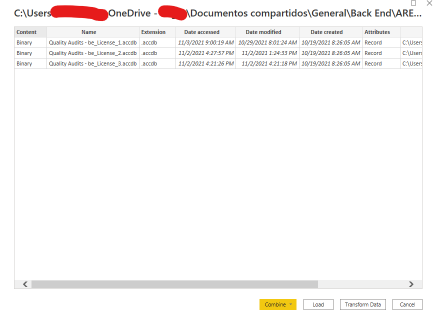 I have three access databases with the same table structure in a sharepoint sub-folder, due to the latter, I can see the folder on my PC (through Onedrive), and it is possible for me to use the option to import data from a folder of my computer in Power Bi without problems, in power query editor I combine them and everything is going great.
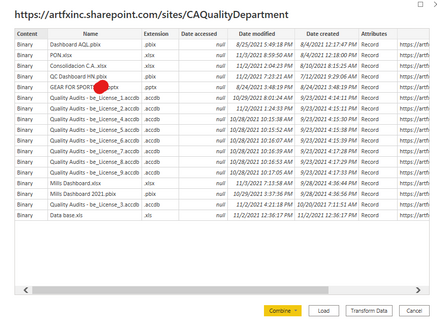 Now, I need to publish the dashboard that I am working on and for this I need to import the data from the sharepoint folder, however, when trying to do so, Power Bi shows me all the files of all the folders of that sharepoint, however, for obvious reasons, I only want to import the data of a specific sub-folder of that sharepoint. I've been trying various thyes for a while but nothing works.
As you can see in the image of the pair, the path I use is the sharepoint path, however, I can not define to this option the specific path of the folder (at least not in the ways in which I have tried).
Thank you very much in advance for your help.


