cancel
Showing results for 
Search instead for 
Did you mean: 

The Power BI Data Visualization World Championships is back! It's time to submit your entry. Live now!

Reply
Chanleakna123
Post Prodigy
Post Prodigy

Data lost

2nd.PNG1st.PNG


hi , 

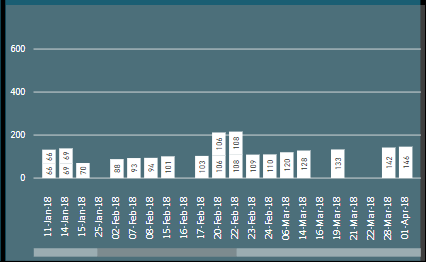
I'm not sure how we can settle this , seems like i lost the data , "it said too many values" , See the blank graph means the data lost while it must be exisited on the chart.
I lost another data on 29 Dec 2017 , it should have 2 values on top each other , but it shown only 1 column. and then i need to go back to the table and see what's wrong.
Do you have any idea how to fix this ? 

1 REPLY 1
v-jiascu-msft
Microsoft Employee
Microsoft Employee

Hi @Chanleakna123,


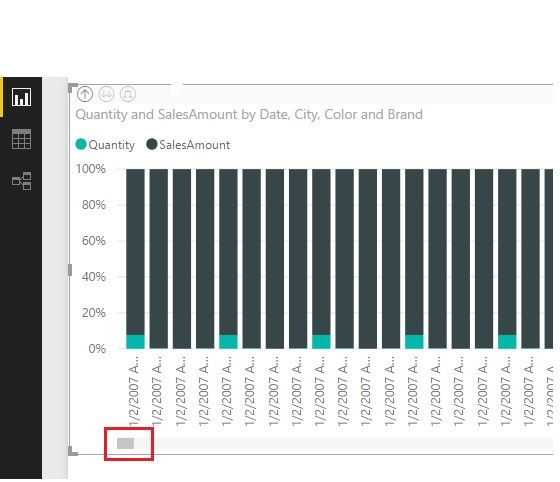
There could be a limitation. It seems the amount of your data is far less than the limitation as we can see from the scroll bar.

1. Which visual did you use exactly?

2. Could you please share the pbix file? I couldn't see the cause from the snapshots that is a little vague.


If your data is beyond the limitation, you can filter them down to a little size. Or refer to this blog for more workaround.


Data lost.jpg


Best Regards!

Dale

Community Support Team _ Dale
If this post helps, then please consider Accept it as the solution to help the other members find it more quickly.

Helpful resources

Announcements
Power BI DataViz World Championships

Power BI Dataviz World Championships

The Power BI Data Visualization World Championships is back! It's time to submit your entry.

January Power BI Update Carousel

Power BI Monthly Update - January 2026

Check out the January 2026 Power BI update to learn about new features.

FabCon Atlanta 2026 carousel

FabCon Atlanta 2026

Join us at FabCon Atlanta, March 16-20, for the ultimate Fabric, Power BI, AI and SQL community-led event. Save $200 with code FABCOMM.