cancel
Showing results for 
Search instead for 
Did you mean: 

The Power BI Data Visualization World Championships is back! It's time to submit your entry. Live now!

Reply
nishantr
Frequent Visitor

Data Transformation

Hi Everyone ,


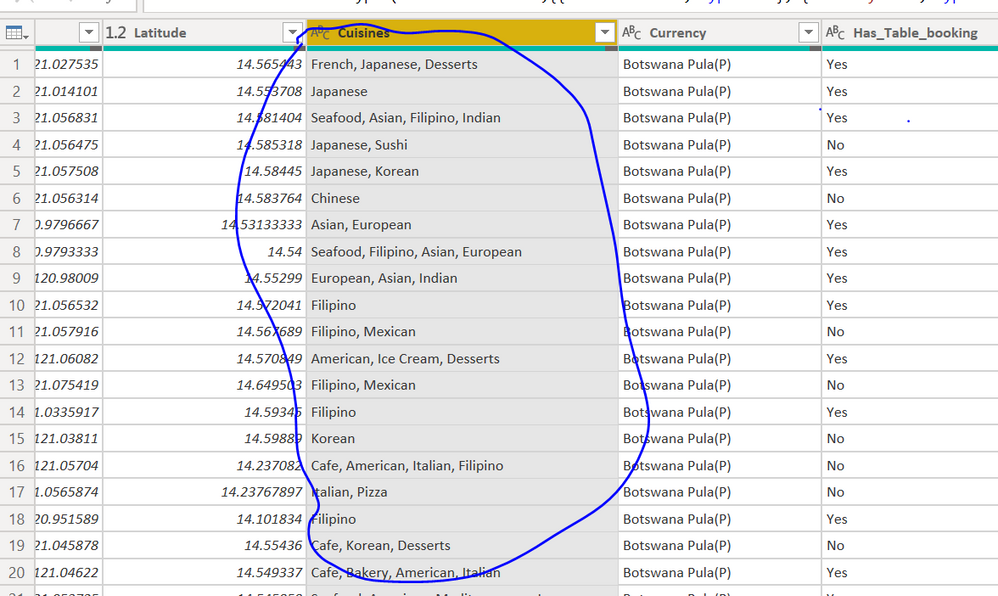
I was wondering if I can seperate the different cuisines in each row seprately .

The delimiter option won't work as every row has different number of options available.


Thank you 

doubt.PNG

1 ACCEPTED SOLUTION
Anonymous
Not applicable

Hi @nishantr 

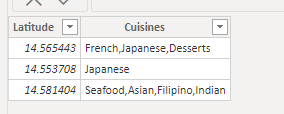
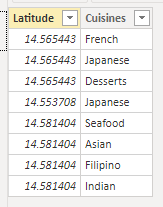
Is this the result you want ?

Ailsamsft_0-1633488865307.png

Ailsamsft_1-1633488865309.png

You can use Split Column by Delimiter in Power Query . Split by “ , ” and split into Rows .

Ailsamsft_2-1633488865311.png

I have attached my pbix file , you can refer to it .


Best Regards

Community Support Team _ Ailsa Tao

If this post helps, then please consider Accept it as the solution to help the other members find it more quickly.

View solution in original post

2 REPLIES 2
Anonymous
Not applicable

Hi @nishantr 

Is this the result you want ?

Ailsamsft_0-1633488865307.png

Ailsamsft_1-1633488865309.png

You can use Split Column by Delimiter in Power Query . Split by “ , ” and split into Rows .

Ailsamsft_2-1633488865311.png

I have attached my pbix file , you can refer to it .


Best Regards

Community Support Team _ Ailsa Tao

If this post helps, then please consider Accept it as the solution to help the other members find it more quickly.

Fowmy
Super User
Super User

@nishantr 

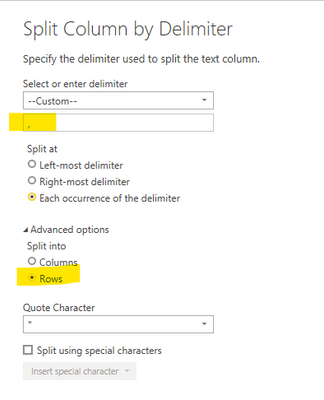
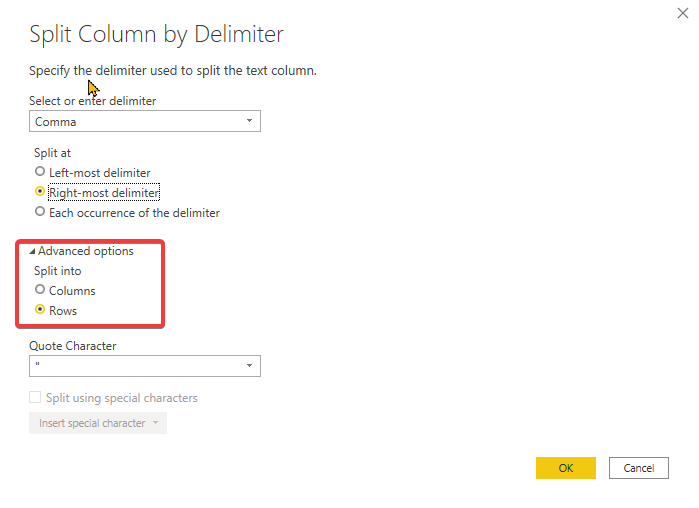
You can right-click on the column > Split Colum > By Delimiter then choose the Rows under Advanced options as follows


Fowmy_0-1633245698110.png


Did I answer your question? Mark my post as a solution! and hit thumbs up


Subscribe and learn Power BI from these videos

Website LinkedIn PBI User Group

Helpful resources

Announcements
Power BI DataViz World Championships

Power BI Dataviz World Championships

The Power BI Data Visualization World Championships is back! It's time to submit your entry.

January Power BI Update Carousel

Power BI Monthly Update - January 2026

Check out the January 2026 Power BI update to learn about new features.

FabCon Atlanta 2026 carousel

FabCon Atlanta 2026

Join us at FabCon Atlanta, March 16-20, for the ultimate Fabric, Power BI, AI and SQL community-led event. Save $200 with code FABCOMM.