Don't miss your chance to take the Fabric Data Engineer (DP-600) exam for FREE! Find out how by attending the DP-600 session on April 23rd (pacific time), live or on-demand.
Learn moreNext up in the FabCon + SQLCon recap series: The roadmap for Microsoft SQL and Maximizing Developer experiences in Fabric. All sessions are available on-demand after the live show. Register now
Hey!
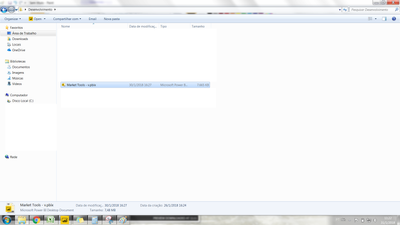
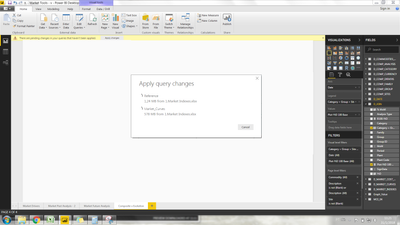
I'm loading a file into my PBI Report and making some changes over it. Somehow the file "size" is increased 1000x when I update my data.
Yet I'm doing some Merges with this table, but nothing too complex.
I'm getting a columns with Versions (actually it's only 4 rows) from this table and using them to expand another table.
Does someone knows why this is happening? Is there a way to optimize this? It's taking quite a bit of time to apply any kind of changes in those tables.
Solved! Go to Solution.
Hi @cfzini,
First, you can filter your resouce data and jut upload necessary data, please refer to this article: Power BI Performance Tips and Techniques.
Second, you use reference query from your screenshot, right? If it is, Please add Table.Buffer in your original Query, when you refresh your reference, which wouldn't access the database again based on my test in this thread.
In addtion, there are some following useful threads for your reference.
How to Improve Query Reference performance for large tables
Improving Power Query Calculation Performance With List.Buffer()
Performance Impact with Calculated Columns
Best Regards,
Angelia
Hi @cfzini,
First, you can filter your resouce data and jut upload necessary data, please refer to this article: Power BI Performance Tips and Techniques.
Second, you use reference query from your screenshot, right? If it is, Please add Table.Buffer in your original Query, when you refresh your reference, which wouldn't access the database again based on my test in this thread.
In addtion, there are some following useful threads for your reference.
How to Improve Query Reference performance for large tables
Improving Power Query Calculation Performance With List.Buffer()
Performance Impact with Calculated Columns
Best Regards,
Angelia
If you have recently started exploring Fabric, we'd love to hear how it's going. Your feedback can help with product improvements.
A new Power BI DataViz World Championship is coming this June! Don't miss out on submitting your entry.
Share feedback directly with Fabric product managers, participate in targeted research studies and influence the Fabric roadmap.
| User | Count |
|---|---|
| 48 | |
| 45 | |
| 41 | |
| 20 | |
| 17 |
| User | Count |
|---|---|
| 69 | |
| 63 | |
| 32 | |
| 31 | |
| 23 |