cancel
Showing results for 
Search instead for 
Did you mean: 

July 28 - August 9 | Final Round of the Power BI Dataviz World Championships. This is your chance. Learn more

Reply
Anonymous
Not applicable

Data Modeling Power Query, Operations between rows

Hello Everyone¡¡ I am new in this community and I would like in advantage for your support. 


My two questions are:


1) I'm working with a query, and I need to get the immediate value of the previous row. I have been able to do it using index columns and doing a MERGE, between the queries, however this operation is very heavy and I would like to know if there is a way to do it without doing a MERGE of queries.
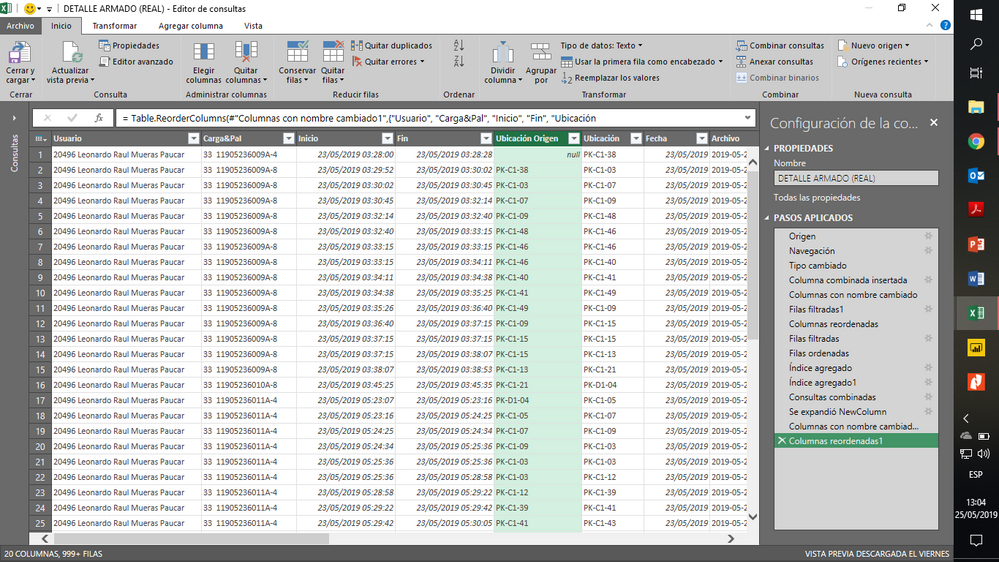
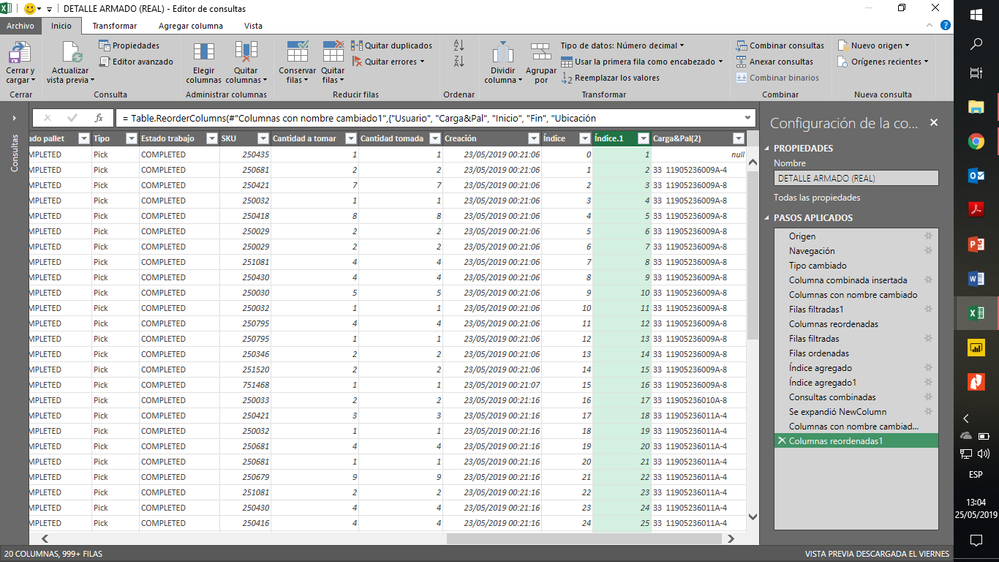
image.pngimage.png


As you can see in this column "Location Origin which belongs to the previous row", which is comfortable for a day of DATA, however to obtain the monthly indicator it becomes terribly heavy. could you help me? with another method less heavy.


2) It is possible to identify in a calculated column, the number of times a value in the "SKU" column is repeated, within the same value in the column "CARGA & PAL". I explain myself better, in the column "CARGA & PAL" the strand of products is identified, and in the column "SKU" the product, what I want to know is for each pallet how many times that product has been repeated, and if it is possible to place it in a calculated column.
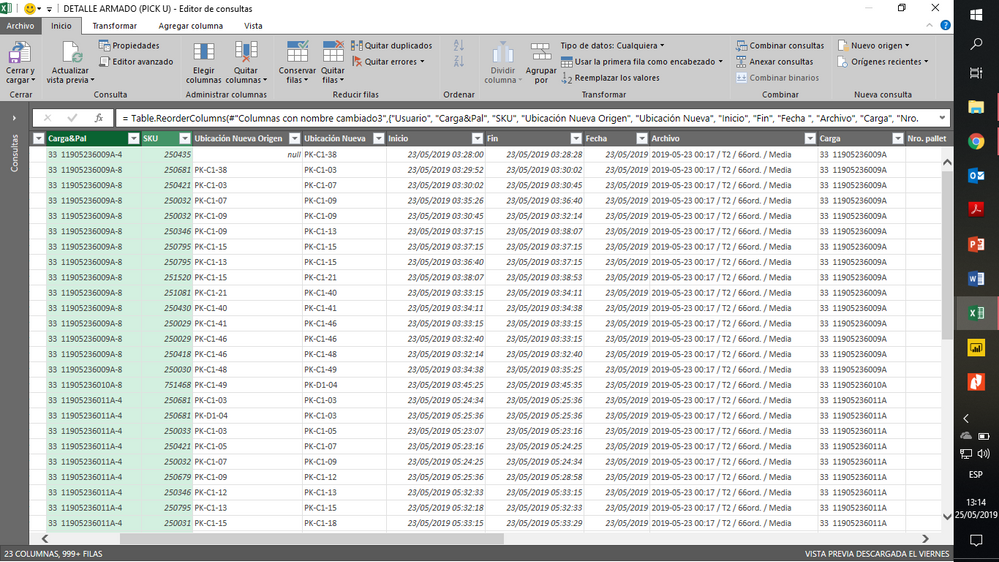
image.png


Thank you for the support.


Leonardo Reyes.

Trainee at Arca Continental 

Coca Cola-Company


1 ACCEPTED SOLUTION
Anonymous
Not applicable

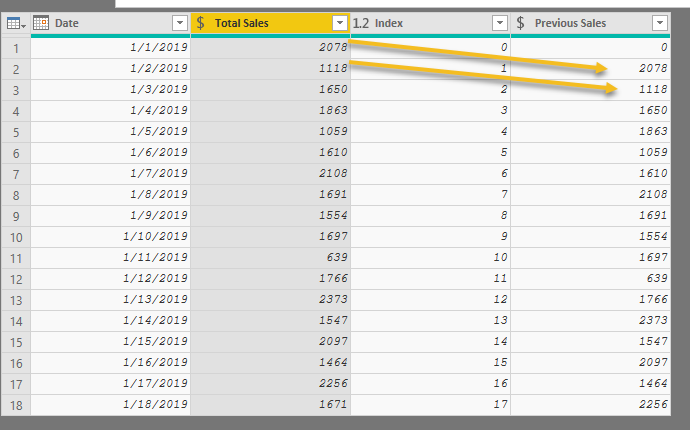
You can use an index column starting at zero with this code for a new column:

try 
List.Sum(
    List.Range(
         #"Added Index"[Total Sales],
         [Index]-1,
         1
    )
)
otherwise
0

PQ previous row value.png


For your other question, you can group by those columns and get a distinct count. It may not be your ideal solution, but it's at least a starting point. 

View solution in original post

5 REPLIES 5
Anonymous
Not applicable

You can use an index column starting at zero with this code for a new column:

try 
List.Sum(
    List.Range(
         #"Added Index"[Total Sales],
         [Index]-1,
         1
    )
)
otherwise
0

PQ previous row value.png


For your other question, you can group by those columns and get a distinct count. It may not be your ideal solution, but it's at least a starting point. 

Anonymous
Not applicable

I was trying the method to solve the second question, and the following occurred to me:

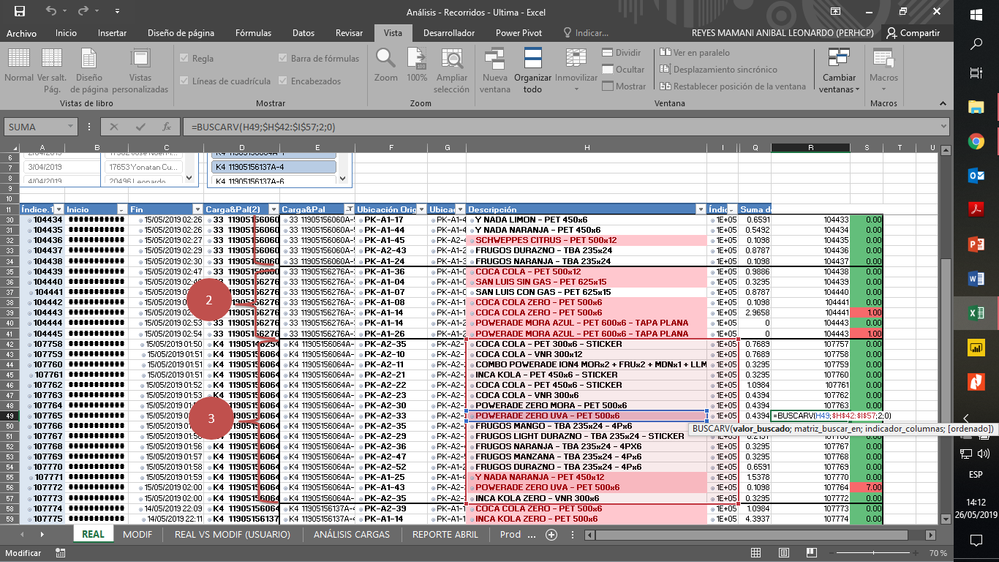
I did it with a VLOOKUP, looking for the value of the "SKU" column, and returning the value of the "index" column, those values ​​that are different is because that SKU value appeared previously. My problem is that the VLOOKUP, covers the whole range and I want it to cover only the range that covers "CARGA & PAL", that is to say that it only searches in the repeated values ​​of "CARGA & PAL", as if it were a VLOOKUP with variable range, it is possible do it in POWER QUERY?


image.pngimage.png

Anonymous
Not applicable

Finding a value between a range of other values has been much easier using DAX, in my experience.


Any chance you can upload some sample data?

Anonymous
Not applicable

Thank you it works¡

ImkeF
Community Champion
Community Champion

This is a method to get the previous row that doesn't rely on merging: https://www.thebiccountant.com/2018/07/12/fast-and-easy-way-to-reference-previous-or-next-rows-in-po...

Imke Feldmann (The BIccountant)

If you liked my solution, please give it a thumbs up. And if I did answer your question, please mark this post as a solution. Thanks!

How to integrate M-code into your solution -- How to get your questions answered quickly -- How to provide sample data -- Check out more PBI- learning resources here -- Performance Tipps for M-queries

Helpful resources

Announcements
FabCon and SQLCon Barcelona 2026

FabCon & SQLCon – Barcelona 2026

Join us in Barcelona for FabCon and SQLCon, the Fabric, Power BI, SQL, and AI community event. Save €200 with code FABCMTY200.

July Power BI Update Carousel

Power BI Monthly Update - July 2026

Check out the July 2026 Power BI update to learn about new features.

Power BI DataViz World Championships carousel

Power BI DataViz World Championships - June 2026

A new Power BI DataViz World Championship is coming this June! Don't miss out on submitting your entry.