Don't miss your chance to take the Fabric Data Engineer (DP-600) exam for FREE! Find out how by attending the DP-600 session on April 23rd (pacific time), live or on-demand.
Learn moreNext up in the FabCon + SQLCon recap series: The roadmap for Microsoft SQL and Maximizing Developer experiences in Fabric. All sessions are available on-demand after the live show. Register now
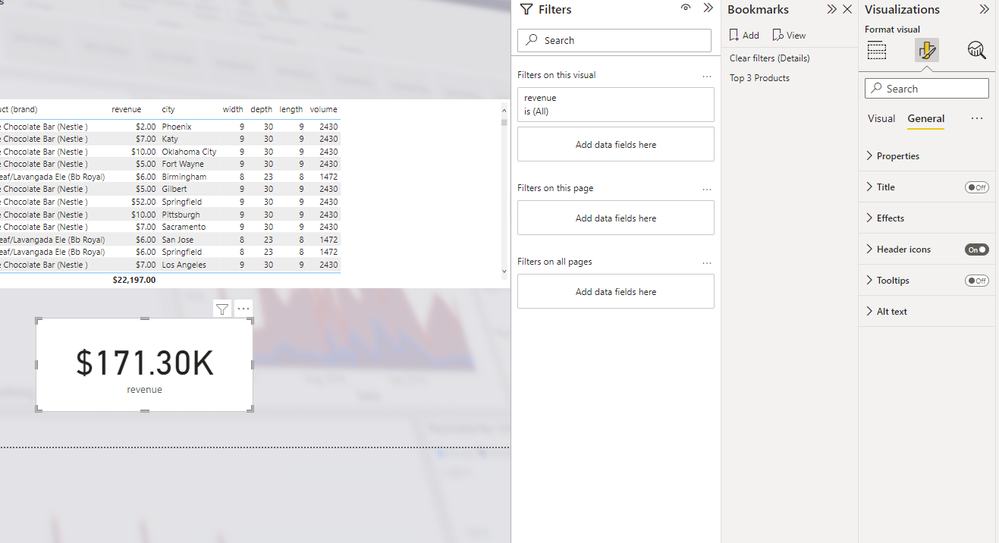
I' am new to Power BI and taking some online course. One issue I seem to have is I cannot locate the data labels when slecting the card display.
I seem to only have a few option under Format your visual and data label is not one of them. Yet the instructor giving the course has an older version it appears and its clearly there for them.
Solved! Go to Solution.
@masona11 , check the category Label for the measure name
and callout value to format the value displayed
Got it thank you. I guess data labels have been changed to callouts now! Thank you so much.
If you have recently started exploring Fabric, we'd love to hear how it's going. Your feedback can help with product improvements.
A new Power BI DataViz World Championship is coming this June! Don't miss out on submitting your entry.
| User | Count |
|---|---|
| 46 | |
| 43 | |
| 39 | |
| 19 | |
| 15 |
| User | Count |
|---|---|
| 68 | |
| 65 | |
| 31 | |
| 28 | |
| 24 |