Join us at FabCon Atlanta from March 16 - 20, 2026, for the ultimate Fabric, Power BI, AI and SQL community-led event. Save $200 with code FABCOMM.
Register now!Vote for your favorite vizzies from the Power BI Dataviz World Championship submissions. Vote now!
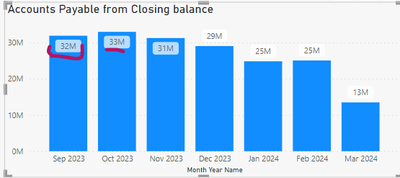
Hi i am new to power bi can you please help me in the below screenshot you can see data lables has white square background how to remove that i cant able to find the option please help me ..... already background is off for the data labels
Solved! Go to Solution.
Hi @Anonymous
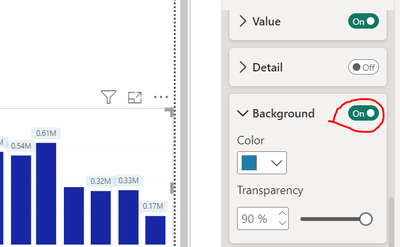
Turn on backgorund
and Make transparency to 100%.
I hope this would work for you.
Hi @Anonymous
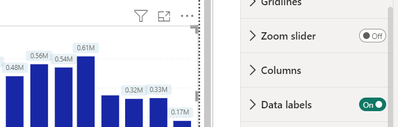
Go to Data lable option setting
option of background setting
Disable this option
I hope I answered your question!
Hi Thanks for the reply but already it background is off inside the data labels
Hi @Anonymous
Turn on backgorund
and Make transparency to 100%.
I hope this would work for you.
Vote for your favorite vizzies from the Power BI World Championship submissions!
If you love stickers, then you will definitely want to check out our Community Sticker Challenge!
Check out the January 2026 Power BI update to learn about new features.
| User | Count |
|---|---|
| 65 | |
| 53 | |
| 42 | |
| 24 | |
| 22 |
| User | Count |
|---|---|
| 138 | |
| 114 | |
| 50 | |
| 37 | |
| 30 |