Don't miss your chance to take exam DP-600 or DP-700 on us!
Request nowLearn from the best! Meet the four finalists headed to the FINALS of the Power BI Dataviz World Championships! Register now
I'm experiencing an odd issue here when attempting to use shape maps.
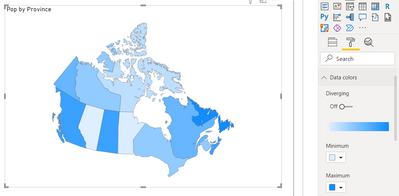
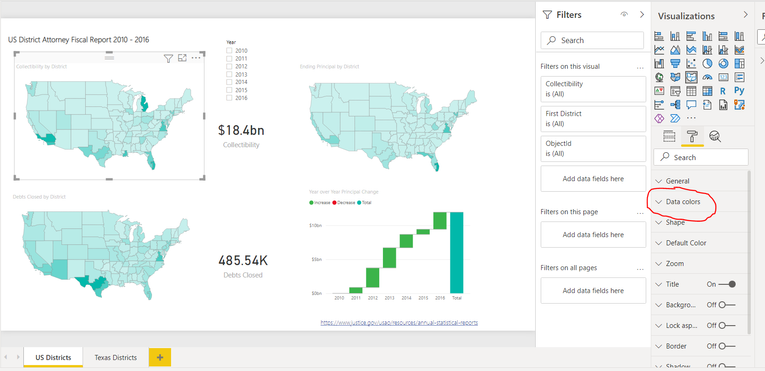
As can be show in the screenshot below, the option is available in the sample provided with the tutorial :
https://docs.microsoft.com/en-us/power-bi/visuals/desktop-shape-map
But does not show here in this custom sample I tried building :
If someone has any idea on how to resolve this I would greatly appreciate.
Thank you 🙂
Solved! Go to Solution.
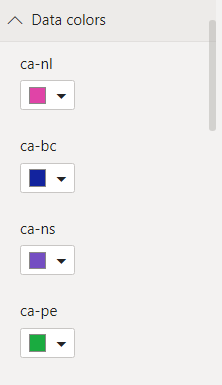
If you want your provinces coloured individually and displayed in the legend (PBI will pick colours based on your theme options and you can change each one if you want under 'Data colors') then make sure you have your legend field populated with the territory and a value field of some kind in the 'Color saturation'. As far as I can tell it will pick up the colours from your legend anyway so the actual value doesn't matter other than that it will appear in your tooltips when hovering over the map. You could just use count of province, or use something meaningful for the tooltip like population.
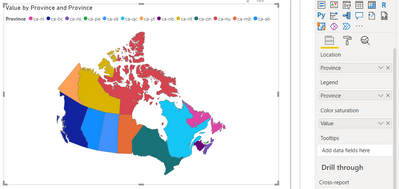
If you want the map to colour each province based on a numeric scale like in the tutorial pictures then you can do that by populating the Color saturation field with a meaningful value but removing your legend. Unfortunately I don't think there is a way to display a legend when using a colour scale, but you could add the province name as a tooltip.
If you want your provinces coloured individually and displayed in the legend (PBI will pick colours based on your theme options and you can change each one if you want under 'Data colors') then make sure you have your legend field populated with the territory and a value field of some kind in the 'Color saturation'. As far as I can tell it will pick up the colours from your legend anyway so the actual value doesn't matter other than that it will appear in your tooltips when hovering over the map. You could just use count of province, or use something meaningful for the tooltip like population.
If you want the map to colour each province based on a numeric scale like in the tutorial pictures then you can do that by populating the Color saturation field with a meaningful value but removing your legend. Unfortunately I don't think there is a way to display a legend when using a colour scale, but you could add the province name as a tooltip.
Share feedback directly with Fabric product managers, participate in targeted research studies and influence the Fabric roadmap.
Check out the February 2026 Power BI update to learn about new features.
| User | Count |
|---|---|
| 51 | |
| 40 | |
| 37 | |
| 14 | |
| 14 |
| User | Count |
|---|---|
| 85 | |
| 69 | |
| 38 | |
| 29 | |
| 27 |