cancel
Showing results for 
Search instead for 
Did you mean: 

Level up your Power BI skills this month - build one visual each week and tell better stories with data! Get started

Reply
byWing
Helper I
Helper I

DAX for checking 2 dates

Hi All,


I find myself struggling with DAX and appreciate some insights on how to write this DAX pls:


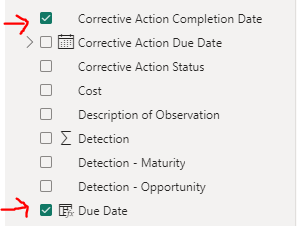
End goal: To set up conditional formatting which will flag an item if the [Due Date] is pass today, AND the [Corrective Action Completion Date] is blank, (which means the engineer has not completed the work yet.)


byWing_0-1695799619765.png

byWing_1-1695799674496.png


My error: 

byWing_0-1695801423124.png


Something must be wrong with [Corrective Action Completion Date], but I cannot figure out why.


Any insights, advice will be much appreciated pls.

Thank you so much~

1 ACCEPTED SOLUTION
Sergii24
Super User
Super User

Hi @byWing, the answer is right there in your error message: ISBLANK() requires you to pass a single value as an argument, not a table. You can use SELECTEDVALUE() or any other aggregation to obtain a single value. This should work fine:

Overdue = 
   if(
      AND(
         MAX( [Due Date] )>TODAY(),
         ISBLANK( SELECTEDVALUE( sa_RPN_Reduction[corrective action completion date] ) )
      ),
      1,
      0
   )

View solution in original post

2 REPLIES 2
Sergii24
Super User
Super User

Hi @byWing, the answer is right there in your error message: ISBLANK() requires you to pass a single value as an argument, not a table. You can use SELECTEDVALUE() or any other aggregation to obtain a single value. This should work fine:

Overdue = 
   if(
      AND(
         MAX( [Due Date] )>TODAY(),
         ISBLANK( SELECTEDVALUE( sa_RPN_Reduction[corrective action completion date] ) )
      ),
      1,
      0
   )

Thank you @Sergii24  for your reply. Your reply helped me a lot and this is the final one I used:


Overdue =
   if(
      AND(
         MAX(SA_RPN_Reduction[Due Date])<TODAY(),
         ISBLANK( SELECTEDVALUE(SA_RPN_Reduction[Corrective Action Completion Date] ) )
      ),
      1,
      0
   )
 
Yay!

byWing_0-1695804353382.png


Helpful resources

Announcements
April Power BI Update Carousel

Power BI Monthly Update - April 2026

Check out the April 2026 Power BI update to learn about new features.

Fabric SQL PBI Data Days

Data Days 2026 coming soon!

Sign up to receive a private message when registration opens and key events begin.

New to Fabric survey Carousel

New to Fabric Survey

If you have recently started exploring Fabric, we'd love to hear how it's going. Your feedback can help with product improvements.

Power BI DataViz World Championships carousel

Power BI DataViz World Championships - June 2026

A new Power BI DataViz World Championship is coming this June! Don't miss out on submitting your entry.