Hi All.
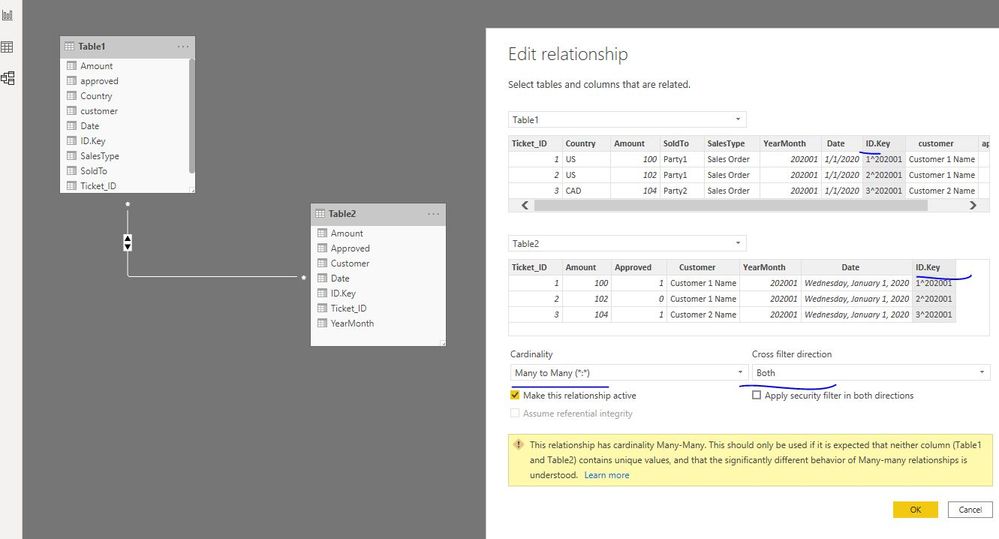
I'm attempting to create an attribute table from two fact tables in DAX. I'm fully aware that this is far easier and better to do in PowerQuery except that I'm using a database that has slow performance factor and the query takes forever to evaluate (even though I'm only pulling in a small amount of data). As an alternative I'd like to built this attribute table within DAX.
I want to pull just the distinct attributes from both fact tables so I can explode that within a table visual. These two facts are:
FACT_1
| Ticket_ID | Country | Amount | SoldTo | SalesType | YearMonth | Date | ID.Key |
| 1 | US | 100 | Party1 | Sales Order | 202001 | 1-Jan-20 | 1^202001 |
| 2 | US | 102 | Party1 | Sales Order | 202001 | 1-Jan-20 | 2^202001 |
| 3 | CAD | 104 | Party2 | Sales Order | 202001 | 1-Jan-20 | 3^202001 |
| 4 | CAD | 500 | Party3 | Sales Order | 202001 | 1-Jan-20 | 4^202001 |
| 5 | US | 5410 | Party1 | Sales Order | 202001 | 1-Jan-20 | 5^202001 |
| 6 | CAD | 20 | Party4 | Sales Order | 202001 | 1-Jan-20 | 6^202001 |
| 7 | CAD | 80 | Party3 | Sales Order | 202001 | 1-Jan-20 | 7^202001 |
| 2 | US | 20 | Party1 | Sales Order | 202001 | 1-Jan-20 | 2^202001 |
| 5 | US | 5400 | Party1 | Credit | 202001 | 1-Jan-20 | 5^202001 |
| 5 | US | 400 | Party1 | Sales Order | 202001 | 1-Jan-20 | 5^202001 |
FACT_2
| Ticket_ID | Amount | Approved | Customer | YearMonth | Date | ID.Key |
| 1 | 100 | 1 | Customer 1 Name | 202001 | 1-Jan-20 | 1^202001 |
| 2 | 102 | 0 | Customer 1 Name | 202001 | 1-Jan-20 | 2^202001 |
| 3 | 104 | 1 | Customer 2 Name | 202001 | 1-Jan-20 | 3^202001 |
| 4 | 500 | 0 | Customer 3 Name | 202001 | 1-Jan-20 | 4^202001 |
| 5 | 5400 | 1 | Customer 1 Name | 202001 | 1-Jan-20 | 5^202001 |
| 5 | 10 | 1 | Customer 1 Name | 202001 | 1-Jan-20 | 5^202001 |
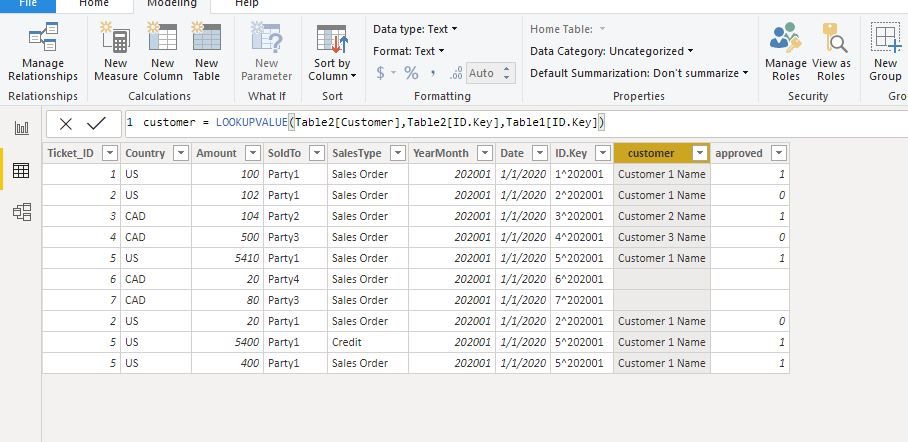
Pretty common scenario. If this is done in PowerQuery, I'd LEFTOUTERJOIN the FACT_1 ID.KEY to FACT_2 ID.KEY and return the distinct table values. This image result below is what I want:

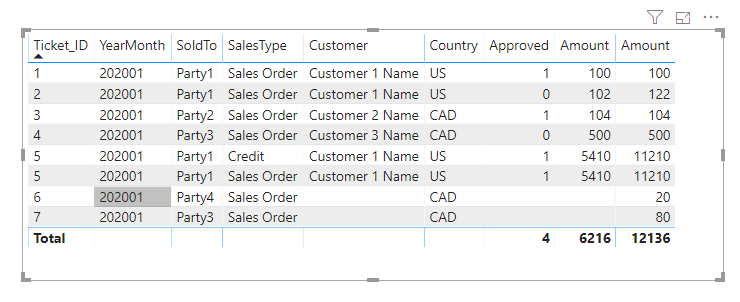
As such, when I add this with my bridge table I'm retrieving the values I want:
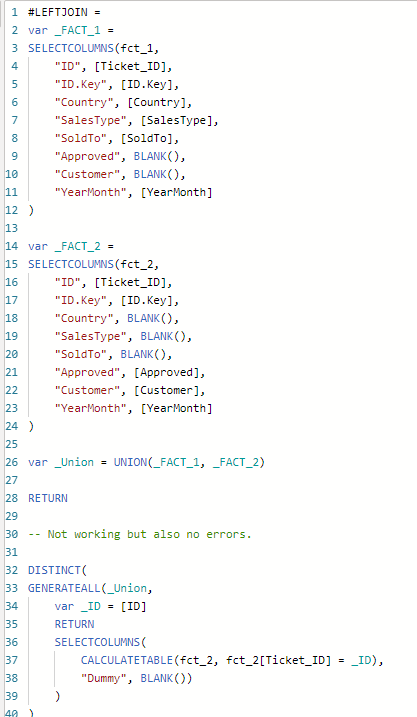
So my attempt at DAX does not yield the expected result:

Any ideas on how to proceed?