cancel
Showing results for 
Search instead for 
Did you mean: 

Data Days is here! Join us now for 60+ days of learning, challenges, and connection. Learn more

Reply
Arul
Super User
Super User

DAX Calculation


Screenshot (8).png


Hi all,

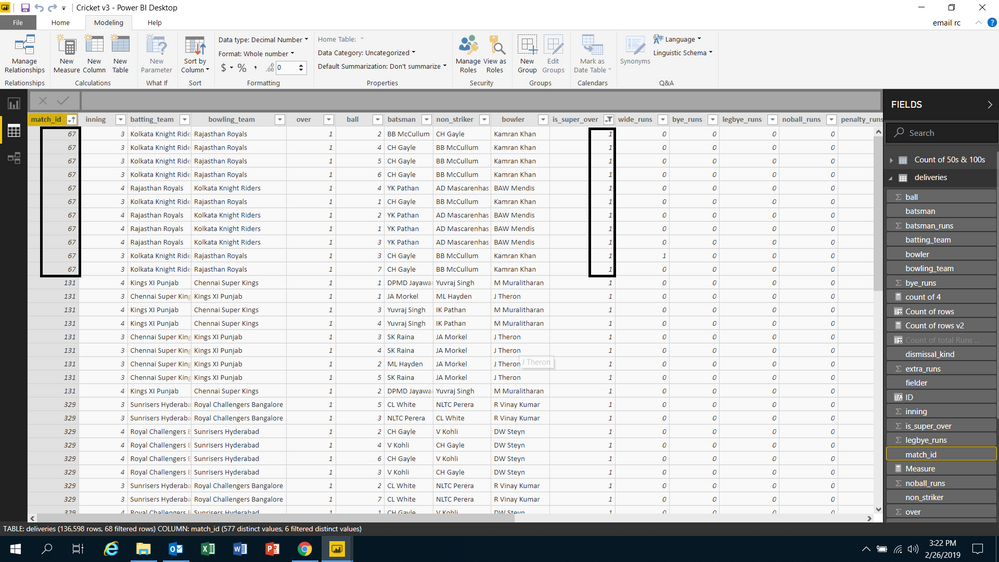
I want to count the super over by the match id. Here in the dataset they were given the particular column for the super over and if super over is bowled 1 was entered in the particular row for every ball of that super over with the respective match_id. 

NOTE: match_id was given to the every ball of the match. Pls refer the above image to solve my problem. 


Did I answer your question? Mark my post as a solution!

Proud to be a Super User!


LinkedIn


6 REPLIES 6
v-juanli-msft
Community Support
Community Support

Hi @Arul 

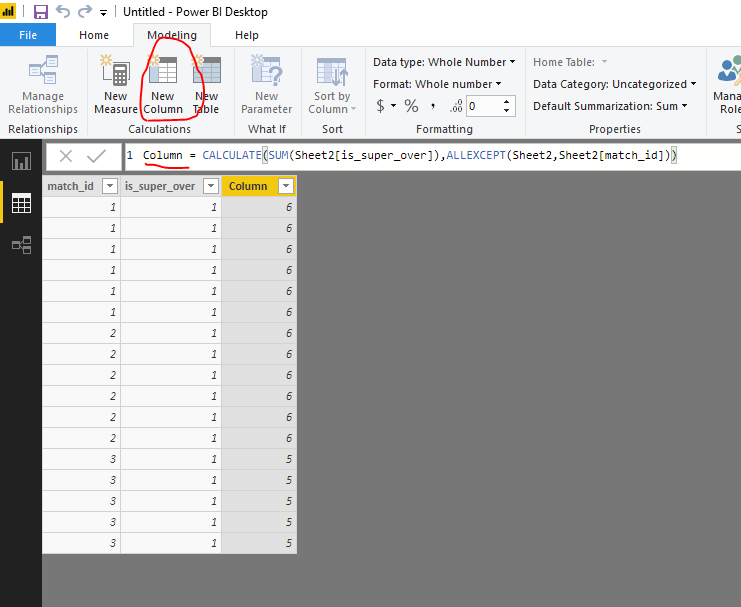
Per your requirement, you could create a column or a measure

Column = CALCULATE(SUM(Sheet2[is_super_over]),ALLEXCEPT(Sheet2,Sheet2[match_id]))

Measure = CALCULATE(SUM(Sheet2[is_super_over]),ALLEXCEPT(Sheet2,Sheet2[match_id]))

1.png2.png


Best Regards

Maggie


Community Support Team _ Maggie Li
If this post helps, then please consider Accept it as the solution to help the other members find it more quickly.

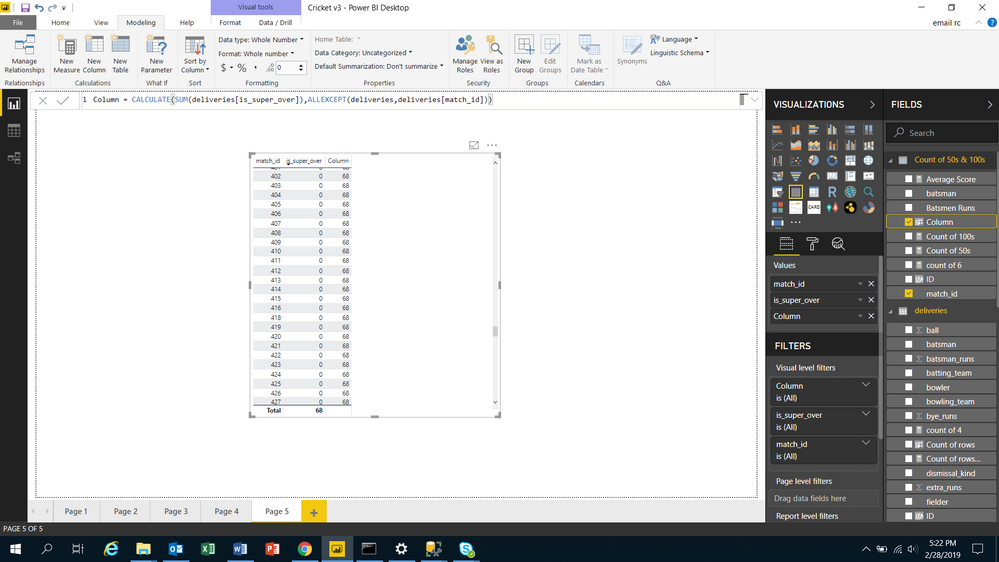
But, It gave me the wrong result as 68.


Did I answer your question? Mark my post as a solution!

Proud to be a Super User!


LinkedIn


Hi @Arul 

Do you create a column or a measure?

Could you show an exmaple for me to work on?

It is better for you to share the screenshot which show the wrong result.


Best Regards

Maggie

Screenshot (11).png

This the result which i got when i used the formula which was shared by you.


Did I answer your question? Mark my post as a solution!

Proud to be a Super User!


LinkedIn


Hi @Arul 

It seems "is_super_over" doesn't exsit in the same table with "match id".

Please let me know which table "is_super_over" lies and what relationship between two tables which  "is_super_over" column and "match id" column lie.

You could give me an simple data example.


Best Regards

Maggie

Hi @v-juanli-msft


They are in the same table only. 


Did I answer your question? Mark my post as a solution!

Proud to be a Super User!


LinkedIn


Helpful resources

Announcements
Fabric Data Days is here Carousel

Fabric Data Days 2026

Don't miss out on Data Days, June 15 through August 7. Learn Fabric, Power BI, SQL, AI and more.

May Power BI Update Carousel

Power BI Monthly Update - May 2026

Check out the May 2026 Power BI update to learn about new features.

Power BI DataViz World Championships carousel

Power BI DataViz World Championships - June 2026

A new Power BI DataViz World Championship is coming this June! Don't miss out on submitting your entry.