
Join us at FabCon Atlanta from March 16 - 20, 2026, for the ultimate Fabric, Power BI, AI and SQL community-led event. Save $200 with code FABCOMM.
Register now!Vote for your favorite vizzies from the Power BI Dataviz World Championship submissions. Vote now!
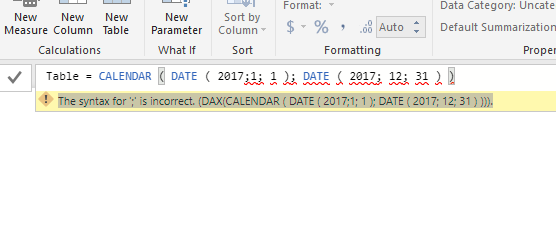
I tried to create a dateTable using
CALENDAR ( DATE ( 2017, 1, 1 ), DATE ( 2017, 12, 31 ) )
I kept getting the error message
"The syntax for '.1' is incorrect.(DAX(CALENDAR(DATE(2005, 1, 1), DATE (2015, 12, 31))))."
I tried ; as well no luck
It only works when we add two commas
dateTable = CALENDAR (DATE(2017,,1,,1), DATE(2017,,12,,31))
My regional setting is English (South Africa)
Desktop version Version: 2.54.4970.961 64-bit (January 2018)
Two commas solved the problem, but strange syntax
I had the same issue. The Decimal and List Seperator had the same value, so I changed Decimal to a '.' and started working again.
Hi @Anonymous,
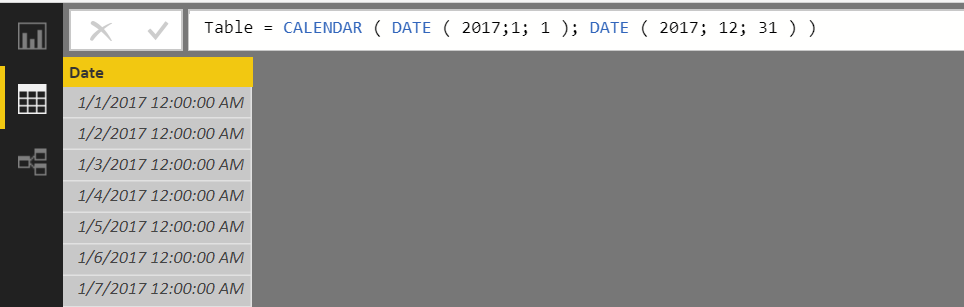
As your region set as English (South Africa), by default the list separator is " ; ".
In your scenario, if you don't change the list separator, you can specify the DAX to create a calendar table below:
Table = CALENDAR ( DATE ( 2017;1; 1 ); DATE ( 2017; 12; 31 ) )
Best Regards,
Qiuyun Yu
Hi Qiuyun Yu,
Not sure if you got my previous reply but changing to ; did not work.
Hi @Anonymous,
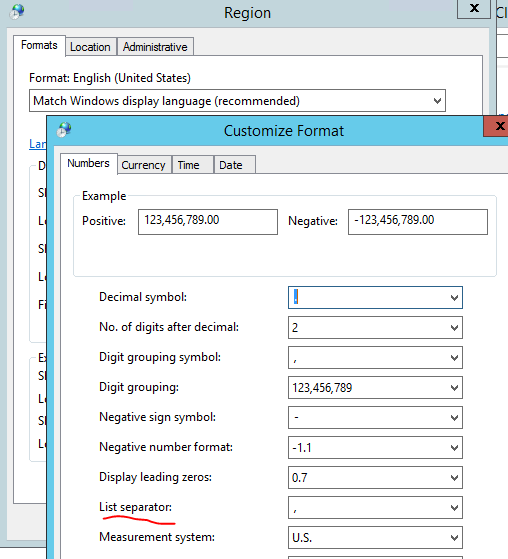
Would you please check the List operator format in your region for OS?
Best Regards,
Qiuyun Yu
Hi Qiuyun Yu,
I have the same issue, the dax formula only works when I use the double comma's even when my List Separator is set to [ , ]. So it seems that this setting is not responsible for the syntax error.
List separator set to [ , ]
Vote for your favorite vizzies from the Power BI World Championship submissions!
If you love stickers, then you will definitely want to check out our Community Sticker Challenge!
Check out the January 2026 Power BI update to learn about new features.
| User | Count |
|---|---|
| 64 | |
| 53 | |
| 42 | |
| 20 | |
| 17 |
| User | Count |
|---|---|
| 123 | |
| 104 | |
| 44 | |
| 32 | |
| 24 |