Don't miss your chance to take the Fabric Data Engineer (DP-600) exam for FREE! Find out how by watching the DP-600 session on-demand now through April 28th.
Learn moreJoin the FabCon + SQLCon recap series. Up next: Power BI, Real-Time Intelligence, IQ and AI, and Data Factory take center stage. All sessions are available on-demand after the live show. Register now
Hi,
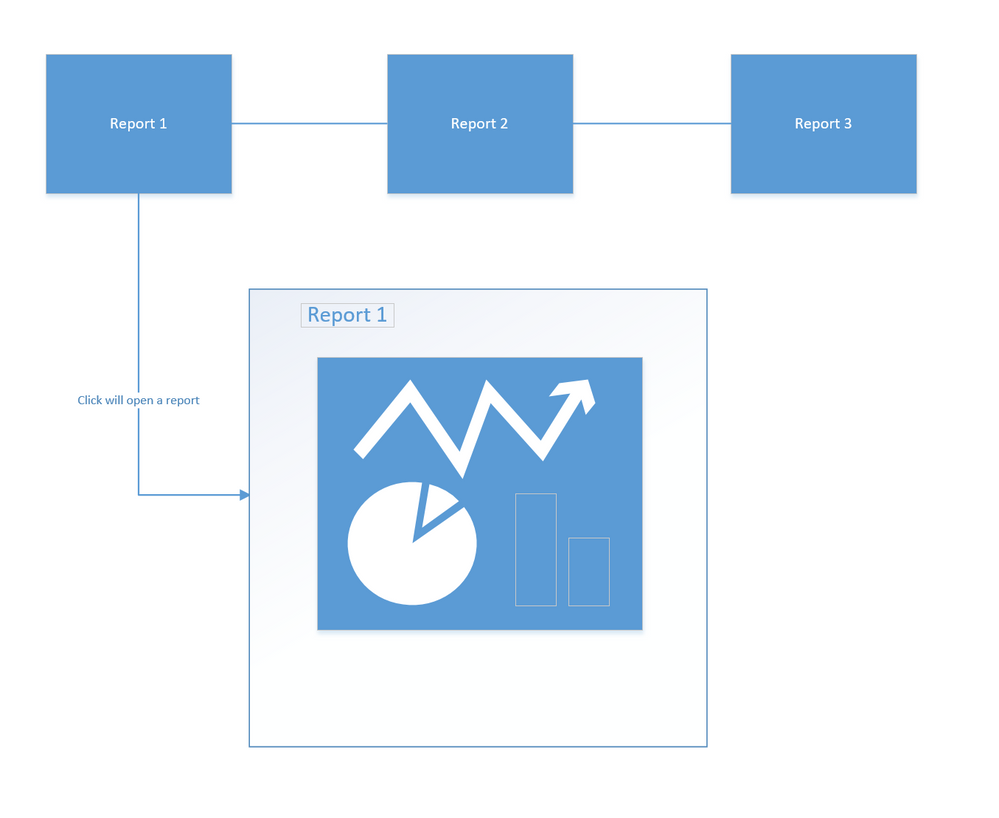
I am trying to use the Visio custom visual to create a clickable layout linked to different charts with different datasets.
All the examples I have seem so far only hghlight part of the chart rather than showing a whole new chart. Example: http://sqljason.com/2017/06/visio-custom-visual-preview-for-power-bi-quick-look.html
Is this something that can be achieved with Power BI? If not with the Visio custom visual, is there any other way to achieve it?
Thanks,
Beatriz
Hi,
Here is how you can do it:
1. Using Visio create a drawing with say 4 shapes.
2. Add hyperlinks to all the shapes. These hyperlinks will be the links to your Power BI reports/pages.
3. Save this drawing to OneDrive for Business or SharePoint Online.
4. Insert Visio custom visual (from office store) in your main report.
5. Connect some dummy data to the visual for it to load.
6. Import the drawing you created earlier
Done!
Thanks,
Rohan
Check out the April 2026 Power BI update to learn about new features.
If you have recently started exploring Fabric, we'd love to hear how it's going. Your feedback can help with product improvements.
A new Power BI DataViz World Championship is coming this June! Don't miss out on submitting your entry.
| User | Count |
|---|---|
| 48 | |
| 40 | |
| 38 | |
| 20 | |
| 17 |
| User | Count |
|---|---|
| 68 | |
| 66 | |
| 30 | |
| 26 | |
| 25 |