cancel
Showing results for 
Search instead for 
Did you mean: 

The Power BI Data Visualization World Championships is back! Get ahead of the game and start preparing now! Learn more

Reply
a-simarg
Helper II
Helper II

Custom Data Conectors not available

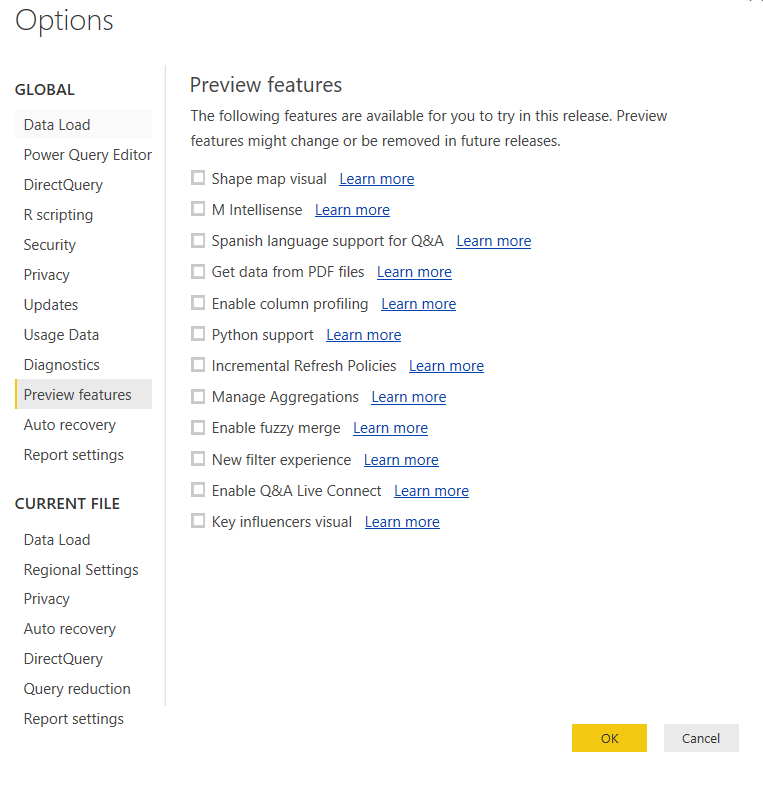
Does anyone knows why i do not see/ not available for me the Custom Data Conectors?powerbi.PNG

4 REPLIES 4
TeigeGao
Solution Sage
Solution Sage

Hi a-simarg,

According to your description, my understanding is that you want to enable the Custom Data Conectors on PowerBI Desktop.

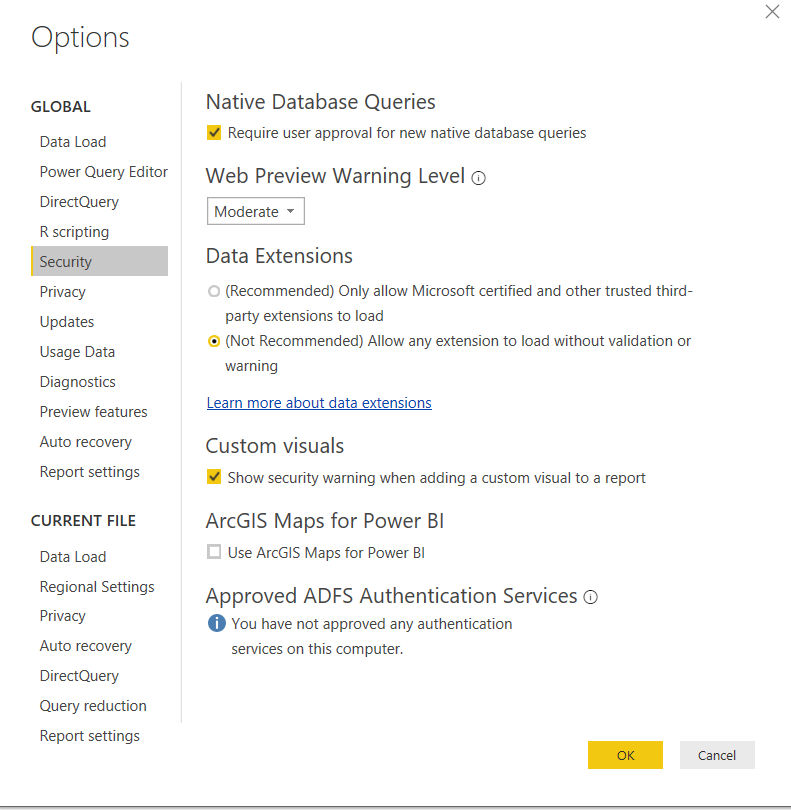
Using Custom Data Conectors doesn’t require enabling it in Preview Features now, to load extensions during development, we will need to lower the security level for extensions in Power BI Desktop to enable loading unsigned/uncertified connectors.

  1. Go to File | Options and settings | Options
  2. Go the Security tab
  3. Under Data Extensions, select Allow any extension to load without warning or validation
  4. Restart Power BI Desktop

For more information, please refer to this blog: https://github.com/Microsoft/DataConnectors

Best Regards,

Teige

Capture21.PNG

I've already made that change and still not okay..

I will check the document that you've sent me

Thanks

tusharj
Microsoft Employee
Microsoft Employee

I am having a similar issue. Did your issue resolve?

In the new power BI we do not need to see the Data Connectors.

you have it by default

Helpful resources

Announcements
Power BI DataViz World Championships

Power BI Dataviz World Championships

The Power BI Data Visualization World Championships is back! Get ahead of the game and start preparing now!

December 2025 Power BI Update Carousel

Power BI Monthly Update - December 2025

Check out the December 2025 Power BI Holiday Recap!

FabCon Atlanta 2026 carousel

FabCon Atlanta 2026

Join us at FabCon Atlanta, March 16-20, for the ultimate Fabric, Power BI, AI and SQL community-led event. Save $200 with code FABCOMM.