Join us at FabCon Atlanta from March 16 - 20, 2026, for the ultimate Fabric, Power BI, AI and SQL community-led event. Save $200 with code FABCOMM.
Register now!The Power BI Data Visualization World Championships is back! Get ahead of the game and start preparing now! Learn more
Hi there,
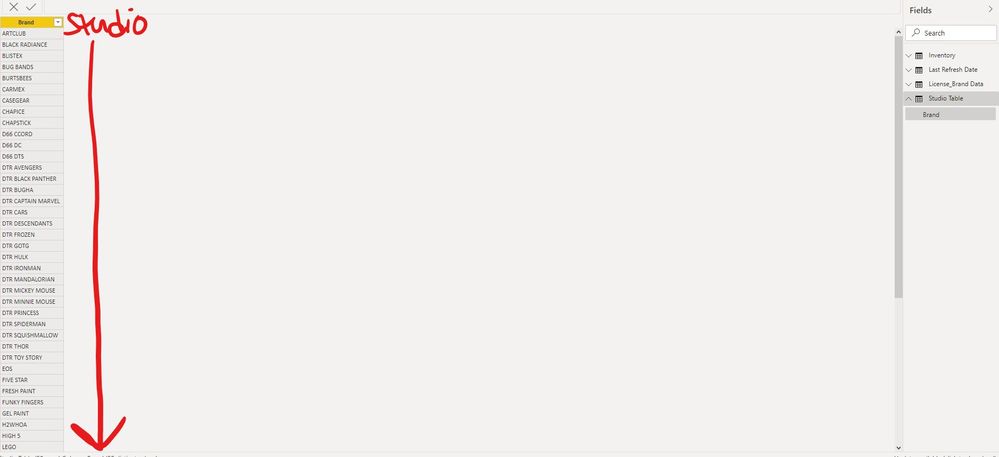
I am trying to esentially create a custom column to create specific Studios off of a Brand field in my underlying excel data.
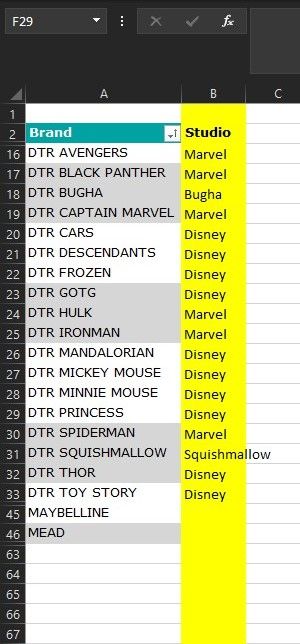
What is the best way to add my custom studio listing? I've attached an example of what this looks like in Excel but I would love to have this created in Power BI.
Esentially, I would add the custom Studio column as a slicer in my dashboard.
Thanks!
Solved! Go to Solution.
@Anonymous , one way, is to load it from excel and merge the data
https://radacad.com/append-vs-merge-in-power-bi-and-power-query
Enter Data and append data
or write a formula using Switch
refer video: Switch-Case statement of #PowerBI: https://www.youtube.com/watch?v=gelJWktlR80&list=PLPaNVDMhUXGaaqV92SBD5X2hk3TMNlHhb&index=56
Switch(true(),
[brand] in {"DTR CAR", "DTR Frozen"}, "Disney",
// add other
//else
)
Hi @Anonymous
I want to know how do you import the data ? If you import data from excel file ,you can add the Studio column in your excel then import to desktop .Then choose the Studio field as a slicer to filter data .
If you import the data by Enter Date in desktop , you can directly enter the value in the Studio column or modify it in the source settings in Query Editor . Instead of adding Custom Column . Then choose the Studio field as a slicer to filter data .
So what kind of effect do you want to achieve through Custom Column, can you describe it clearly?
If you want to know more info about the function of Custom Column , you can refer to this link :
https://docs.microsoft.com/en-us/power-bi/create-reports/desktop-add-custom-column
Best Regards
Community Support Team _ Ailsa Tao
If this post helps, then please consider Accept it as the solution to help the other members find it more quickly.
@Anonymous , one way, is to load it from excel and merge the data
https://radacad.com/append-vs-merge-in-power-bi-and-power-query
Enter Data and append data
or write a formula using Switch
refer video: Switch-Case statement of #PowerBI: https://www.youtube.com/watch?v=gelJWktlR80&list=PLPaNVDMhUXGaaqV92SBD5X2hk3TMNlHhb&index=56
Switch(true(),
[brand] in {"DTR CAR", "DTR Frozen"}, "Disney",
// add other
//else
)
The Power BI Data Visualization World Championships is back! Get ahead of the game and start preparing now!
| User | Count |
|---|---|
| 40 | |
| 35 | |
| 34 | |
| 31 | |
| 27 |
| User | Count |
|---|---|
| 135 | |
| 102 | |
| 67 | |
| 65 | |
| 56 |