cancel
Showing results for 
Search instead for 
Did you mean: 

July 7 - July 17 | Round 2 of the Power BI Dataviz World Championships. Don't miss your chance! Learn more

Reply
tkirk
New Member

Custom Column - Formula Not Complete

I'm trying to create a custom column that takes a date and subtracts 7 days from it. This is my formula:


=Date.AddDays([DueDate],-7)


It's not working though. The only thing my window says is "The formula is incomplete."


Ugh! Any thoughts?


1 ACCEPTED SOLUTION

Thanks all for your help. It appears that there was an issue with my client. I usually work with my data in an RDP with a ton of RAM to help with performance. When I saved my .pbix and opened it on another device, my formula worked beautifully. As a resolution, I was able to get it work. Still don't know what the issue was with my RDP that caused the problem, but maybe that will help if anyone else sees the issue themselves, just try a new machine.

View solution in original post

5 REPLIES 5
Mike_Carlo
Most Valuable Professional

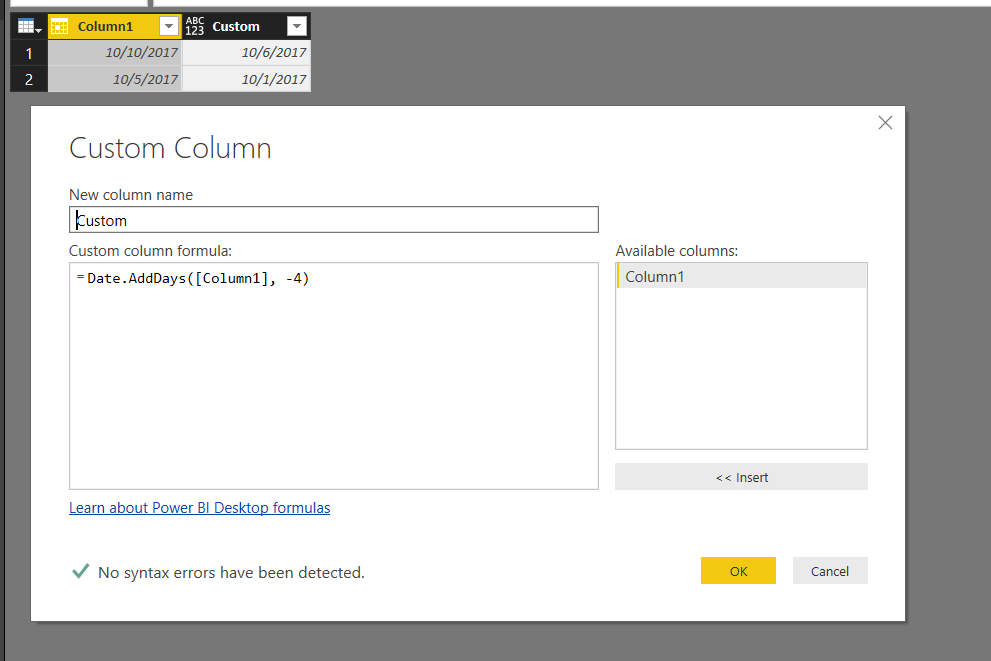
I was able to get the formula to work.


Couple of things you should check, 

1. make sure you power BI desktop is upto date.  The M language has been changing over time and newer releases will have all the commands.

2. The column that your pulling in must be in date format, in my example it was column1...  I did check to see if it would work if I used column1 as text.  It failed, so my guess as to why you may be having an issue could be your data types. 


Good luck I hope that helps. 


Mike Carlo

www.PowerBI.Tips


.. Image.PNG


Mike Carlo ( https://powerbi.tips )

Thanks for the responses--it seems like this should be working. My column is indeed formatted as a Date field, and my client is updated to the latest version (the October 2017 update). 


I had a colleague do the formula in his own dataset and it worked beautifully, just like yours. Interestingly, he never saw the "formula is incomplete" message. As he typed, it gave a more detailed account of syntax errors until he completed the formula. Did you get a similar result? I'm going to save my .pbix and try opening on a different device to see if it's specific to my machine.

Hi @tkirk,

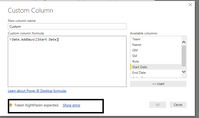
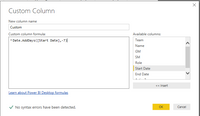
It's weird. I test it and the formula works correctly. And it shows a syntax error(displayed in screenshot1) untill I complete the formula.

unfinishedunfinishedfinishfinish

Best Regards,
Angelia

Thanks all for your help. It appears that there was an issue with my client. I usually work with my data in an RDP with a ton of RAM to help with performance. When I saved my .pbix and opened it on another device, my formula worked beautifully. As a resolution, I was able to get it work. Still don't know what the issue was with my RDP that caused the problem, but maybe that will help if anyone else sees the issue themselves, just try a new machine.

Ashish_Mathur
Super User
Super User

Hi,


Why not simply


=[bsiwritingduedate]-7


Regards,
Ashish Mathur
http://www.ashishmathur.com
https://www.linkedin.com/in/excelenthusiasts/

Helpful resources

Announcements
FabCon and SQLCon Barcelona 2026

FabCon & SQLCon – Barcelona 2026

Join us in Barcelona for FabCon and SQLCon, the Fabric, Power BI, SQL, and AI community event. Save €200 with code FABCMTY200.

60 days of Data Days Carousel

Data Days 2026

Join Data Days 2026: 60 days of free live/on-demand sessions, challenges, study groups, and certification opportunities.

Power BI DataViz World Championships carousel

Power BI DataViz World Championships - June 2026

A new Power BI DataViz World Championship is coming this June! Don't miss out on submitting your entry.

Top Solution Authors