cancel
Showing results for 
Search instead for 
Did you mean: 

Get Fabric Certified for FREE during Fabric Data Days. Don't miss your chance! Request now

Reply
nhoff
Advocate I
Advocate I

Cumulative total - but only until MAX(sales date)

I have created a measure to display cumulative total using the guidelines on daxpatterns.com.


Measure:

Sales Acc = CALCULATE(Sales[SalesAmount];FILTER(ALL(Dates);Dates[Date]<=MAX(Dates[Date])))


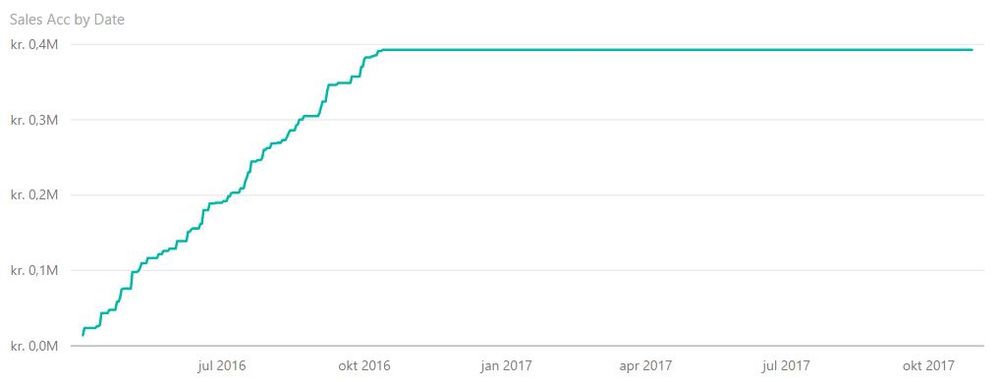
My date table goes beyond the last sales date leaving me with a simple line chart, that visually doesn't work.


The question is:

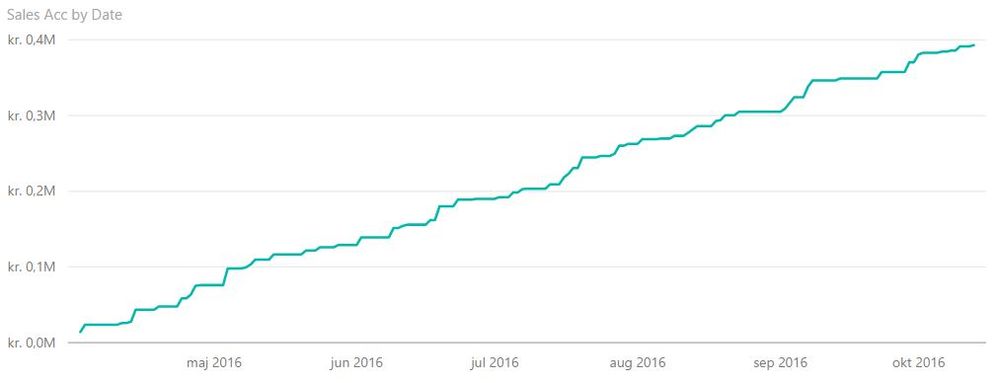
How do I change the measure so I can get picture A instead of picture B? I would prefer not to set the filter manually on the visual, but let it be dynamic.


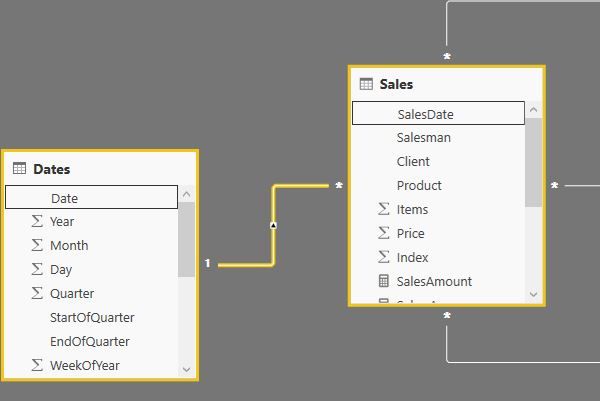
Data modelData modelPicture APicture APicture BPicture B


1 ACCEPTED SOLUTION
v-caliao-msft
Microsoft Employee
Microsoft Employee

@nhoff,


In your scenario, since your date table goes beyond the last sales date, so some date have no sales. So your get Picture B. If you want the expected reults, you need to filter out the dates which have no sales.

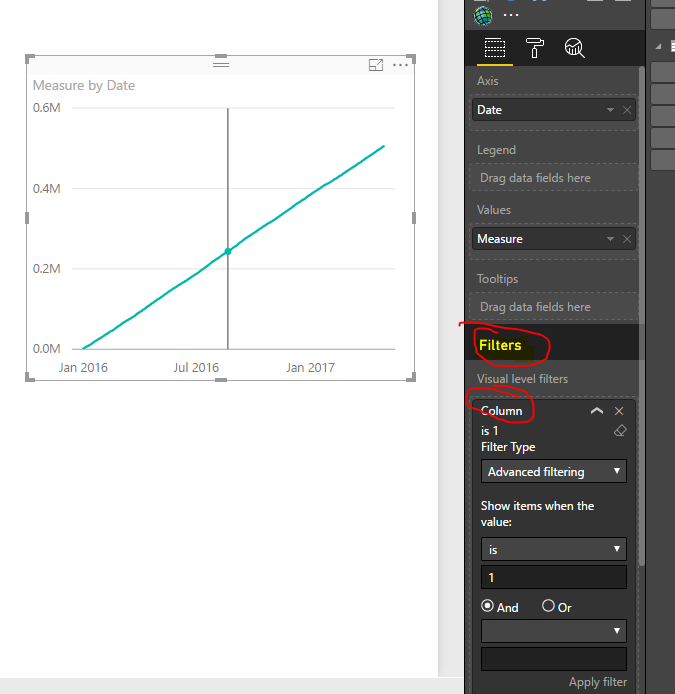
You need to create a column in your date table to check if the current date is before than the max date in your sales date.

Column = IF('Date'[DateKey]<MAX(Sales[DateID]),1,0)

Then add this column to your visual filter.
Capture.PNG


Regards,

Charlie Liao

View solution in original post

2 REPLIES 2
MarkS
Resolver IV
Resolver IV

Hi,

I think that instead of this

Sales Acc = CALCULATE(Sales[SalesAmount];FILTER(ALL(Dates);Dates[Date]<=MAX(Dates[Date])))


it should be

Sales Acc = CALCULATE(Sales[SalesAmount];FILTER(ALL(Dates);Dates[Date]<=MAX(Sales[SalesDate])))


you want the MAX of the SalesDate from the Sales Table.

v-caliao-msft
Microsoft Employee
Microsoft Employee

@nhoff,


In your scenario, since your date table goes beyond the last sales date, so some date have no sales. So your get Picture B. If you want the expected reults, you need to filter out the dates which have no sales.

You need to create a column in your date table to check if the current date is before than the max date in your sales date.

Column = IF('Date'[DateKey]<MAX(Sales[DateID]),1,0)

Then add this column to your visual filter.
Capture.PNG


Regards,

Charlie Liao

Helpful resources

Announcements
Fabric Data Days Carousel

Fabric Data Days

Advance your Data & AI career with 50 days of live learning, contests, hands-on challenges, study groups & certifications and more!

October Power BI Update Carousel

Power BI Monthly Update - October 2025

Check out the October 2025 Power BI update to learn about new features.

FabCon Atlanta 2026 carousel

FabCon Atlanta 2026

Join us at FabCon Atlanta, March 16-20, for the ultimate Fabric, Power BI, AI and SQL community-led event. Save $200 with code FABCOMM.

Top Solution Authors