Hello,
I am an absolute beginner in Power BI and only have a week of experience.
I have two data tables which have a relationship with a common date table, and I've created a matrix that shows the values appropriately. But I wish to create a super heading for each group of values.
To provide an illustration,
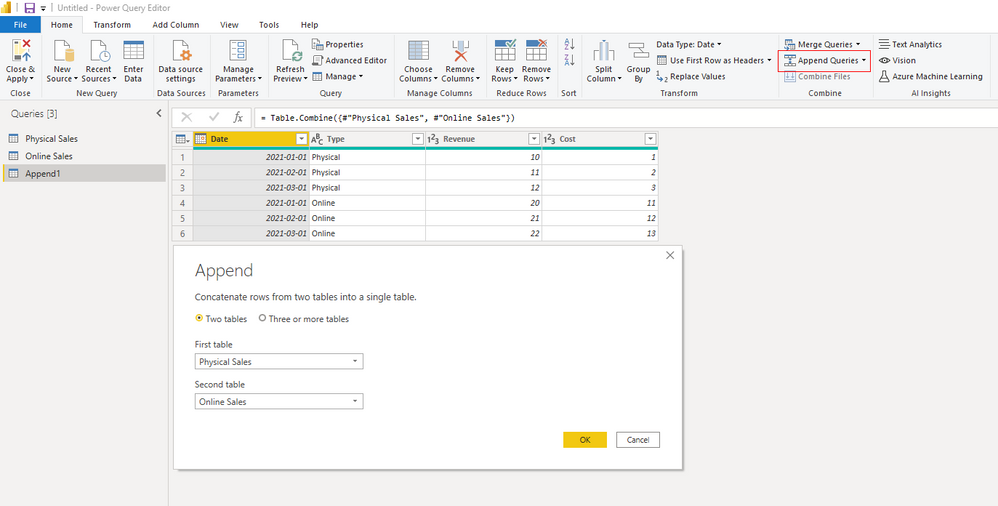
The first data table is called "Physical Sales" and is built as follows
| Date | Type | Revenue | Cost |
| 1/1/2021 | Physical | 10 | 1 |
| 2/1/2021 | Physical | 11 | 2 |
| 3/1/2021 | Physical | 12 | 3 |
The second data table is called "Online Sales" and is built as follows
| Date | Type | Revenue | Cost |
| 1/1/2021 | Online | 20 | 11 |
| 2/1/2021 | Online | 21 | 12 |
| 3/1/2021 | Online | 22 | 13 |
Both data tables are linked to a date table that has a single column [Date] which starts from 1/1/2021.
(i.e. 'Physical Sales'[Date] and 'Online Sales'[Date] both have a many to one relationship with 'Date Table'[Date])
My current matrix looks like this
| | 1/1/2021 | 2/1/2021 | 3/1/2021 |
| Revenue | 10 | 11 | 12 |
| Cost | 1 | 2 | 3 |
| Revenue | 20 | 21 | 22 |
| Cost | 11 | 12 | 13 |
The configurations for this matrix are
Row: -None-
Columns: 'Date Table'[Date]
Values: 'Physical Sales'[Reveue], 'Physical Sales'[Cost], 'Online Sales'[Revenue] and 'Online Sales'[Cost]
The format option "Show on rows" is active
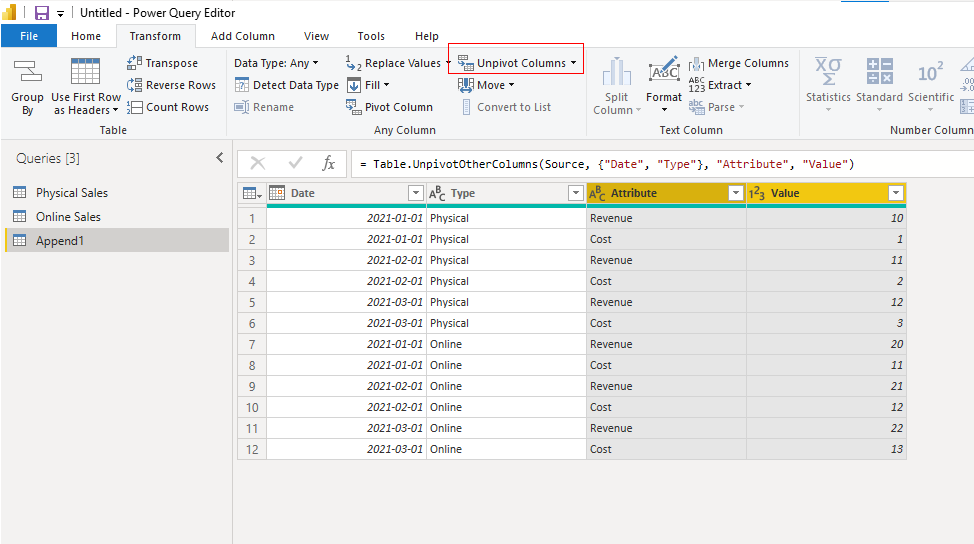
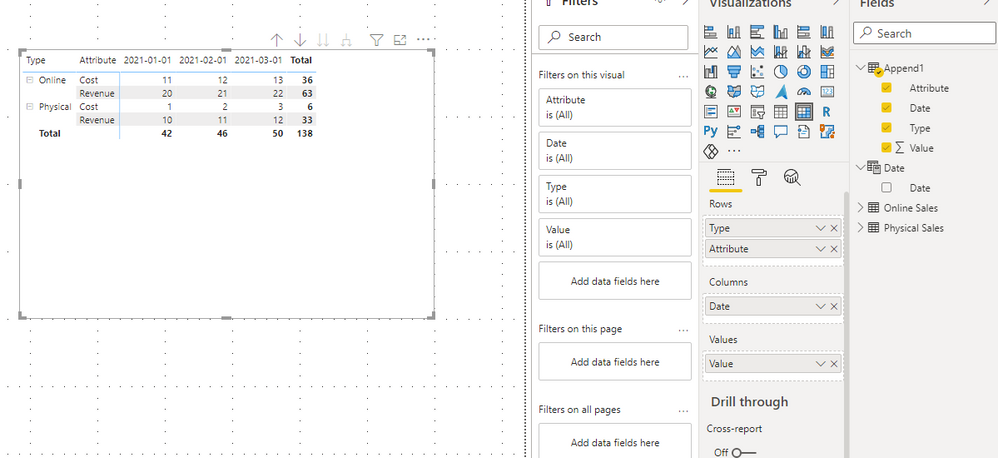
The matrix I would like to create would look like this:
| | | 1/1/2021 | 2/1/2021 | 3/1/2021 |
| Physical | Revenue | 10 | 11 | 12 |
| (Merged with cell on top) | Cost | 1 | 2 | 3 |
| Online | Revenue | 20 | 21 | 22 |
| (Merged with cell on top) | Cost | 11 | 12 | 13 |
The problem seems really simple but I just cant find the option/method to do it. I really appreciate any input or help on this!