Join us at FabCon Atlanta from March 16 - 20, 2026, for the ultimate Fabric, Power BI, AI and SQL community-led event. Save $200 with code FABCOMM.
Register now!The Power BI Data Visualization World Championships is back! Get ahead of the game and start preparing now! Learn more
Hi,
I'm trying to create a clustered bar chart where I have 10 measures. My intention is to have 2 of the measures grouped or stored in a table so that there will be spaces between each pair.
currently my bar chart looks like this:

Expected output for the bar chart
Each purple and green bar represents a measure. I'm trying to replicate this chart in PBI as it was originally created in excel.
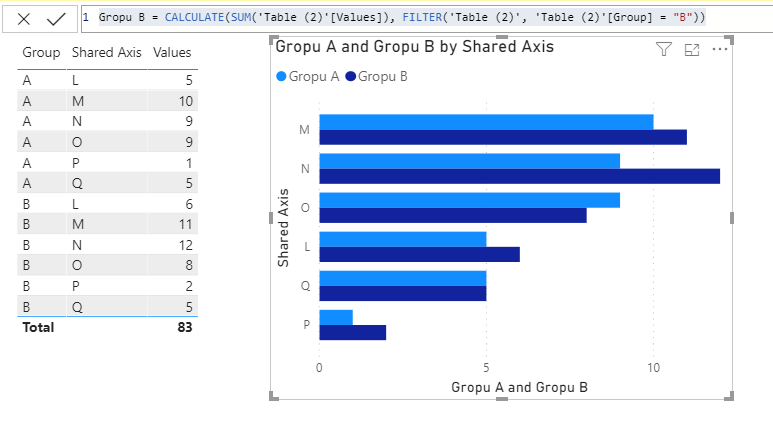
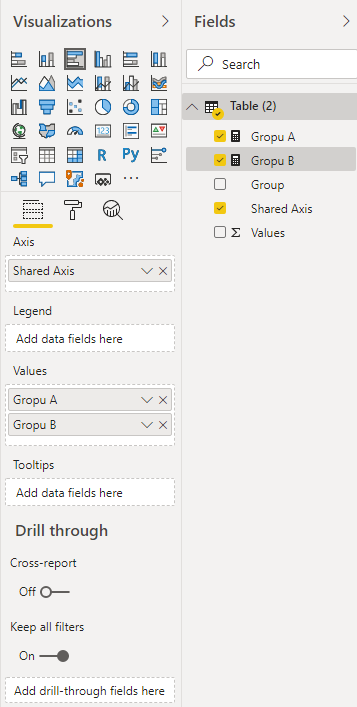
Try this useful trick... Most Charts in Power BI allow you to assign Multiple VALUES. Each of these Values will group together simular to what you were looking to make...
Create a Measure of one set of bars (let's say the Purple Lines in your example)
Proud to give back to the community!
Thank You!
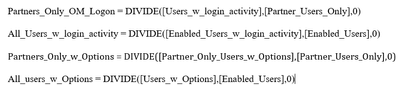
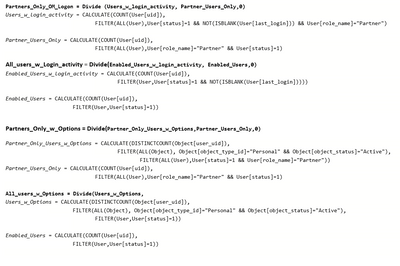
Hi @fhill , thanks for your response. Very much appreciated. What you illustrated is exactly what I intend to achieve. Like you mentioned, that I should create a measure of one set of bars (how do I accomplish that please?) Currently I have 10 measures that are dynamically calculated (all expressed in %) which I've created e.g. the measures are based on the calculation below.
In my example, the 2 Measures have filters of the source data that allow both sets of data to be displayed on the same chart without overlap (Legend).
It looks like your example measures are DIVIDING other measures? You'll need to post an example of your source data for us to help you with the actual Measure code.
Proud to give back to the community!
Thank You!
@Emmy66 , Not very clear. Are you looking for measure slicer
measure slicer
https://radacad.com/change-the-column-or-measure-value-in-a-power-bi-visual-by-selection-of-the-slic...
https://community.powerbi.com/t5/Desktop/Slicer-MTD-QTD-YTD-to-filter-dates-using-the-slicer/td-p/50...
Hi @amitchandak , thanks for your reply. I'm not looking for a measure slicer. @fhill's response is what I intend to achieve. I hope it will guide you to understand my expected output.
The Power BI Data Visualization World Championships is back! Get ahead of the game and start preparing now!
| User | Count |
|---|---|
| 38 | |
| 38 | |
| 37 | |
| 28 | |
| 28 |
| User | Count |
|---|---|
| 124 | |
| 89 | |
| 73 | |
| 66 | |
| 65 |