This is best Fabric, Power BI, SQL and AI community event. How do we know? The last event sold out! Save €200 with code FABCMTY200.
Register nowA new Data Days event is coming soon! This time we’re going bigger than ever. Fabric, Power BI, SQL, AI and more. Don't miss out.
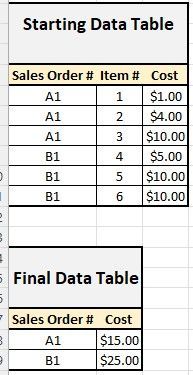
I have data source that contains thousands of Sales Orders. Each Sales Order can have multiple lines on the order, so most of the data is the same across each row. However, there are a few differences and I would like to create a summary table that essentially rolls-up certain information for each unique Sales Order #.
Here is a very simple example of what I am looking to do.
When all is said and done I will have multiple columns that I will be performing basic math on, but I'd hope if I can do it for one, it will be easy to replicate.
Can anyone help me out?
Solved! Go to Solution.
@Anonymous
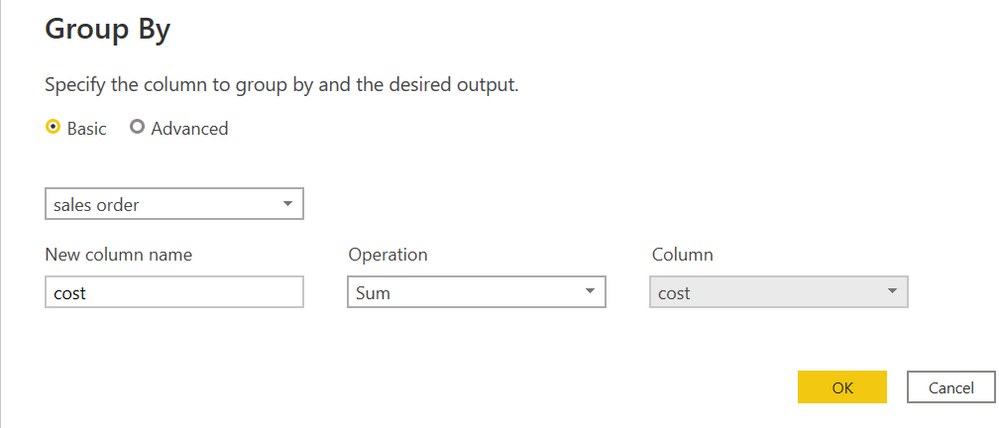
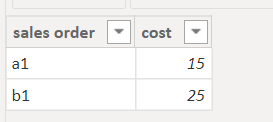
try this in PQ
Table 2 = SUMMARIZE('Table','Table'[sales order],"cost",sum('Table'[cost],"count",COUNTROWS('Table'))
or try this to use DAX to create a table
Proud to be a Super User!
@Anonymous
you can try group by in pq
or use DAX to create a new table
Table 2 = SUMMARIZE('Table','Table'[sales order],"cost",sum('Table'[cost]))
Proud to be a Super User!
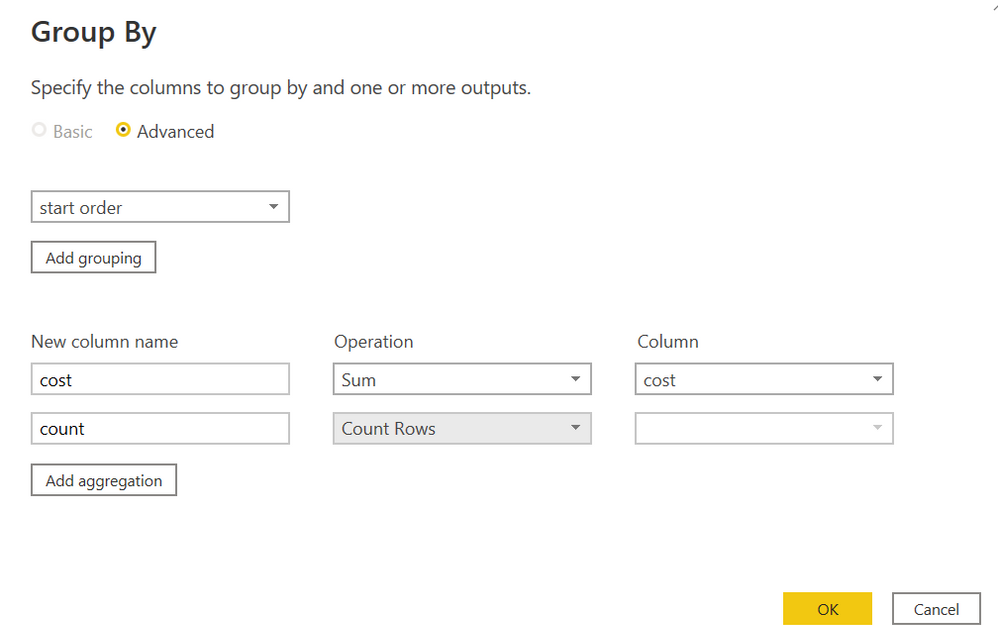
Thank you! Is there a way I can also create a column that counts how many lines were essentially rolled u? In this case 3 for each.
@Anonymous
try this in PQ
Table 2 = SUMMARIZE('Table','Table'[sales order],"cost",sum('Table'[cost],"count",COUNTROWS('Table'))
or try this to use DAX to create a table
Proud to be a Super User!
Check out the May 2026 Power BI update to learn about new features.
Sign up to receive a private message when registration opens and key events begin.
If you have recently started exploring Fabric, we'd love to hear how it's going. Your feedback can help with product improvements.
| User | Count |
|---|---|
| 31 | |
| 26 | |
| 23 | |
| 22 | |
| 13 |
| User | Count |
|---|---|
| 62 | |
| 47 | |
| 28 | |
| 23 | |
| 19 |