




Join us at FabCon Atlanta from March 16 - 20, 2026, for the ultimate Fabric, Power BI, AI and SQL community-led event. Save $200 with code FABCOMM.
Register now!Learn from the best! Meet the four finalists headed to the FINALS of the Power BI Dataviz World Championships! Register now
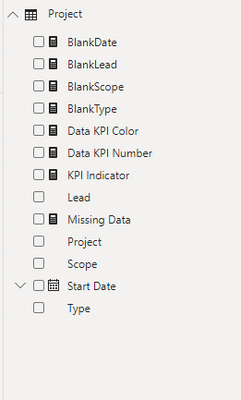
I have a KPI Measure that I would like to create a sliceable pi chart from. I have a sample file, but essentially I want the pi chart to show the number of Reds, Yellows and Greens in reference to the KPI Indicator, and I want to be able to click on the Reds to see only those projects.
@Anonymous , in the pie chart you can not use conditional formatting. You can create it on the measure, but in the case, you created it with more than one measure and no legend, you can drill/filter .
For such case, you might have to try binning - https://www.daxpatterns.com/dynamic-segmentation/
https://radacad.com/grouping-and-binning-step-towards-better-data-visualization
Share feedback directly with Fabric product managers, participate in targeted research studies and influence the Fabric roadmap.
Check out the February 2026 Power BI update to learn about new features.
| User | Count |
|---|---|
| 52 | |
| 51 | |
| 35 | |
| 15 | |
| 14 |
| User | Count |
|---|---|
| 92 | |
| 75 | |
| 41 | |
| 26 | |
| 25 |