




This time we’re going bigger than ever. Fabric, Power BI, SQL, AI and more. We're covering it all. You won't want to miss it.
Learn moreJoin the FabCon + SQLCon recap series. Up next: Power BI, Real-Time Intelligence, IQ and AI, and Data Factory take center stage. All sessions are available on-demand after the live show. Register now
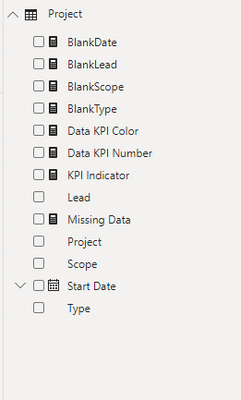
I have a KPI Measure that I would like to create a sliceable pi chart from. I have a sample file, but essentially I want the pi chart to show the number of Reds, Yellows and Greens in reference to the KPI Indicator, and I want to be able to click on the Reds to see only those projects.
@Anonymous , in the pie chart you can not use conditional formatting. You can create it on the measure, but in the case, you created it with more than one measure and no legend, you can drill/filter .
For such case, you might have to try binning - https://www.daxpatterns.com/dynamic-segmentation/
https://radacad.com/grouping-and-binning-step-towards-better-data-visualization
Check out the April 2026 Power BI update to learn about new features.
If you have recently started exploring Fabric, we'd love to hear how it's going. Your feedback can help with product improvements.
A new Power BI DataViz World Championship is coming this June! Don't miss out on submitting your entry.
| User | Count |
|---|---|
| 38 | |
| 38 | |
| 31 | |
| 22 | |
| 15 |
| User | Count |
|---|---|
| 74 | |
| 61 | |
| 31 | |
| 31 | |
| 23 |