Join us at FabCon Atlanta from March 16 - 20, 2026, for the ultimate Fabric, Power BI, AI and SQL community-led event. Save $200 with code FABCOMM.
Register now!Vote for your favorite vizzies from the Power BI Dataviz World Championship submissions. Vote now!
Dear all,
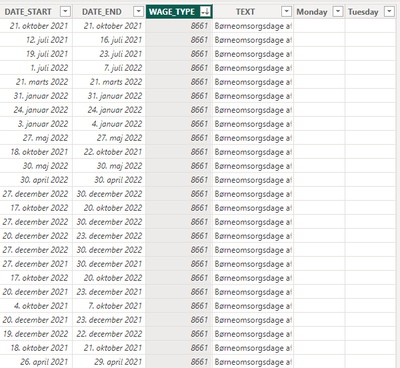
I would like to requst your assistance on how to add a new column that counts the number of mondays (or any other day) between a date column with a starting date and a date column with an end date?
Both DATE_START and DATE_END should be included in the calculation, but if DATE_START and DATE_END are the same date value it should should only copunt as one "monday".
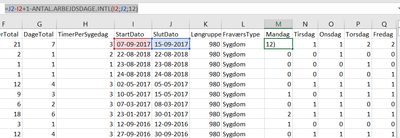
I have the result, I would like in excel. I would however much prefer to have it in my Power Bi-model...
I hope you can help!
All the best,
Jacob
Solved! Go to Solution.
@Anonymous You can do something like this:
Measure =
VAR __Table =
ADDCOLUMNS(
CALENDAR( [DATE_START], [DATE_END] ),
"__WeekDay", WEEKDAY( [Date], 2 )
)
VAR __Result = COUNTROWS( FILTER( __Table, [__WeekDay] = 1) ) // this is for Monday
RETURN
__Result
Please help me bellow
thanks ahead
Original data
Work Date ID Qty amount
2023-02-28 FS-002 1 15
2023-02-28 FS-002 2 22
2023-02-28 FS-003 3 31
2023-02-28 FS-003 1 34
2023-02-28 FS-003 2 15
2023-02-28 FS-004 3 15
2023-02-28 FS-005 1 15
2023-02-28 FS-005 2 15
2023-02-28 FS-005 3 15
2023-02-28 FS-005 1 15
2023-02-28 FS-005 2 15
2023-02-28 FS-005 3 15
2023-02-28 FS-005 1 15
2023-03-01 FS-003 2 15
2023-03-01 FS-002 3 15
2023-03-01 FS-002 1 15
2023-03-01 FS-002 2 15
2023-03-01 FS-002 3 15
2023-03-01 FS-002 1 15
Expecting Result
Work Date ID Count Qty sum amount
2023-02-28 4 13 237
2023-03-01 2 6 90
@Anonymous You can do something like this:
Measure =
VAR __Table =
ADDCOLUMNS(
CALENDAR( [DATE_START], [DATE_END] ),
"__WeekDay", WEEKDAY( [Date], 2 )
)
VAR __Result = COUNTROWS( FILTER( __Table, [__WeekDay] = 1) ) // this is for Monday
RETURN
__Result
Vote for your favorite vizzies from the Power BI World Championship submissions!
If you love stickers, then you will definitely want to check out our Community Sticker Challenge!
Check out the January 2026 Power BI update to learn about new features.
| User | Count |
|---|---|
| 57 | |
| 52 | |
| 40 | |
| 17 | |
| 16 |
| User | Count |
|---|---|
| 112 | |
| 108 | |
| 39 | |
| 34 | |
| 27 |