Join us at FabCon Atlanta from March 16 - 20, 2026, for the ultimate Fabric, Power BI, AI and SQL community-led event. Save $200 with code FABCOMM.
Register now!The Power BI Data Visualization World Championships is back! Get ahead of the game and start preparing now! Learn more
I have 2 related tables joined on ID. Table1 is a summary table with 1 record per ID and Table2 is a detail table with multiple records per ID. I need a new column in Table1 with a count of records in Table2 that have the same ID. In my example below, I need the formula for the "Record Count" column. Thoughts?
Table1
| ID | Record Count |
| 123 | 4 |
| 456 | 2 |
Table2
| ID | Value |
| 123 | asd |
| 123 | sdf |
| 123 | dfg |
| 123 | fgh |
| 456 | asd |
| 456 | dfg |
Solved! Go to Solution.
Hi,
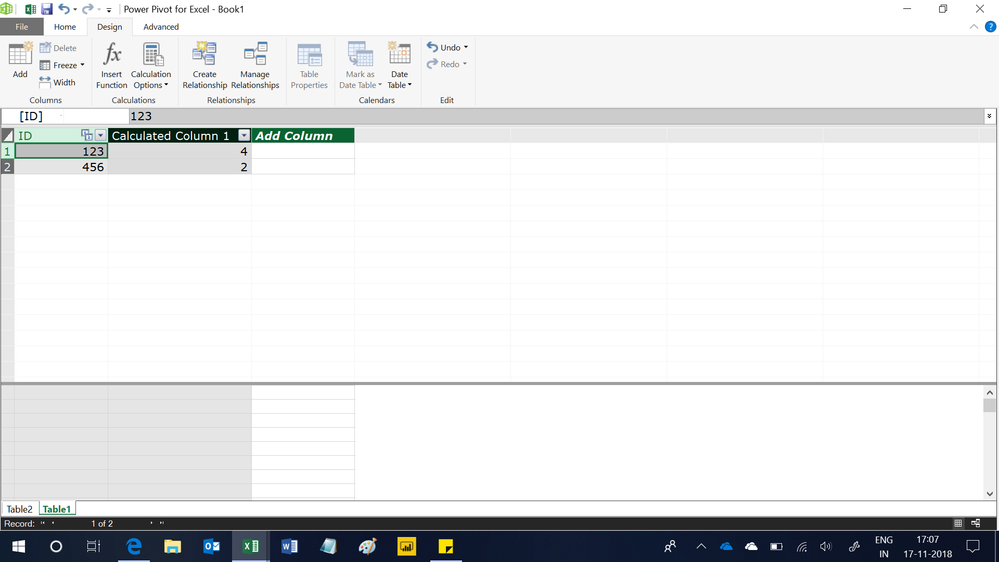
In Table1, write this calculated column formula
=COUNTROWS(RELATEDTABLE(Table2))
Hope this helps.
This might work:
Perfect, thanks!
Hi @Anonymous,
I realize that this is solved, however why do you need a new column when you can use a measure like,
count = countrows('table2') this approach keeps you model leaner and does not require additional work while refreshing.
Richard
Proud to be a Super User!
Thanks for the reply. While this works well for grid and chart values, a measure can't be used in slicers and filters. Something that I didn't specify in my post is that I need to be able to filter records where count>X. Otherwise, I like this solution for other applications. Thanks!
The Power BI Data Visualization World Championships is back! Get ahead of the game and start preparing now!
| User | Count |
|---|---|
| 39 | |
| 38 | |
| 38 | |
| 28 | |
| 27 |
| User | Count |
|---|---|
| 124 | |
| 88 | |
| 73 | |
| 66 | |
| 65 |