Join us at FabCon Atlanta from March 16 - 20, 2026, for the ultimate Fabric, Power BI, AI and SQL community-led event. Save $200 with code FABCOMM.
Register now!The Power BI Data Visualization World Championships is back! Get ahead of the game and start preparing now! Learn more
Hi Guys,
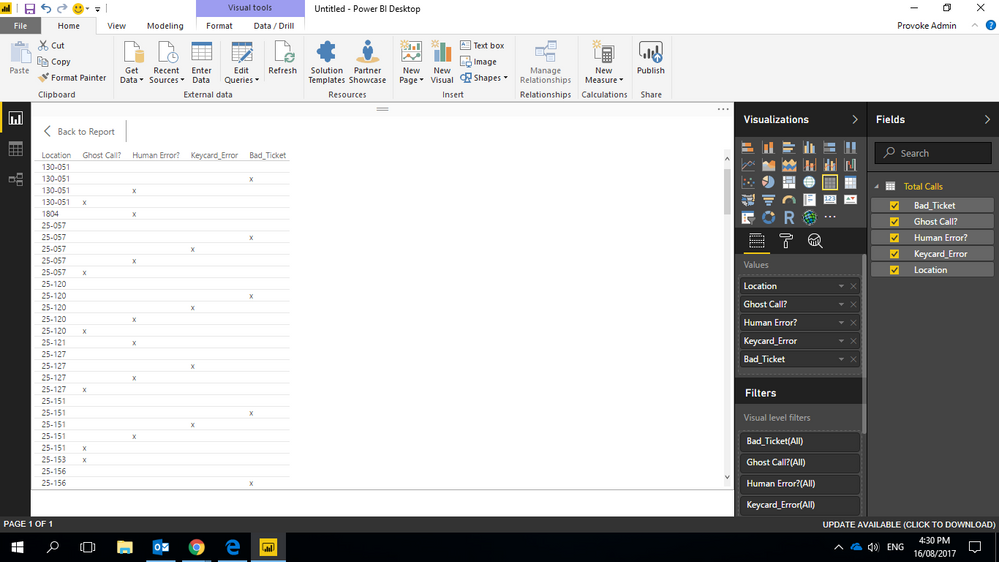
In the below screenshot I'm not able to count the amount of times a human error, machine error (indicated by (x) ) etc, occurs at the different Locations & total is so I'm able to put in a pie chart & bar chart. Please help, thank you in advance.
Hi,
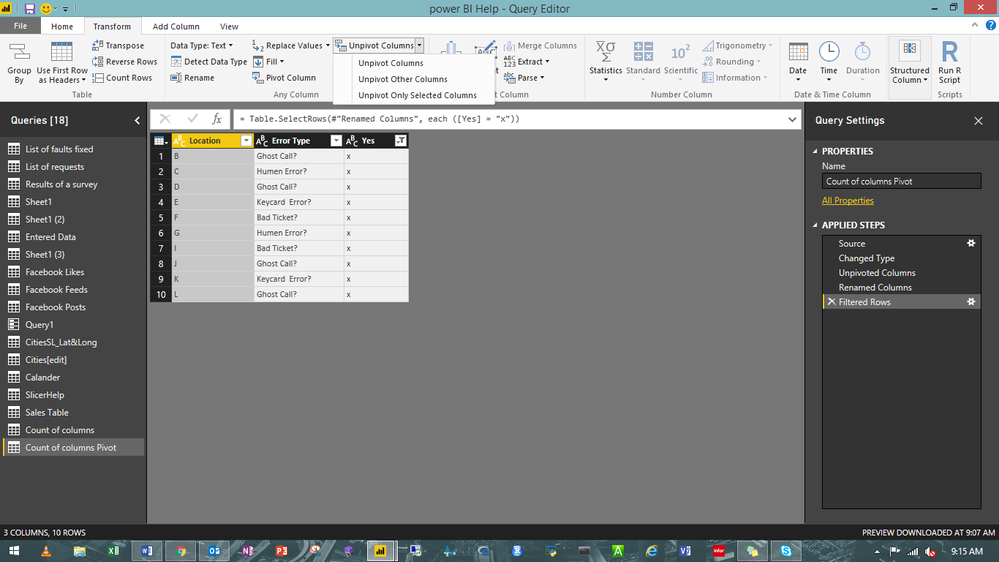
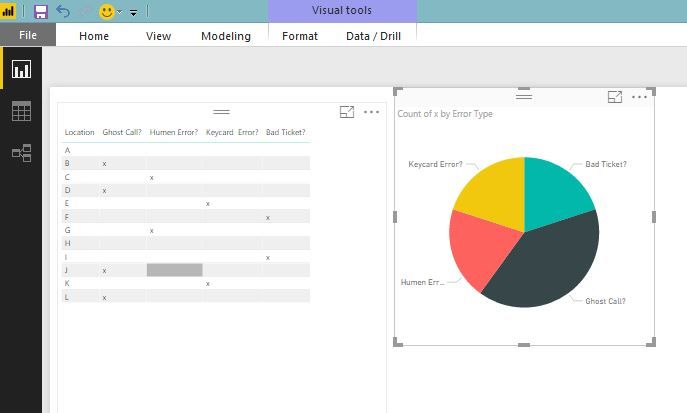
Take a duplicate of your table and you can unpivot your table in power query and then remove blank and you can use that table to create a pie chart.
@dilumd this method does not give accurate results, I have tried this before. Need to figure out how to accuratley count so results are not skewed.
Hi @provoke,
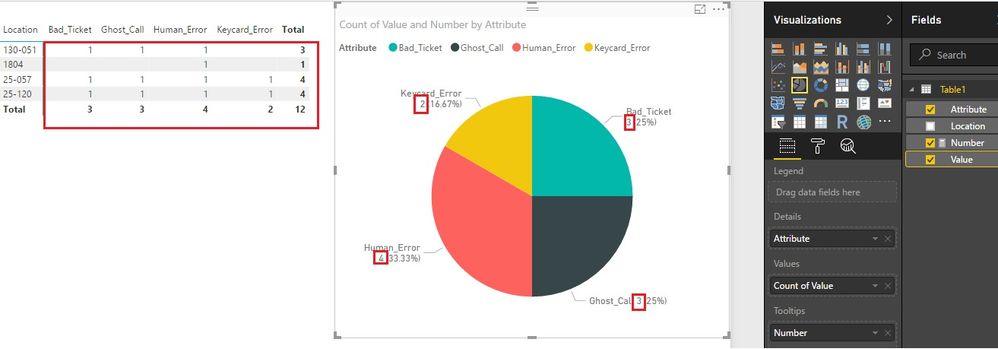
@dilumd's method is accurate. We can see it if we open the data label. Or you could use this measure.
Number = COUNT ( Table1[Value] )
Best Regards!
Dale
The Power BI Data Visualization World Championships is back! Get ahead of the game and start preparing now!
| User | Count |
|---|---|
| 39 | |
| 38 | |
| 38 | |
| 28 | |
| 27 |
| User | Count |
|---|---|
| 124 | |
| 88 | |
| 73 | |
| 66 | |
| 65 |