GOAL: I would like to count the number of outlets which sent more than 100 messages.
DATA: In my dataset, I have OutletIDs and MessageIDs (called MessageOid) of messages that were sent per outlet.
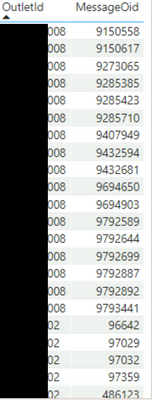
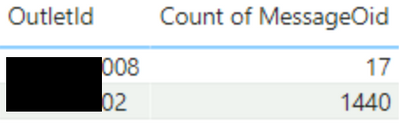
As you can see/count in the table above, Outlet 008 sent 17 distinct messages. The table below again reflects this: It counts the disctint message IDs per outlet to find out how many messages where sent per outlet.
PROBLEM
Now, I would like to display the amount of outlets which sent over 100 messages. For example, Outlet 02 is one such outlet (it sent 1440 messages) - Outlet 008 is NOT such outlet (it sent only 17 messages).
SUGGESTED SOLUTION
@v-tangjie-msft suggested using the following measure
CountMeasure =
CALCULATE (
DISTINCTCOUNT ( 'Table'[Outletld] ),
FILTER (
'Table',
CALCULATE (
DISTINCTCOUNT ( 'Table'[MessageOid] ),
FILTER ( 'Table', 'Table'[Outletld] = EARLIER ( 'Table'[Outletld] ) )
) > 100
)
)
The measure does the job - thanks a lot, @v-tangjie-msft! However, it takes very long to run - sometimes it fails and displays this error message:
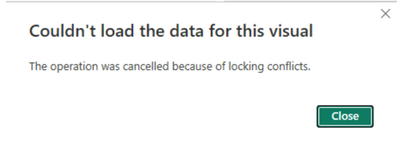
Is there any way to change this measure so it becomes more efficient and faster? Many thanks for any help in advance!
Best, Natalie


