Get certified for free when you join Fabric Data Days 2026 and dive into Fabric, Power BI, SQL, AI, and other essential data skills.
Join nowJuly 7 - July 17 | Round 2 of the Power BI Dataviz World Championships. Don't miss your chance! Learn more
Hi,
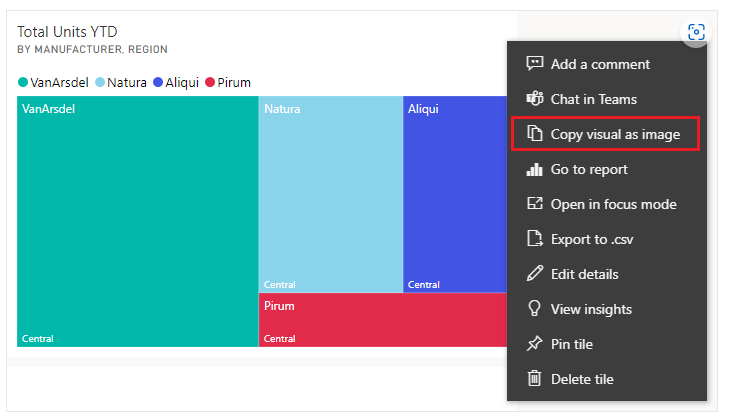
I'm trying to copy paste visual from Power BI to Word. Is there a way to include only the graph/table and not all the titles and other metadata that gets also included?
Kind regards,
K
Solved! Go to Solution.
Hi @KKSLO ,
You can try to copy from a dashboard tile. Please kindly refer to
Copy and paste a visualization in Power BI - Power BI | Microsoft Learn
Best Regards,
Stephen Tao
If this post helps, then please consider Accept it as the solution to help the other members find it more quickly.
Hi @KKSLO ,
You can try to copy from a dashboard tile. Please kindly refer to
Copy and paste a visualization in Power BI - Power BI | Microsoft Learn
Best Regards,
Stephen Tao
If this post helps, then please consider Accept it as the solution to help the other members find it more quickly.
Hi @KKSLO
How are you doing the copy? I mean if you do a screenshot you can leave out the title. What other meta data are you referring to?
Best regards
Michael
-----------------------------------------------------
If this post helps, then please consider Accept it as the solution to help the other members find it more quickly. Appreciate your thumbs up!
@ me in replies or I'll lose your thread.
-----------------------------------------------------
Let's say I copy this visual using "Copy as image with caption". When pasted to Word, I get both titles and captions. Is there a configuration, where I'd only get this same picture copy/pasted and not everything else?
Thanks for the fast reply. Really appreciate it.
K
Hi @KKSLO
Why are you not simply doing a screenshot with SnippingTool?
Best regards
Michael
-----------------------------------------------------
If this post helps, then please consider Accept it as the solution to help the other members find it more quickly. Appreciate your thumbs up!
@ me in replies or I'll lose your thread.
-----------------------------------------------------
I could do that as well, though the quality gets a bit distorted. Was wondering if there's another way of doing that. Thanks for the help!
| User | Count |
|---|---|
| 23 | |
| 22 | |
| 20 | |
| 20 | |
| 12 |
| User | Count |
|---|---|
| 63 | |
| 56 | |
| 47 | |
| 44 | |
| 37 |