Don't miss your chance to take the Fabric Data Engineer (DP-700) exam on us!
Learn moreWe've captured the moments from FabCon & SQLCon that everyone is talking about, and we are bringing them to the community, live and on-demand. Starts on April 14th. Register now
Hello,
I developed a custom visual and imported it into power bi desktop. When I add data to the custom visual it is not possible to copy it in the report. I tried to copy custom visuals from app source and there it works fine.
Do I have to add something in the code that this also works for self-developed visuals?
Thanks in advance!
Kind regards
Ferenc
Solved! Go to Solution.
Hi @Anonymous ,
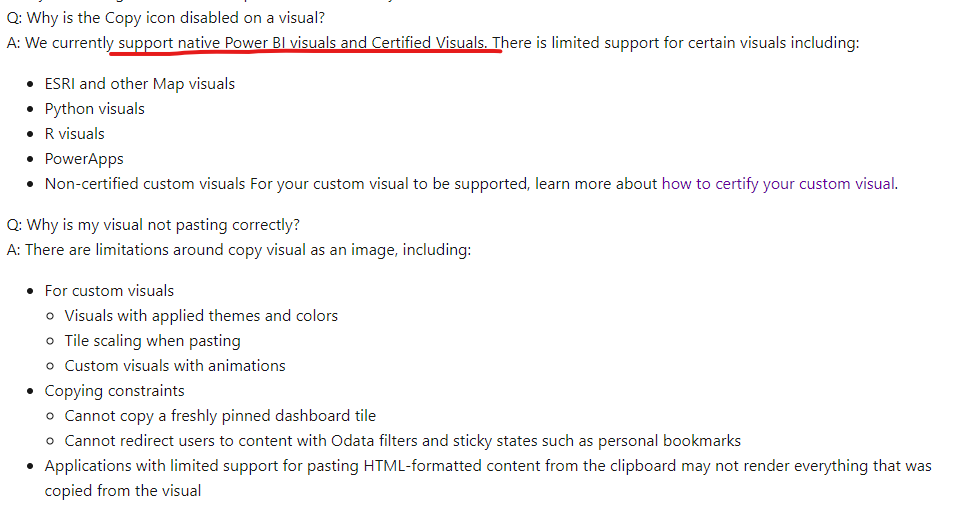
There're some considerations about copying a visual. Only native Power BI visuals and Certified Visuals can be copied.
Reference: Considerations and troubleshooting
Best Regards,
Stephen Tao
If this post helps, then please consider Accept it as the solution to help the other members find it more quickly.
Hi @Anonymous ,
Can you provide me with some detailed screenshots about your issue?
Here're two videos you can refer to
Use Custom Visuals in Power BI
Import a custom visualization in Power BI
Best Regards,
Stephen Tao
If this post helps, then please consider Accept it as the solution to help the other members find it more quickly.
Hi @Anonymous,
thank you for the fast answer!
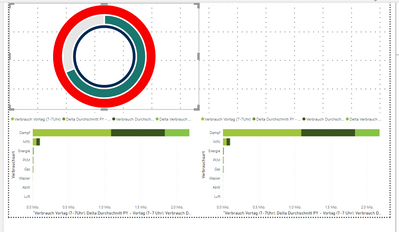
I have attached a screenshot that shows my custom visual and two times a stacked bar chart from Power BI. I can copy the charts from Power BI like the stacked bar chart over ctrl c and ctrl v without problems.
However, this is not possible with my custom visual, so i always have to insert it again 😕
Kind regards
Ferenc
Hi @Anonymous ,
There're some considerations about copying a visual. Only native Power BI visuals and Certified Visuals can be copied.
Reference: Considerations and troubleshooting
Best Regards,
Stephen Tao
If this post helps, then please consider Accept it as the solution to help the other members find it more quickly.
If you have recently started exploring Fabric, we'd love to hear how it's going. Your feedback can help with product improvements.
A new Power BI DataViz World Championship is coming this June! Don't miss out on submitting your entry.
Share feedback directly with Fabric product managers, participate in targeted research studies and influence the Fabric roadmap.
| User | Count |
|---|---|
| 51 | |
| 37 | |
| 35 | |
| 19 | |
| 17 |
| User | Count |
|---|---|
| 70 | |
| 64 | |
| 39 | |
| 33 | |
| 23 |