This is best Fabric, Power BI, SQL and AI community event. How do we know? The last event sold out! Save €200 with code FABCMTY200.
Register nowA new Data Days event is coming soon! This time we’re going bigger than ever. Fabric, Power BI, SQL, AI and more. Don't miss out.
Convert string to date, problem with date format .
Hi All,
I have problem with correctly convert value "string" to "date".
Step by step....
1. I have 3 columns (DAY, MONTH, YEAR) - type: TEXT.
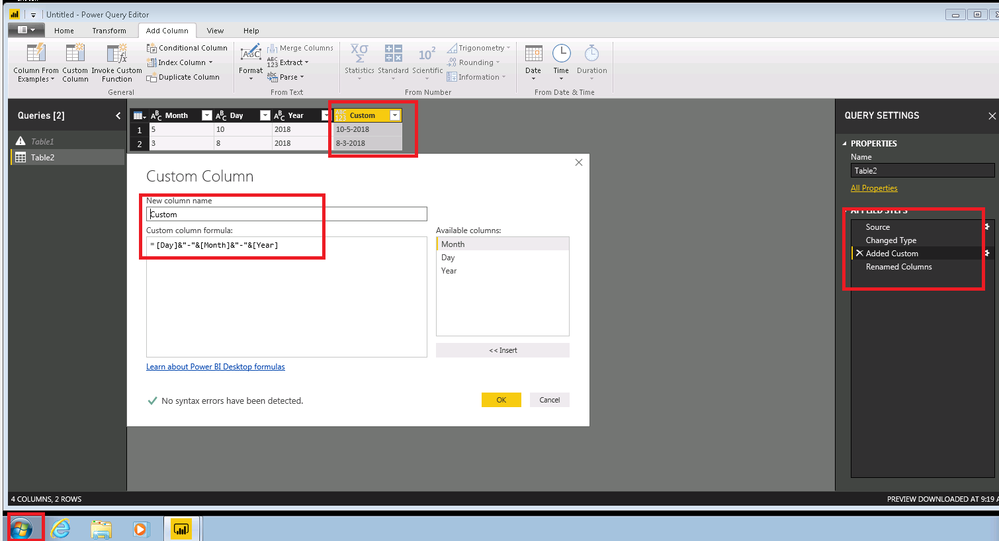
2. I link those column to new column: "Date". My separator: "-".
3. I have new column in value:
1-1-2018
13-2-2018
(...)
4. This "string" i converting to "DATE" DD.MM.RRRR
Computer 1.
Windows 10
Office 2016.
Everything working correctly. I have DD.MM.RRRR No problem.
Computer 2.
Windows 7.
Office 2010 + addition: Power Query
Date is not convert correctly. I have MM.DD.RRRR for example:
2.13.2018r. what causes error in table.
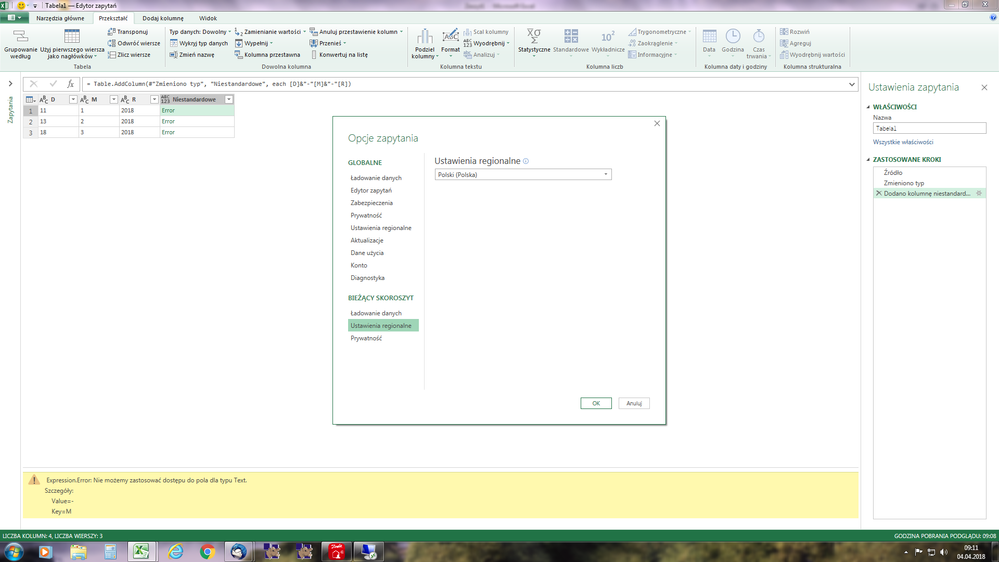
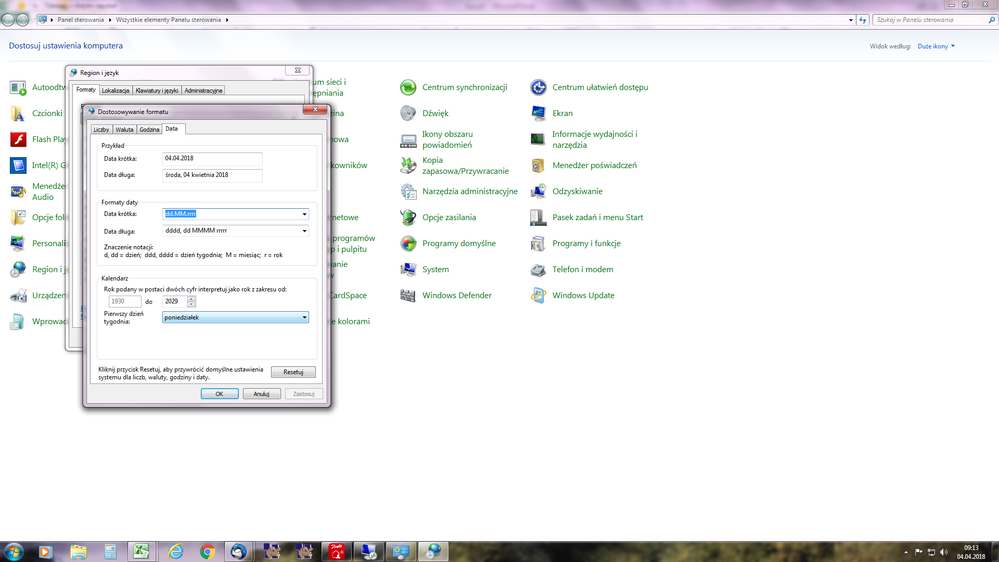
Regional setting all - the same.
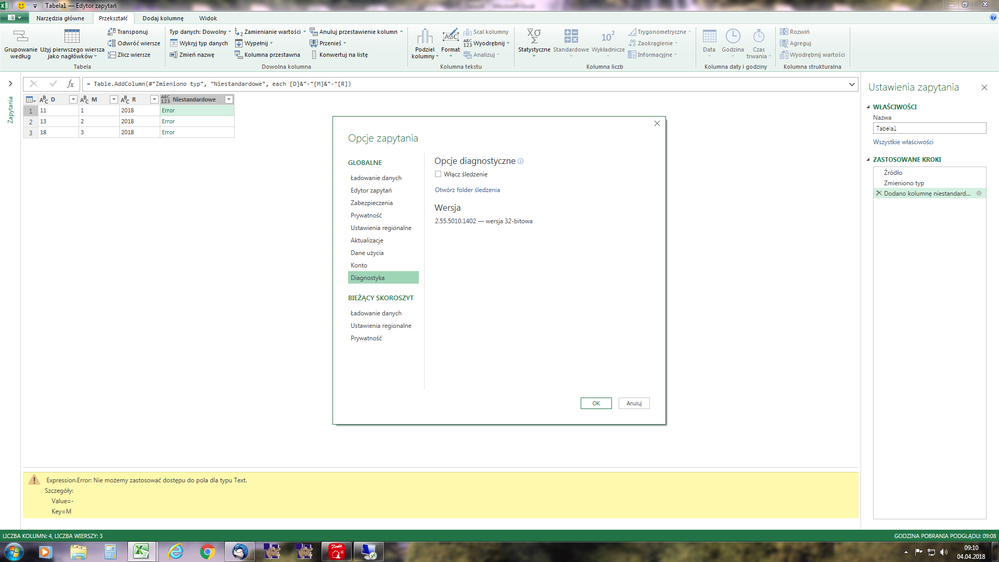
Settings Power Query - Poland (the same).
This computer using file which I did make on first machine.
What can I do?
I tryed use:
Change type => Date => Using Locale = PL
It did not help.
Hi @Ciapek,
I have made a test with the Windows 7 x64 and the latest Version of Power BI Desktop(Version: 2.56.5023.1021 64-bit (March, 2018)), everything works as expected.
Please check if you have change the type of "Month", Day", "Year" to Text before you Add costom column.
Date is not convert correctly. I have MM.DD.RRRR for example
2.13.2018r. what causes error in table.
Could you pasted the details of error so that we could help further investigate on it?
In addition, you could refer to my test pbix file.
Best Regards,
Cherry
Hi Cherry,
Today I checked Your solution on my computer (Office 2016).
Everything working correktly. Tomorrow I will check your proposition on second computer.
It working:
=Table.AddColumn(#"Zmieniono typ1", "Niestandardowe", each [Day]&"-"&[Month]&"-"&[Year])
But solution for example below on second computer not working.
= Table.CombineColumns(#"Zmieniono typ2",{"Day", "Month", "Year"},Combiner.CombineTextByDelimiter("-", QuoteStyle.None),"Niestandardowe")
Returns date in format: MM-DD-YYYY
Note, I have using the same columns for each question.
Column order with both questions is the same.
[Day] [Month] [Year]
But I have different results :-(.
I thinking why?
I willl let You know.
Thank You for Your help:-)
Today I tried your solution.
1. Works correctly on my computer.
2. Not works on second computer.
The problem there is when I makes convert string to date.
The regional setting are the same on both computers.
My temporary solution is changing places numbers in string...
I connects the chain: [M]&"-"&[D]&"-"&[Y]
And i have correctly date.
Check out the May 2026 Power BI update to learn about new features.
Sign up to receive a private message when registration opens and key events begin.
If you have recently started exploring Fabric, we'd love to hear how it's going. Your feedback can help with product improvements.
| User | Count |
|---|---|
| 27 | |
| 25 | |
| 22 | |
| 20 | |
| 14 |
| User | Count |
|---|---|
| 50 | |
| 44 | |
| 19 | |
| 18 | |
| 18 |