Don't miss your chance to take the Fabric Data Engineer (DP-700) exam on us!
Learn moreWe've captured the moments from FabCon & SQLCon that everyone is talking about, and we are bringing them to the community, live and on-demand. Starts on April 14th. Register now
Hi
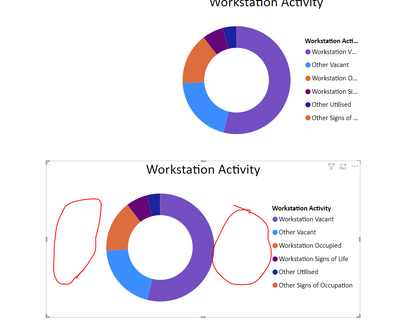
The ledgends is not displaying all the description in most of my graphs, but I have to stretch the bounding box a lot to get the full description, which leave a lot of wasted white space, is there a way to control thge width of each sagment, or spaerate the ledgend from the graph so you can control it location and size?
Hi @flemingg62
You can try this ,
change the font size,
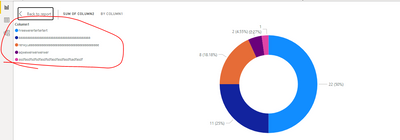
Or select "show as a table"
Best Regards,
Community Support Team _Tang
If this post helps, please consider Accept it as the solution to help the other members find it more quickly.
Hi
I want a same font size through out, also it is harder to read if you make it so small. even then you are left with so much White space, I just need to move the Legend into the wasted white space and closer to the graph.
Thanks Some graphs have a very long list so I want to try and keep it ti the side, also looks better on the Web
you can change the position of the legend like top left ... etc , you can save space!
Proud to be a Super User!
If you have recently started exploring Fabric, we'd love to hear how it's going. Your feedback can help with product improvements.
A new Power BI DataViz World Championship is coming this June! Don't miss out on submitting your entry.
Share feedback directly with Fabric product managers, participate in targeted research studies and influence the Fabric roadmap.
| User | Count |
|---|---|
| 51 | |
| 37 | |
| 35 | |
| 19 | |
| 17 |
| User | Count |
|---|---|
| 72 | |
| 70 | |
| 39 | |
| 34 | |
| 23 |