Join us at FabCon Atlanta from March 16 - 20, 2026, for the ultimate Fabric, Power BI, AI and SQL community-led event. Save $200 with code FABCOMM.
Register now!The Power BI Data Visualization World Championships is back! Get ahead of the game and start preparing now! Learn more
Is there a way to allow the end-user to choose any number and have column values change accordingly?
Let's say I have a ticket creation date. My default would be that within 30 days it should be responded, and if there are 7 days left, it should be marked under some kind of alert.
But I want the user to be able to change 30 days to whatever number of days he wishes (say 1-30). The same goes for the 7 days.
Solved! Go to Solution.
Hi @nadavbi ,
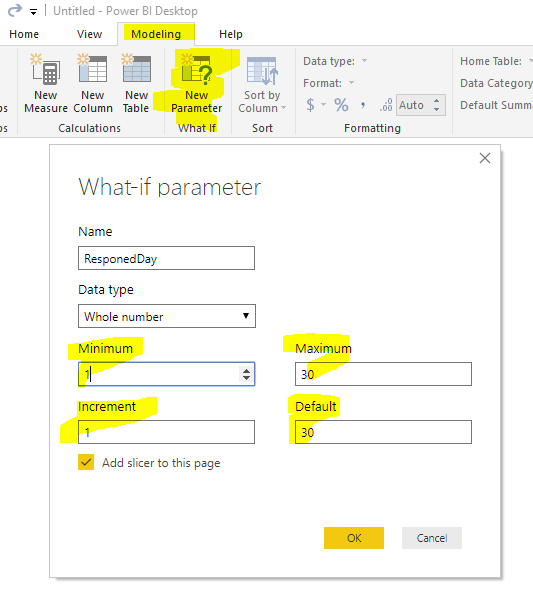
We can create two What-If parameter first as following screenshot:
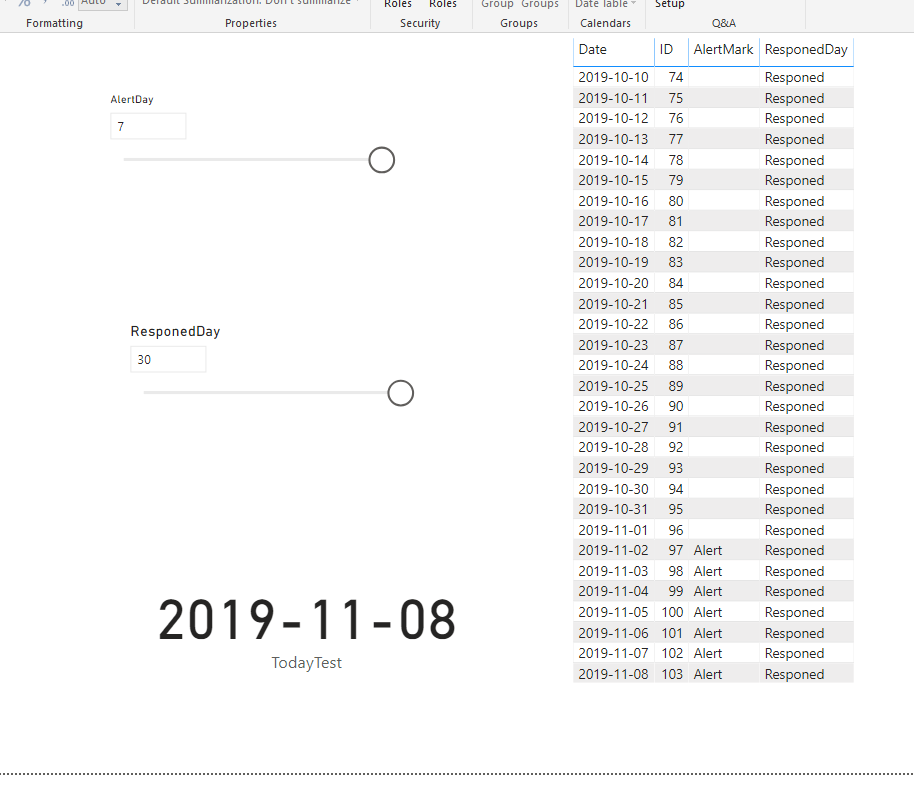
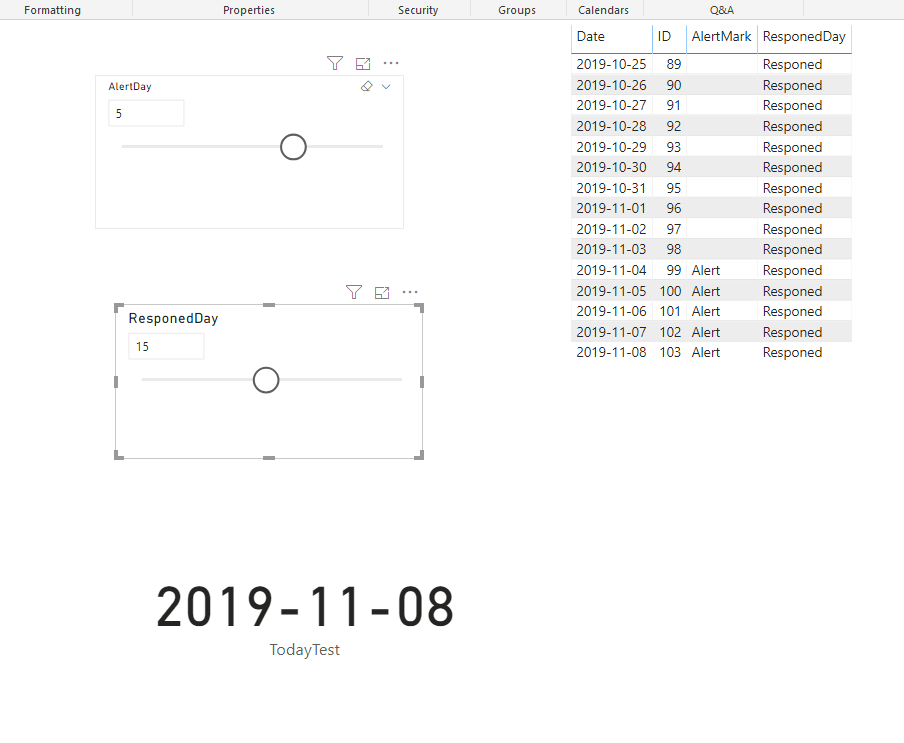
Then we can create two measures to mark the ticket. We can also use them in the visual filter.
ResponedDay =
IF (
DATEDIFF ( MAX ( 'Table'[Date] ), TODAY (), DAY ) < [ResponedDay Value],
"Responed",
BLANK ()
)
AlertMark =
IF (
DATEDIFF ( MAX ( 'Table'[Date] ), TODAY (), DAY ) < [AlertDay Value],
"Alert",
BLANK ()
)
BTW, pbix as attached.
Best regards,
Community Support Team _ Dong Li
If this post helps, then please consider Accept it as the solution to help the other members find it more quickly.
Hi @nadavbi ,
How about the result after you follow the suggestions mentioned in my original post?Could you please provide more details about it If it doesn't meet your requirement?
Best regards,
Hi @nadavbi ,
We can create two What-If parameter first as following screenshot:
Then we can create two measures to mark the ticket. We can also use them in the visual filter.
ResponedDay =
IF (
DATEDIFF ( MAX ( 'Table'[Date] ), TODAY (), DAY ) < [ResponedDay Value],
"Responed",
BLANK ()
)
AlertMark =
IF (
DATEDIFF ( MAX ( 'Table'[Date] ), TODAY (), DAY ) < [AlertDay Value],
"Alert",
BLANK ()
)
BTW, pbix as attached.
Best regards,
Community Support Team _ Dong Li
If this post helps, then please consider Accept it as the solution to help the other members find it more quickly.
The Power BI Data Visualization World Championships is back! Get ahead of the game and start preparing now!
| User | Count |
|---|---|
| 38 | |
| 36 | |
| 33 | |
| 31 | |
| 28 |
| User | Count |
|---|---|
| 129 | |
| 88 | |
| 79 | |
| 68 | |
| 63 |