This time we’re going bigger than ever. Fabric, Power BI, SQL, AI and more. We're covering it all. You won't want to miss it.
Learn moreDid you hear? There's a new SQL AI Developer certification (DP-800). Start preparing now and be one of the first to get certified. Register now
Hello,
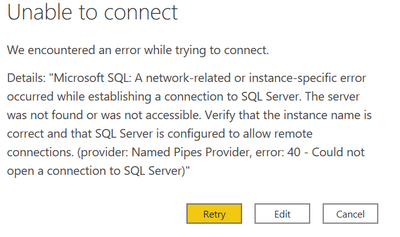
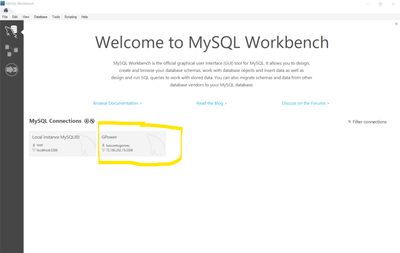
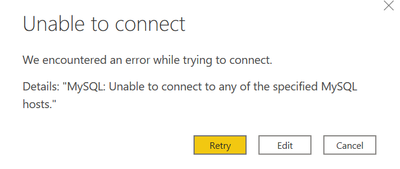
I am trying to connect to an SQL IP Adress. I am able to access it through MySQL Workbench, but when I try to connect it to Power BI the following error shows up...
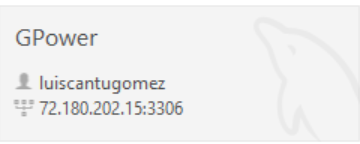
So, here is what I have in MySQL Workbench program which I like to connect....
By writing the IP Adress in SQL connect with or without the port number the error persists.
I already opened the port number in the firewall and the error persists.
I am able to connect via Python but not Power BI.
Any suggestions???
Thanks
Solved! Go to Solution.
Hello @Gutierrez4 ,
For the above error, make sure that you have specified the correct server name, which can be serverip: portno or servername. If you use the server name, place the host name in the Server field and in the Database field.
Also make sure that the MySQL service is running on the server to which you want to connect.
You can also try using the ODBC connection for MySQL.
Best regards
Liang
If this post helps, then consider Accept it as the solution to help other members find it faster.
Hello @Gutierrez4 ,
For the above error, make sure that you have specified the correct server name, which can be serverip: portno or servername. If you use the server name, place the host name in the Server field and in the Database field.
Also make sure that the MySQL service is running on the server to which you want to connect.
You can also try using the ODBC connection for MySQL.
Best regards
Liang
If this post helps, then consider Accept it as the solution to help other members find it faster.
@Gutierrez4 Seems like you should be using the MySQL connector and you are using the SQL Connector.
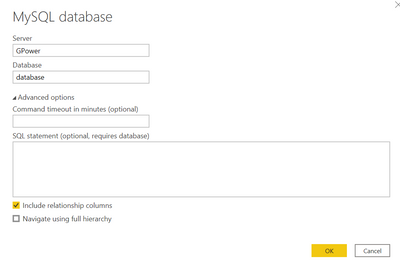
My server name is GPower and y want to extract tables from database.
Cant connect.
This is now the error.
Check out the April 2026 Power BI update to learn about new features.
Sign up to receive a private message when registration opens and key events begin.
If you have recently started exploring Fabric, we'd love to hear how it's going. Your feedback can help with product improvements.
| User | Count |
|---|---|
| 36 | |
| 33 | |
| 31 | |
| 21 | |
| 16 |
| User | Count |
|---|---|
| 66 | |
| 55 | |
| 31 | |
| 24 | |
| 23 |