Join us at FabCon Atlanta from March 16 - 20, 2026, for the ultimate Fabric, Power BI, AI and SQL community-led event. Save $200 with code FABCOMM.
Register now!The Power BI Data Visualization World Championships is back! Get ahead of the game and start preparing now! Learn more
Hi,
How do I get power bi to pull data from an FTP folder? Is there a way to refresh the data as well? (Refreshing through power bi scheduled refresh is not working with this). I also tried creating a batch file that copies and pastes all the files from the FTP folder into another location but this doesn't continue to work when I am signed off of the computer.
Thank you!!
Solved! Go to Solution.
Hi, @mkurup12
As a workaround, you can use the CData ODBC Driver for FTP (Third-Party Platform ) to visualize FTP data in Power BI Desktop and then uploading to the Power BI service.
See the links below for more details on how to connect to FTP as an ODBC data source.
Author and Share Power BI Reports on Real-Time FTP Data
Best Regards,
Community Support Team _ Eason
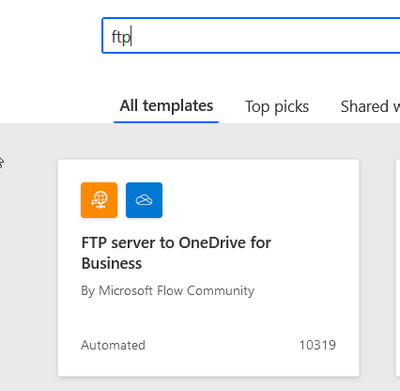
If you have an access to a Sharepoint folder and Power Automate, you can automatically move the FTP files to a SharePoint folder as they arrive and use SharePoint connection instead. There is already an existing template (which you might need to modify) in Power Automate that can do this.
Hi, @mkurup12
As a workaround, you can use the CData ODBC Driver for FTP (Third-Party Platform ) to visualize FTP data in Power BI Desktop and then uploading to the Power BI service.
See the links below for more details on how to connect to FTP as an ODBC data source.
Author and Share Power BI Reports on Real-Time FTP Data
Best Regards,
Community Support Team _ Eason
@mkurup12 , might not connect directly
refer
https://community.powerbi.com/t5/Power-Query/Connect-to-FTP-folder-with-txt-files/m-p/2503750
https://www.linkedin.com/pulse/how-connect-microsoft-power-bi-data-sftp-ftp-marcos-fattibello
https://community.powerbi.com/t5/Desktop/Connect-Power-BI-to-FTP/m-p/503802
The Power BI Data Visualization World Championships is back! Get ahead of the game and start preparing now!
| User | Count |
|---|---|
| 41 | |
| 38 | |
| 36 | |
| 30 | |
| 28 |
| User | Count |
|---|---|
| 128 | |
| 88 | |
| 79 | |
| 67 | |
| 62 |