cancel
Showing results for 
Search instead for 
Did you mean: 

We've captured the moments from FabCon & SQLCon that everyone is talking about, and we are bringing them to the community, live and on-demand. Starts on April 14th. Register now

Reply
Anonymous
Not applicable

Configuring a Waterfall Graph

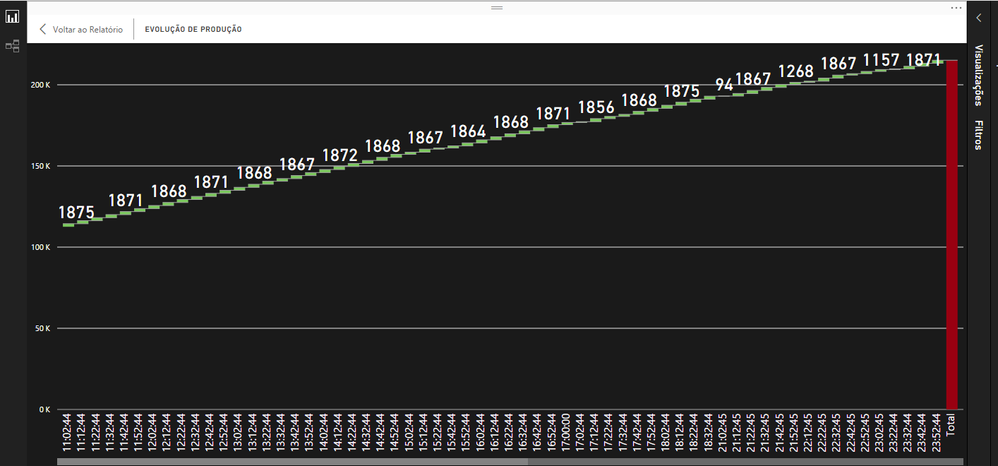
I have a cascade chart where the axis is a datetime field that informs the day and the last 24 hours of a machine's production.


teste.png


It presents the correct information of the indicator the problem is that it is presenting the information every 10 minutes causing the graph to be very large and this graph will be displayed on a TV and no one will operate the dashboard and it will be updated every 15 minutes.


How can I configure this chart to display information on the datetime axis from hourly, for example 06:00:00, 07:00:00, and so on.


Note: this dashboard was developed via directquery

2 REPLIES 2
Anonymous
Not applicable

Hi @Anonymous,


>>How can I configure this chart to display information on the datetime axis from hourly, for example 06:00:00, 07:00:00, and so on.

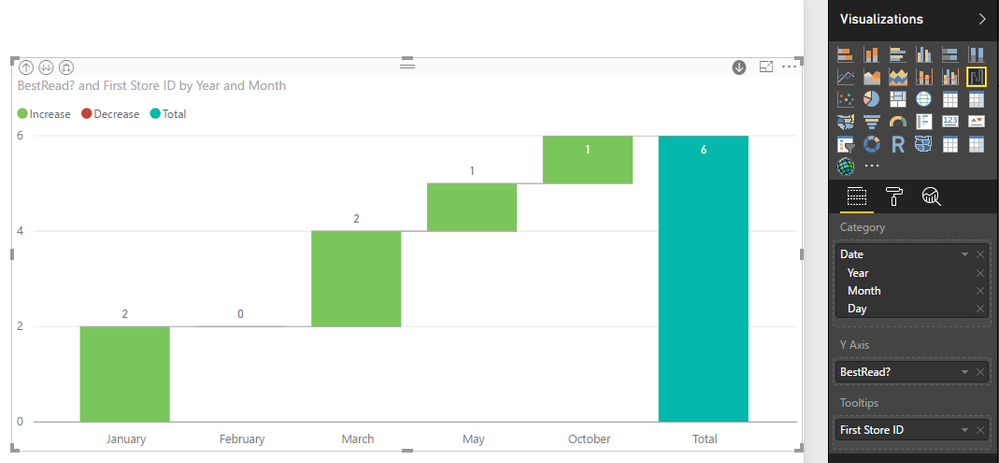
I'd like to suggest you add some calculate columns to store the year, month, day, hour values, then use these columns to create the custom hierarchy. After these steps you can use drill down feature to switch the display unit.


>>And another thing, is it possible to set the TOTAL value to be displayed on the chart? 

Normally  it will show the label value when you turn on the data label, I not so sure why your visual not show the current value.

2.PNG


Regards,

Xiaoxin Sheng

Anonymous
Not applicable

And another thing, is it possible to set the TOTAL value to be displayed on the chart? At the moment I only know the accumulated TOTAL by selecting the TOTAL column

Helpful resources

Announcements
New to Fabric survey Carousel

New to Fabric Survey

If you have recently started exploring Fabric, we'd love to hear how it's going. Your feedback can help with product improvements.

Power BI DataViz World Championships carousel

Power BI DataViz World Championships - June 2026

A new Power BI DataViz World Championship is coming this June! Don't miss out on submitting your entry.

Join our Fabric User Panel

Join our Fabric User Panel

Share feedback directly with Fabric product managers, participate in targeted research studies and influence the Fabric roadmap.

March Power BI Update Carousel

Power BI Community Update - March 2026

Check out the March 2026 Power BI update to learn about new features.