Join us at FabCon Atlanta from March 16 - 20, 2026, for the ultimate Fabric, Power BI, AI and SQL community-led event. Save $200 with code FABCOMM.
Register now!The Power BI Data Visualization World Championships is back! Get ahead of the game and start preparing now! Learn more
Hi everyone,
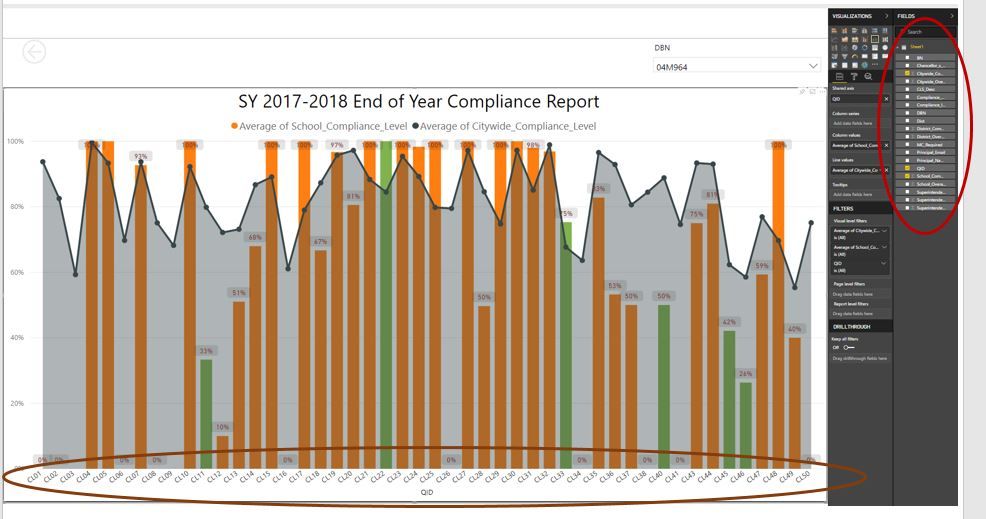
I am trying to configure a bar chart where percentage values and x axis can be configure from multiple sheets. For example, below is the snapshot of what I would like to acheive which I was able to do one only useing 1 table.Targeted Visual
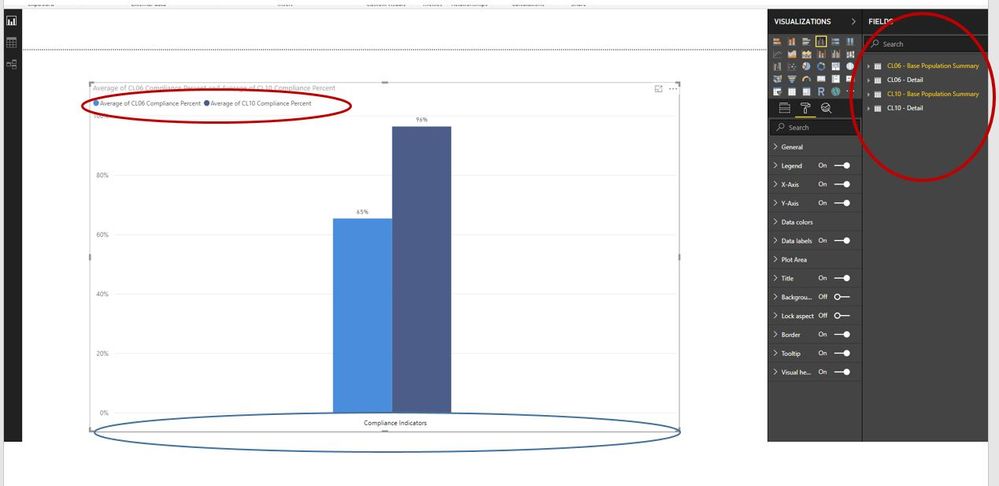
When I try to recreate this visual using multiple tables, there is not a formatting tool to put the legend into the x axis. I need to use multiple tables so I can leverage the drill through feature for each individual bar.
See example below.
is there a way to create a x-axis using variable from multiple tables/sheets?
Please advise.
Solved! Go to Solution.
You may use Append Queries (Table.Combine) in Query Editor or UNION Function (DAX) to create a new table.
The Power BI Data Visualization World Championships is back! Get ahead of the game and start preparing now!
| User | Count |
|---|---|
| 46 | |
| 42 | |
| 34 | |
| 31 | |
| 21 |
| User | Count |
|---|---|
| 140 | |
| 125 | |
| 100 | |
| 82 | |
| 64 |