Join us at FabCon Atlanta from March 16 - 20, 2026, for the ultimate Fabric, Power BI, AI and SQL community-led event. Save $200 with code FABCOMM.
Register now!The Power BI Data Visualization World Championships is back! Get ahead of the game and start preparing now! Learn more
Hey Guys,
Pretty stumped on this one after spending a day watching videos, can't quite find anything to solve what feels like an easy issue, maybe I am completely out thinking myself.
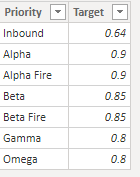
My example data is below. I'd prefer to use the target table as the conditions if possible.
What I need is this:
If "service level" for alpha is > 90, green font, else red font.
If "service level" for beta is > 85, green font, else red font.
...
...
and so on
I haven't found anything on measures using specific data values, just the column as a whole which lumps these all together and won't work. Help
Solved! Go to Solution.
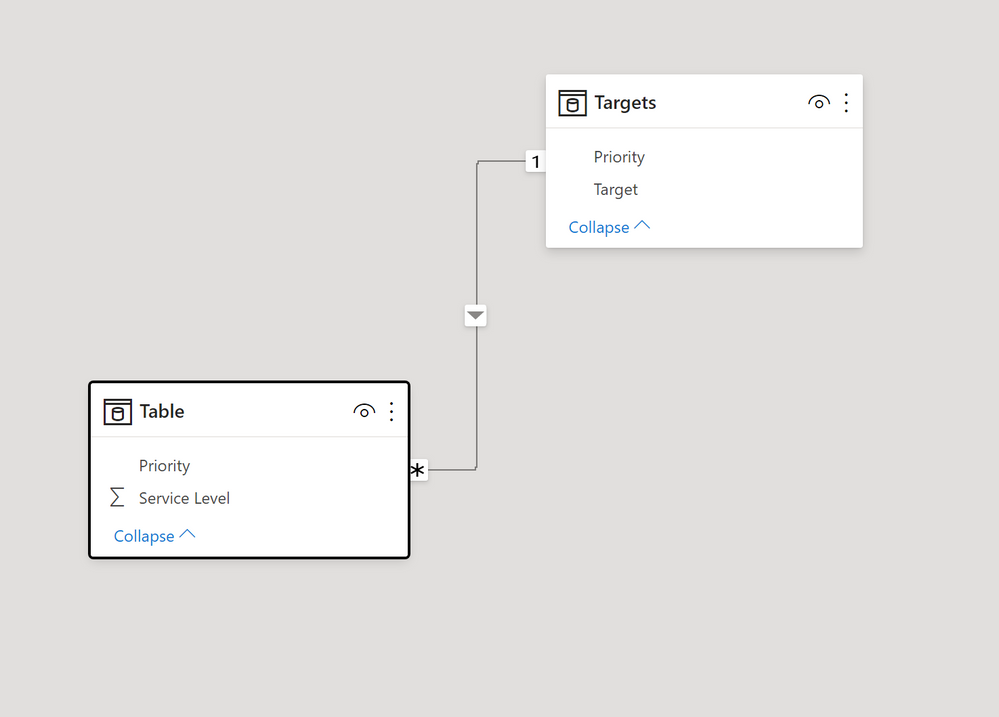
Assuming you have a table with the priority field and values to calculate the [Service level] measure & a target table as shown, with this model:
and this measure to use for field in the conditional formatting options:
Condit Format = IF([Service Level] > SELECTEDVALUE(Targets[Target]), "Green", "red")
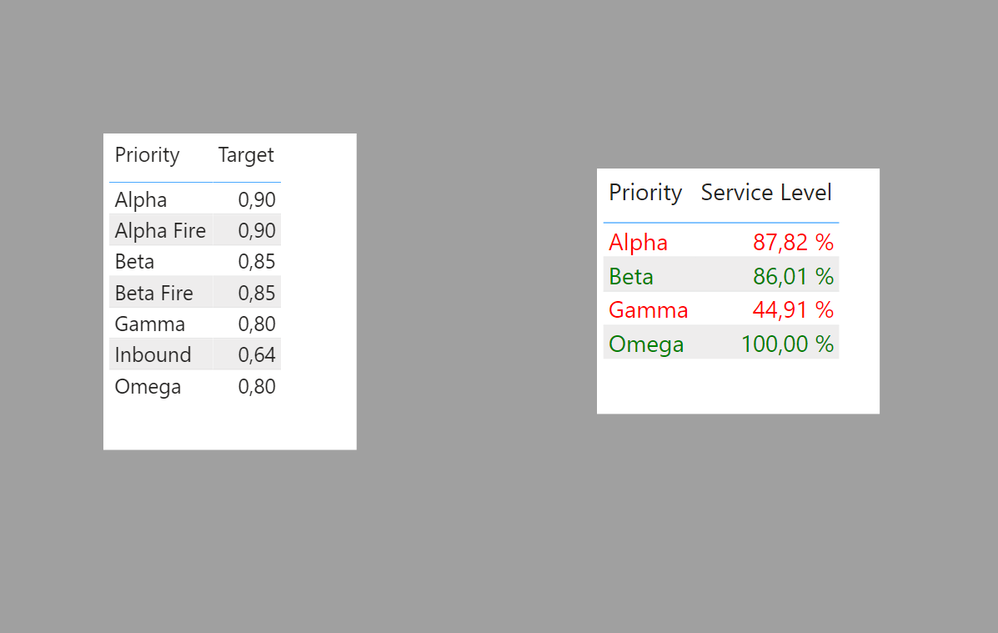
Add the priority field from the target table to the visual & the [Service Level] measure, and the apply the conditional formatting using the measure above to get:
I've attached a sample PBIX file
Proud to be a Super User!
Paul on Linkedin.
Assuming you have a table with the priority field and values to calculate the [Service level] measure & a target table as shown, with this model:
and this measure to use for field in the conditional formatting options:
Condit Format = IF([Service Level] > SELECTEDVALUE(Targets[Target]), "Green", "red")
Add the priority field from the target table to the visual & the [Service Level] measure, and the apply the conditional formatting using the measure above to get:
I've attached a sample PBIX file
Proud to be a Super User!
Paul on Linkedin.
Thank you so much! This works beautifully. I really appreciate it
The Power BI Data Visualization World Championships is back! Get ahead of the game and start preparing now!
| User | Count |
|---|---|
| 41 | |
| 37 | |
| 35 | |
| 35 | |
| 28 |
| User | Count |
|---|---|
| 134 | |
| 101 | |
| 71 | |
| 67 | |
| 65 |