Share feedback directly with Fabric product managers, participate in targeted research studies and influence the Fabric roadmap.
Sign up nowGet Fabric certified for FREE! Don't miss your chance! Learn more
How do i apply conditional formatting to a measure and apply the same when i use it in other visuals without having to configure it again?
Hope there's a way to do that!
Thanks for your reply
Hi @Sgc ,
Unfortunately, it is not supported to set conditional formatting in batches. You need to separately set conditional formatting for each column in different visuals.
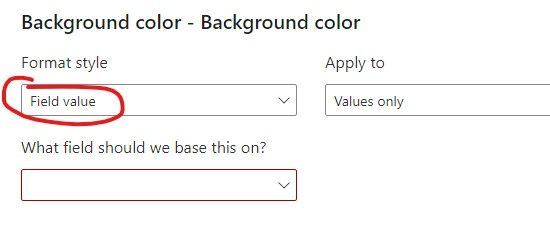
But you can specify the color directly in the measure, so you don't have to set it in the conditional formatting.
For example:
measure = IF([value]=1,"red","blue")
Then use the field value in conditional formatting.
Best Regards,
Jay
Share feedback directly with Fabric product managers, participate in targeted research studies and influence the Fabric roadmap.
| User | Count |
|---|---|
| 63 | |
| 62 | |
| 42 | |
| 19 | |
| 16 |
| User | Count |
|---|---|
| 118 | |
| 106 | |
| 38 | |
| 28 | |
| 27 |