Don't miss your chance to take exam DP-600 or DP-700 on us!
Request nowLearn from the best! Meet the four finalists headed to the FINALS of the Power BI Dataviz World Championships! Register now
Hi
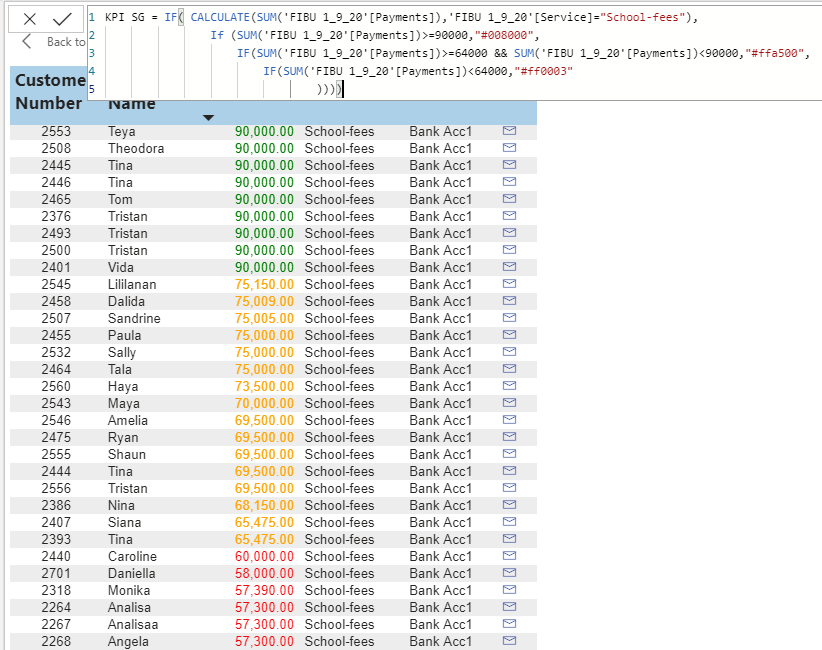
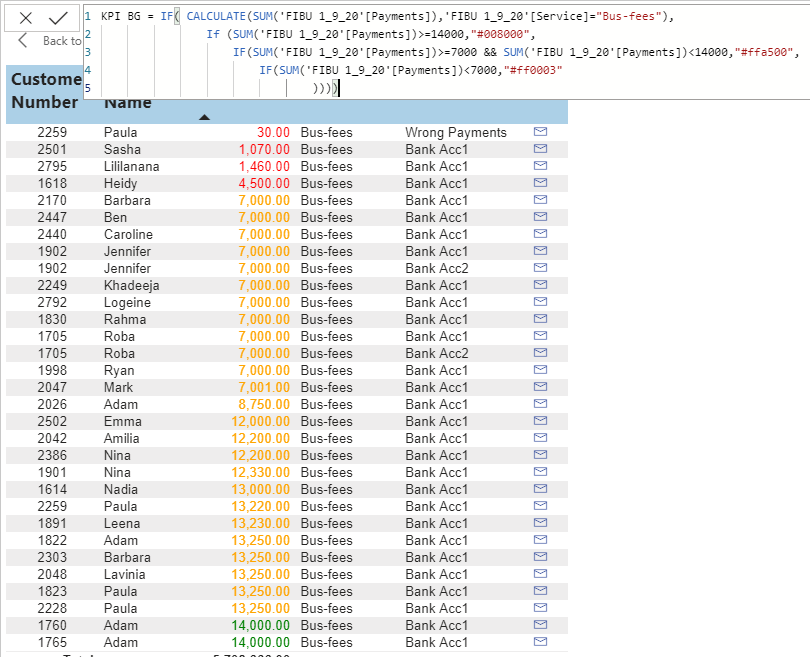
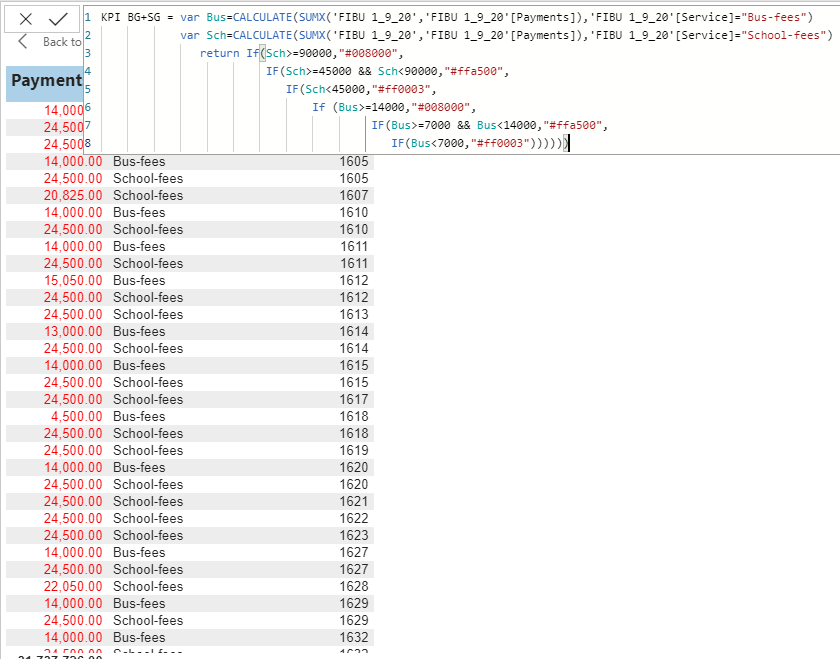
can anyone help me on this one. I am trying to highlight the payments values according to certain costs. My table contains payments for different departments each has a different price. School fees and Bus fees for example.
I could do that if I filter out the table to School fees only or Bus fees only in two seperate table visuals. How can I do that in just one table combining both?
Solved! Go to Solution.
Hi @MiriamMattar , please try the following measures, don't forget to modify the amount data in IF statements.
Sum Payment = SUM ( Payments[Payments] )
KPI BG+SG 2 =
VAR __service = SELECTEDVALUE ( Payments[Service] )
VAR __payment = [Sum Payment]
RETURN
SWITCH (
__service,
"School-fees",
IF (
__payment >= 30,
"#008000",
IF (
__payment >= 20 && __payment < 30,
"#ffa500",
IF ( __payment < 20, "#ff0003" )
)
),
"Bus-fees",
IF (
__payment >= 300,
"#008000",
IF (
__payment >= 200 && __payment < 300,
"#ffa500",
IF ( __payment < 200, "#ff0003" )
)
)
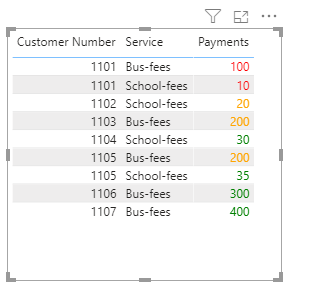
)Test result:
Best Regards,
Community Support Team _ Jing Zhang
If this post helps, please consider Accept it as the solution to help other members find it.
Hi @MiriamMattar , please try the following measures, don't forget to modify the amount data in IF statements.
Sum Payment = SUM ( Payments[Payments] )
KPI BG+SG 2 =
VAR __service = SELECTEDVALUE ( Payments[Service] )
VAR __payment = [Sum Payment]
RETURN
SWITCH (
__service,
"School-fees",
IF (
__payment >= 30,
"#008000",
IF (
__payment >= 20 && __payment < 30,
"#ffa500",
IF ( __payment < 20, "#ff0003" )
)
),
"Bus-fees",
IF (
__payment >= 300,
"#008000",
IF (
__payment >= 200 && __payment < 300,
"#ffa500",
IF ( __payment < 200, "#ff0003" )
)
)
)Test result:
Best Regards,
Community Support Team _ Jing Zhang
If this post helps, please consider Accept it as the solution to help other members find it.
@MiriamMattar , Have a condition on bus and school fee so that those conditions are reachable
Also, use Switch True(), like
Switch(True() ,
[Service] ="Bus Fee" , Switch(True() ,
_sch_fee <=30000, "#ff00ff",
//condition 2,
//condition 3,
//else
),
[Service] ="School Fee" , Switch(True() ,
_sch_fee <=30000, "#ff00ff",
//condition 2,
//condition 3,
//else
)
)
Share feedback directly with Fabric product managers, participate in targeted research studies and influence the Fabric roadmap.
Check out the February 2026 Power BI update to learn about new features.
| User | Count |
|---|---|
| 55 | |
| 45 | |
| 38 | |
| 16 | |
| 14 |
| User | Count |
|---|---|
| 87 | |
| 69 | |
| 38 | |
| 29 | |
| 26 |