cancel
Showing results for 
Search instead for 
Did you mean: 

The Power BI Data Visualization World Championships is back! Get ahead of the game and start preparing now! Learn more

Reply
TM
Advocate I
Advocate I

Conditional formatting - red on negative %, green on positive %

Hello,


I am working on modifiying a report where we have a measure that finds out the change in sales of every product, displayed in percent. I need to format it accordingly: 


Positive change - green

Negative change - red

No change (0) - white


I've tried writing a calculated column with an IF statement that finds out if the change/index is positive, negative or zero and returns the value 1 if positive, -1 if negative and else 0. Unfortunately there's a similar calculated column we're using, and I get the circular dependency error message. 


We don't want any color gradient, but only a defined red, defined green and white. I can't figure this out. 


Any idea of how I can get around the circular dependency or any other suggestion on how to solve this? 


Kind Regards,

TM

7 REPLIES 7
ocabrejo
Frequent Visitor

I believe the right answer you are looking for was explained by this gentleman :

https://youtu.be/smo-eqlWSt4?t=135

Anonymous
Not applicable

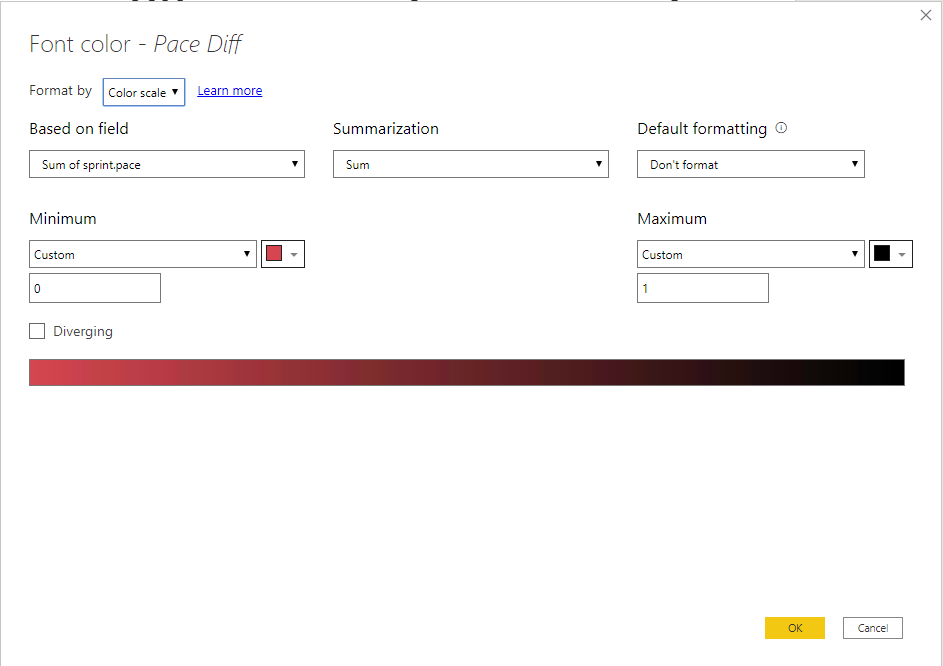
Center your formatting on 0 (Minimum).
If you have decimal places then your Max would be diferent.

Conditional Formatting DialogConditional Formatting Dialog

Anonymous
Not applicable

@TM , @ocabrejo  posted the best anwer

sgsukumaran
Resolver II
Resolver II

You can currently do conditonal formatting on individual measures green for +ve(0.0001) red for -ve(-0.0001) and white for 0. But this has to be done for every measure.

KrisW
Helper I
Helper I

FORMAT NEGATIVE NUMBERS RED, POSITIVE GREEN


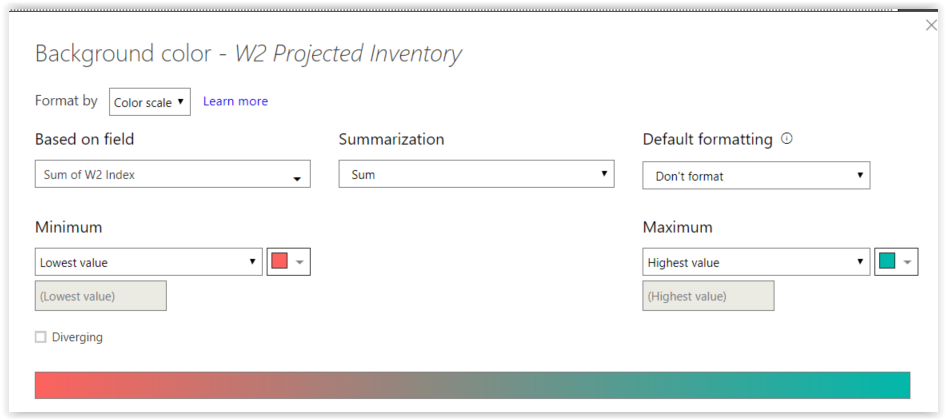
I went looking for the answer to this question this morning. Did not find the exact answer, but close enough to figure it out. FRUSTRATING that I needed to create another column (per field) I wanted to format this way. SAMPLE:


W2 Index = IF('Product Sales'[W2 Projected Inventory] < 0,-1,1)


Screen Shot 09-13-18 at 01.41 PM.PNG

v-caliao-msft
Microsoft Employee
Microsoft Employee

@TM,


Currently, conditional formating in not supported in Power BI since we can't add field value in conditional formatting. And it's not supported to set conditional formatting based on another column. A workaround is that add another column to assign static value and configure conditional formatting on that column. Please refer to the link below to see the details.
https://community.powerbi.com/t5/Desktop/Conditional-formatting-based-on-dynamic-values/m-p/177823#M...


Regards,

Charlie Liao

spuder
Resolver IV
Resolver IV

Hi @TM


could you give us some sample data for that.


I can't see why there should be a circular dependency when you just write a calculated column


ColorIndex = IF([VALUECOLUMN] < 0; -1; IF [VALUECOLUMN]=0;0;1))

Helpful resources

Announcements
Power BI DataViz World Championships

Power BI Dataviz World Championships

The Power BI Data Visualization World Championships is back! Get ahead of the game and start preparing now!

December 2025 Power BI Update Carousel

Power BI Monthly Update - December 2025

Check out the December 2025 Power BI Holiday Recap!

FabCon Atlanta 2026 carousel

FabCon Atlanta 2026

Join us at FabCon Atlanta, March 16-20, for the ultimate Fabric, Power BI, AI and SQL community-led event. Save $200 with code FABCOMM.