
cancel
Showing results for 
Search instead for 
Did you mean: 

The Power BI Data Visualization World Championships is back! Get ahead of the game and start preparing now! Learn more

Reply
virakprom
Frequent Visitor

Conditional formatting negative numbers red

Anyone know how set Conditional formatting rule on negative numbers to red ? 
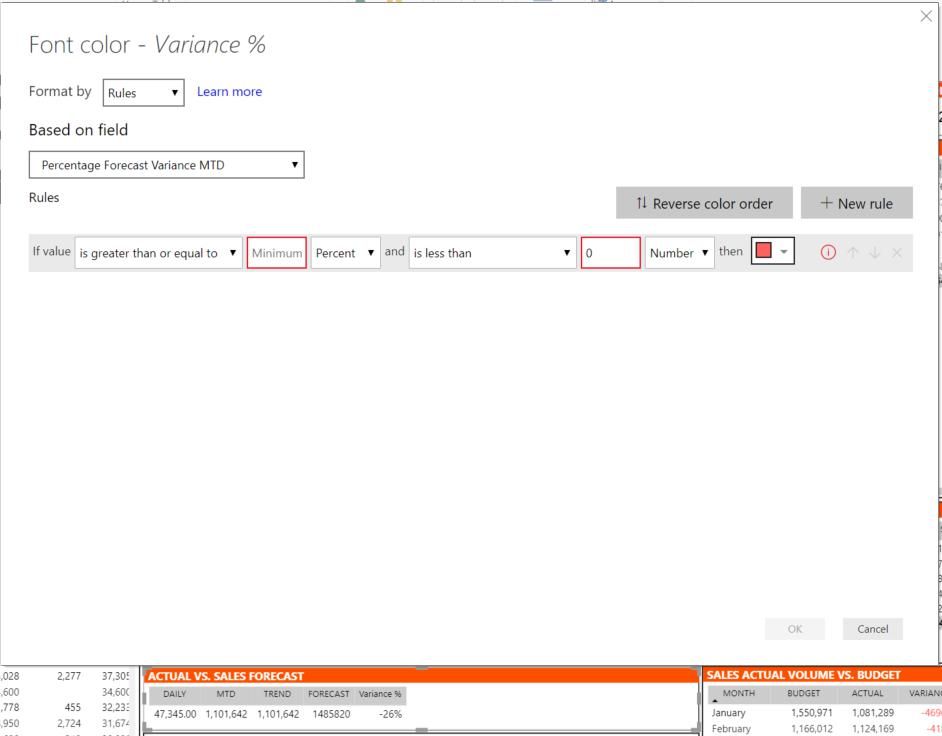
I want negative numbers or percentage to red.
I try to set minimum field to blank but it don't allow me to set it.

photo_2019-08-06_11-30-35.jpg

1 ACCEPTED SOLUTION

@jdbuchanan71  
Very appreciate for your effort to me.
Thank for your support.
Now this issue found already. 

This picture at below that I got email from Microsoft
Issue.PNG

View solution in original post

24 REPLIES 24

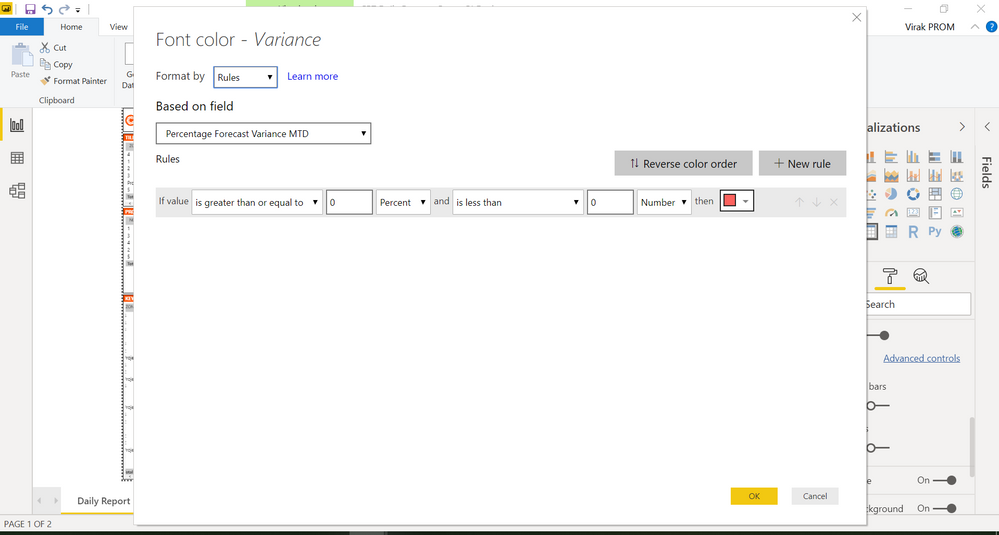
It still not work. I try to follow like you mention at above.

Untitled.pngUser role administrator.PNG

@virakprom 

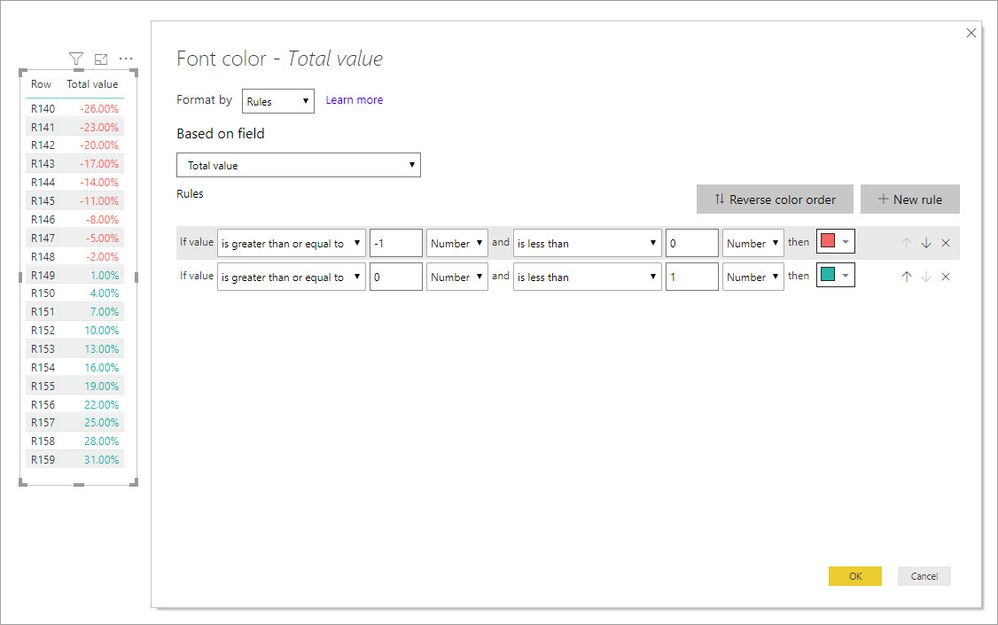
In your example -26 % is the same as -.26.  If you format the number with 

Greater than -1 NUMBER and is less than 0 NUMBER that is the same as saying -100% and 0%.

conditionalformatnegatives.jpg

When you use the % setting it is looking at the percentage of your data meaning, if you have 100 data points and pick Less than 50 percent it will format the first 50 data points.


Hi @virakprom ,


Is it possible for you to give me sample of just 5-10 rows of data file so that I can try it at my end?

Not want to real data just create similar data and send file here.

Don't forget to give thumbs up and accept this as a solution if it helped you!!!

Please take a quick glance at newly created dashboards : Restaurant Management Dashboard , HR Analytics Report , Hotel Management Report, Sales Analysis Report , Fortune 500 Companies Analysis , Revenue Tracking Dashboard

Hi @virakprom,


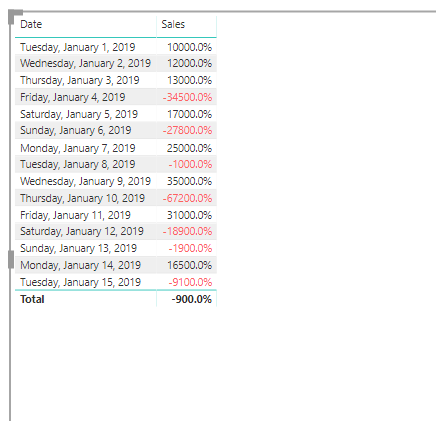
After seeting the comditional formattin as per screen shot below I have got the expected result i.e. negative values in red color.


Please mark this answer as a solution If I answered your question!


Capture.PNGres.PNG

Don't forget to give thumbs up and accept this as a solution if it helped you!!!

Please take a quick glance at newly created dashboards : Restaurant Management Dashboard , HR Analytics Report , Hotel Management Report, Sales Analysis Report , Fortune 500 Companies Analysis , Revenue Tracking Dashboard

Helpful resources

Announcements
Power BI DataViz World Championships

Power BI Dataviz World Championships

The Power BI Data Visualization World Championships is back! Get ahead of the game and start preparing now!

December 2025 Power BI Update Carousel

Power BI Monthly Update - December 2025

Check out the December 2025 Power BI Holiday Recap!

FabCon Atlanta 2026 carousel

FabCon Atlanta 2026

Join us at FabCon Atlanta, March 16-20, for the ultimate Fabric, Power BI, AI and SQL community-led event. Save $200 with code FABCOMM.