cancel
Showing results for 
Search instead for 
Did you mean: 

The Power BI Data Visualization World Championships is back! Get ahead of the game and start preparing now! Learn more

Reply
sdc
Helper I
Helper I

Conditional formatting based on different column data

Hi,


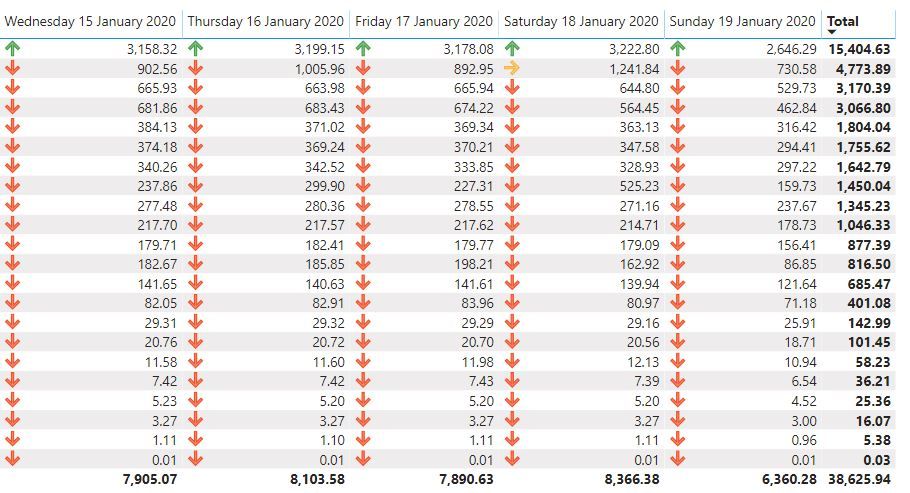
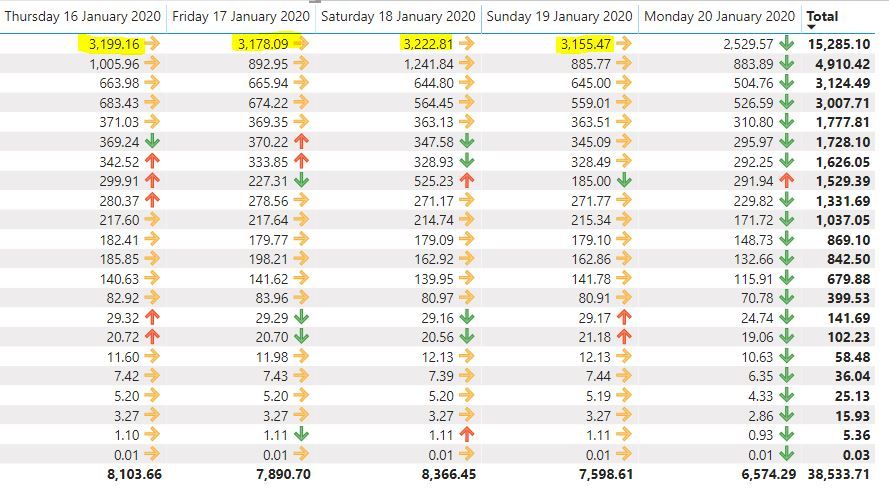
I am trying to create conditional formatting for the data below such that when a value for a row is compared to the previous column (same row) and if it is less than the previous the icon is red and if it is higher it is green

pbi1.JPG

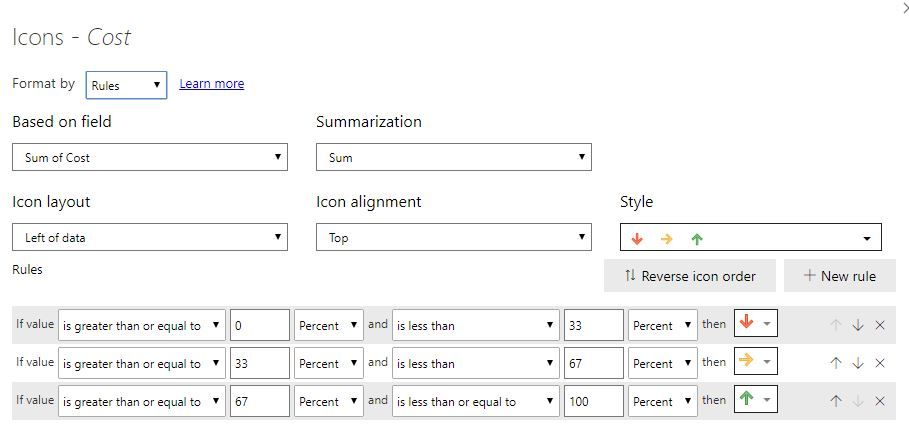
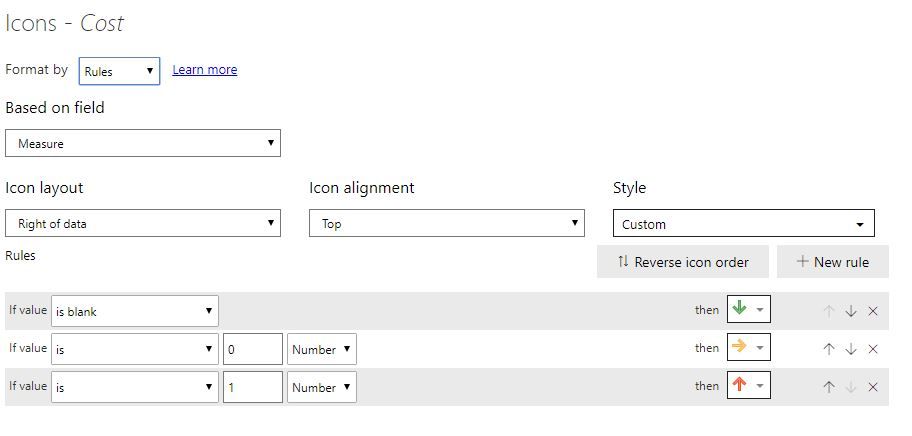
I am not seeing a way to do that with the conditional formatting options of thematrix table:

pbi2.JPG

1 ACCEPTED SOLUTION
amitchandak
Super User
Super User

What do you mean by previous column? You want to have Day or day change measure.

Create date dimension. Create a day lag measure, create a diff measure and use that for color formatting.

Sales = CALCULATE(SUM(Sales[Sales Amount]))
Daybehind Sales = CALCULATE(SUM(Sales[Sales Amount]),dateadd('Date'[Date],-1,Day))

Diff =[Daybehind Sales] -[Sales]


Appreciate your Kudos. In case, this is the solution you are looking for, mark it as the Solution. In case it does not help, please provide additional information and mark me with @
Thanks. My Recent Blog -
Winner-Topper-on-Map-How-to-Color-States-on-a-Map-with-Winners , HR-Analytics-Active-Employee-Hire-and-Termination-trend
Power-BI-Working-with-Non-Standard-Time-Periods And Comparing-Data-Across-Date-Ranges

Connect on Linkedin

Share with Power BI Enthusiasts: Full Power BI Video (20 Hours) YouTube
Microsoft Fabric Series 60+ Videos YouTube
Microsoft Fabric Hindi End to End YouTube

View solution in original post

3 REPLIES 3
V-lianl-msft
Community Support
Community Support

Hi @sdc ,
 
First,You can use DAX to calculate the difference from the previous day.
 
Measure =
VAR current_day =
    MAX ( Sheet5[cost] )
VAR last_day =
    CALCULATE (
        MAX ( Sheet5[cost] ),
        DATEADD ( Sheet5[date], -1, DAY ),
        ALLEXCEPT ( Sheet5, Sheet5[product] )
    )
RETURN
    IF (
        current_day - last_day > 0,
        1,
        IF (
            current_day - last_day = 0,
            0,
            IF ( current_day - last_day < 0, BLANK () )
        )
    )
 
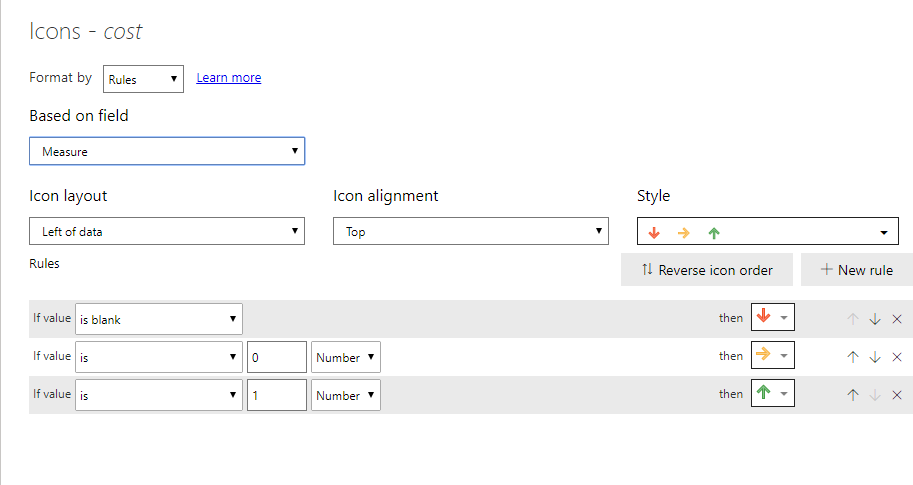
Then you can set the rules for the measure.
icons_rules.PNG
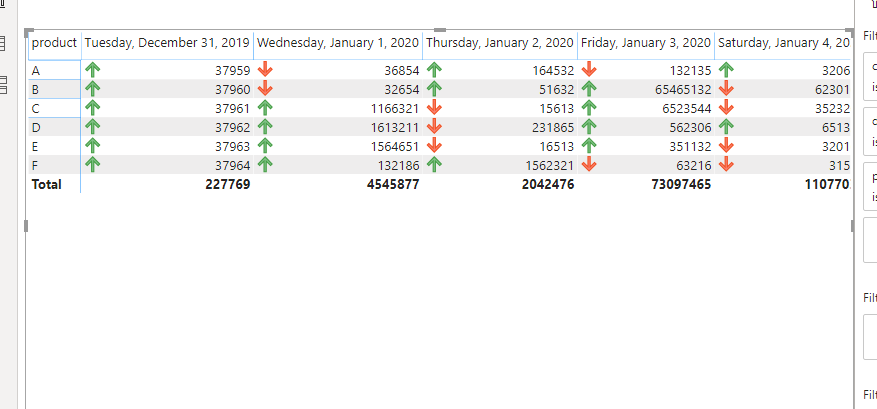
test_0121_iconsCapture.PNG
 
You can also refer to the pbix.
 
Best Regards,
Liang
If this post helps, then please consider Accept it as the solution to help the other members find it more quickly.

Thanks for that, I almost have it working using the measure above, however it seems like it is not always displaying the correct icon when it comes to the orange one (when the value did change from one to day to the next)


Capture.JPG

My measure:


Measure = 
var current_day = MAX(Query1[Cost])
var last_day = CALCULATE(MAX(Query1[Cost]),
                   DATEADD(Query1[Date],-1,DAY))
return IF(current_day-last_day>0,1,IF(current_day-last_day=0,0,IF(current_day-last_day<0,BLANK())))


The cond formatting:

Capture1.JPG

Do you see anything wrong there?

It might be also due to the fact that I have multiple cost entries for thesame rows and they need to be added up, for example I can have 20 rows with the same date/product but different cost entries and they need to be added together?

amitchandak
Super User
Super User

What do you mean by previous column? You want to have Day or day change measure.

Create date dimension. Create a day lag measure, create a diff measure and use that for color formatting.

Sales = CALCULATE(SUM(Sales[Sales Amount]))
Daybehind Sales = CALCULATE(SUM(Sales[Sales Amount]),dateadd('Date'[Date],-1,Day))

Diff =[Daybehind Sales] -[Sales]


Appreciate your Kudos. In case, this is the solution you are looking for, mark it as the Solution. In case it does not help, please provide additional information and mark me with @
Thanks. My Recent Blog -
Winner-Topper-on-Map-How-to-Color-States-on-a-Map-with-Winners , HR-Analytics-Active-Employee-Hire-and-Termination-trend
Power-BI-Working-with-Non-Standard-Time-Periods And Comparing-Data-Across-Date-Ranges

Connect on Linkedin

Share with Power BI Enthusiasts: Full Power BI Video (20 Hours) YouTube
Microsoft Fabric Series 60+ Videos YouTube
Microsoft Fabric Hindi End to End YouTube

Helpful resources

Announcements
Power BI DataViz World Championships

Power BI Dataviz World Championships

The Power BI Data Visualization World Championships is back! Get ahead of the game and start preparing now!

December 2025 Power BI Update Carousel

Power BI Monthly Update - December 2025

Check out the December 2025 Power BI Holiday Recap!

FabCon Atlanta 2026 carousel

FabCon Atlanta 2026

Join us at FabCon Atlanta, March 16-20, for the ultimate Fabric, Power BI, AI and SQL community-led event. Save $200 with code FABCOMM.