Don't miss your chance to take the Fabric Data Engineer (DP-600) exam for FREE! Find out how by attending the DP-600 session on April 23rd (pacific time), live or on-demand.
Learn moreNext up in the FabCon + SQLCon recap series: The roadmap for Microsoft SQL and Maximizing Developer experiences in Fabric. All sessions are available on-demand after the live show. Register now
Hi,
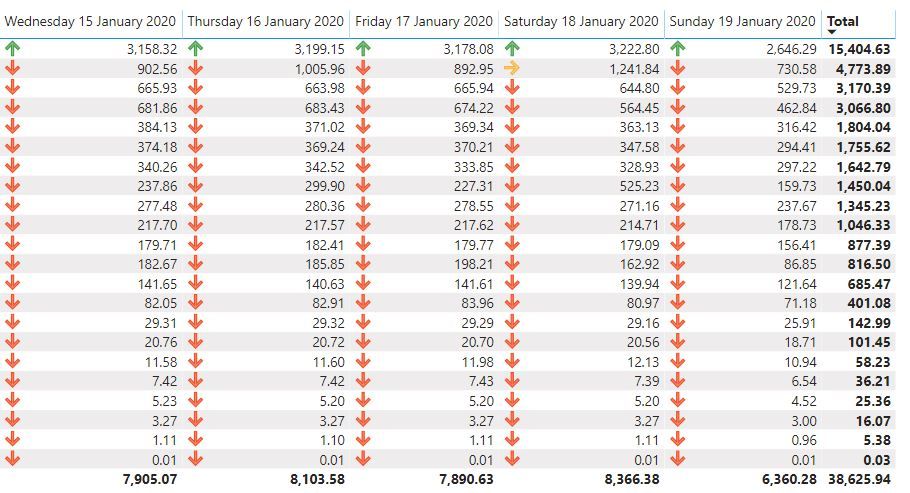
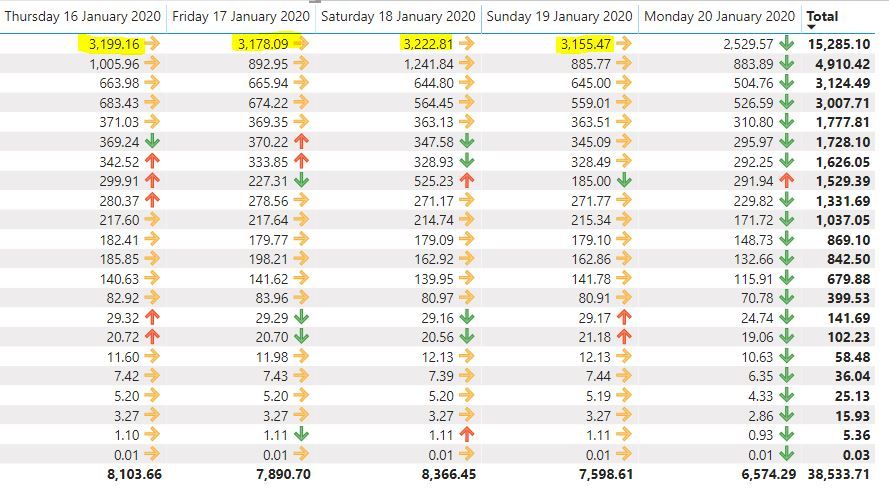
I am trying to create conditional formatting for the data below such that when a value for a row is compared to the previous column (same row) and if it is less than the previous the icon is red and if it is higher it is green
I am not seeing a way to do that with the conditional formatting options of thematrix table:
Solved! Go to Solution.
What do you mean by previous column? You want to have Day or day change measure.
Create date dimension. Create a day lag measure, create a diff measure and use that for color formatting.
Sales = CALCULATE(SUM(Sales[Sales Amount]))
Daybehind Sales = CALCULATE(SUM(Sales[Sales Amount]),dateadd('Date'[Date],-1,Day))
Diff =[Daybehind Sales] -[Sales]
Appreciate your Kudos. In case, this is the solution you are looking for, mark it as the Solution. In case it does not help, please provide additional information and mark me with @
Thanks. My Recent Blog -
Winner-Topper-on-Map-How-to-Color-States-on-a-Map-with-Winners , HR-Analytics-Active-Employee-Hire-and-Termination-trend
Power-BI-Working-with-Non-Standard-Time-Periods And Comparing-Data-Across-Date-Ranges
Connect on Linkedin
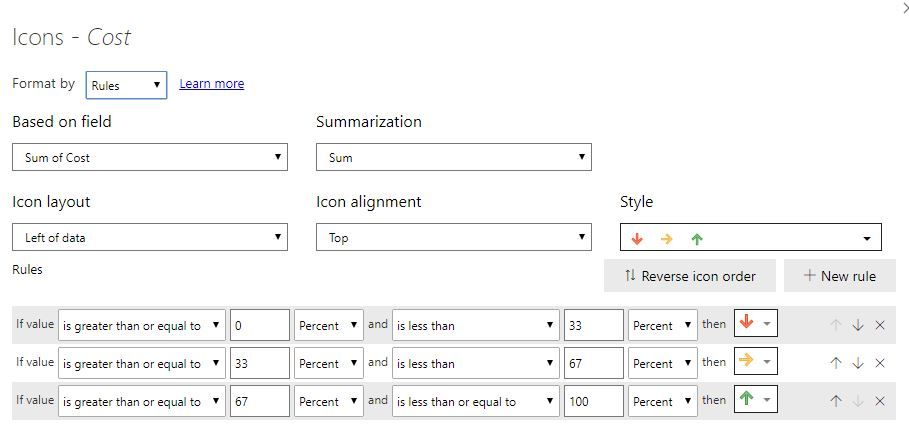
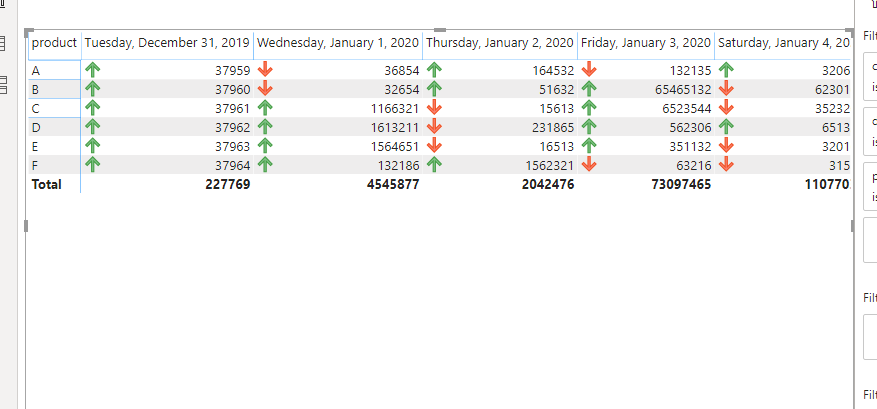
Thanks for that, I almost have it working using the measure above, however it seems like it is not always displaying the correct icon when it comes to the orange one (when the value did change from one to day to the next)
My measure:
Measure =
var current_day = MAX(Query1[Cost])
var last_day = CALCULATE(MAX(Query1[Cost]),
DATEADD(Query1[Date],-1,DAY))
return IF(current_day-last_day>0,1,IF(current_day-last_day=0,0,IF(current_day-last_day<0,BLANK())))
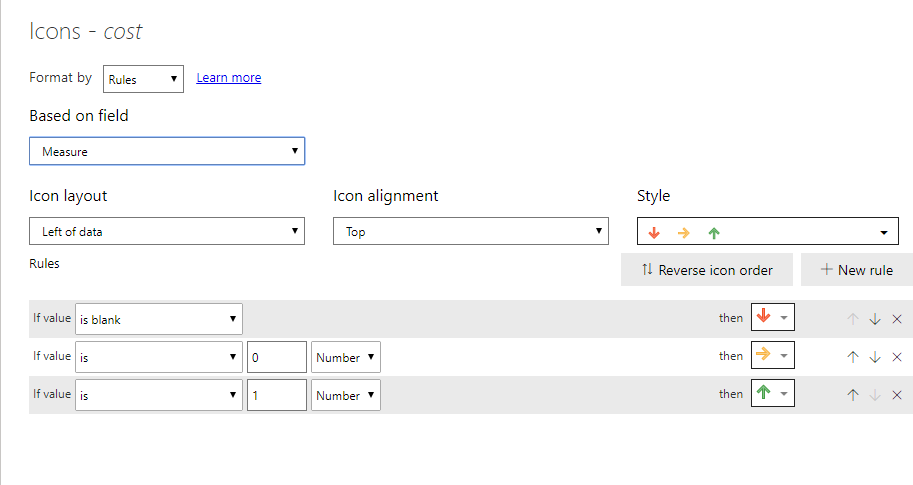
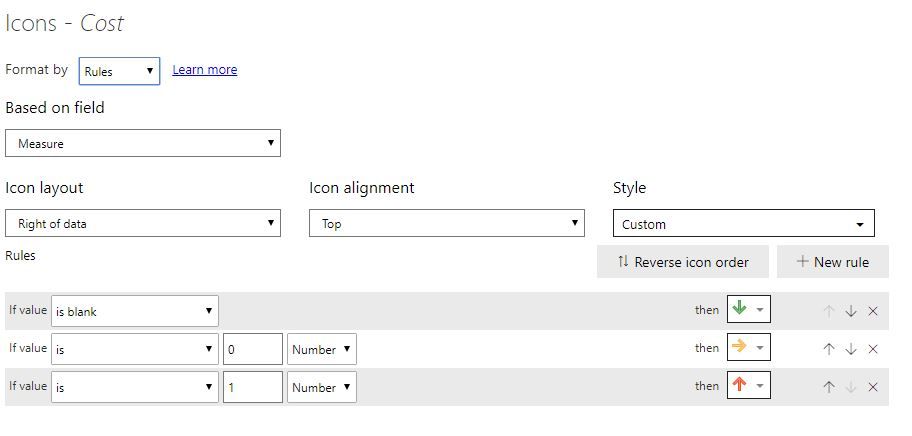
The cond formatting:
Do you see anything wrong there?
It might be also due to the fact that I have multiple cost entries for thesame rows and they need to be added up, for example I can have 20 rows with the same date/product but different cost entries and they need to be added together?
What do you mean by previous column? You want to have Day or day change measure.
Create date dimension. Create a day lag measure, create a diff measure and use that for color formatting.
Sales = CALCULATE(SUM(Sales[Sales Amount]))
Daybehind Sales = CALCULATE(SUM(Sales[Sales Amount]),dateadd('Date'[Date],-1,Day))
Diff =[Daybehind Sales] -[Sales]
Appreciate your Kudos. In case, this is the solution you are looking for, mark it as the Solution. In case it does not help, please provide additional information and mark me with @
Thanks. My Recent Blog -
Winner-Topper-on-Map-How-to-Color-States-on-a-Map-with-Winners , HR-Analytics-Active-Employee-Hire-and-Termination-trend
Power-BI-Working-with-Non-Standard-Time-Periods And Comparing-Data-Across-Date-Ranges
Connect on Linkedin
If you have recently started exploring Fabric, we'd love to hear how it's going. Your feedback can help with product improvements.
A new Power BI DataViz World Championship is coming this June! Don't miss out on submitting your entry.
Experience the highlights from FabCon & SQLCon, available live and on-demand starting April 14th.
| User | Count |
|---|---|
| 48 | |
| 46 | |
| 41 | |
| 20 | |
| 17 |
| User | Count |
|---|---|
| 70 | |
| 67 | |
| 32 | |
| 27 | |
| 26 |