Hi,
For some unknown reason, I can't seem to get the data labels to change their colours they way I want.
I want different categories to have a different colour so white text on darker category color, and dark text on the lighter category colour
Playing around with a matrix, and cell elements conditoinal formattings, it works fine based on retreiving either the rows field value, or a measure which does a switch condition.
Currenlty within Power BI - Field value set to mcasesubjectfrontcolor, but all showing up white
Visual setup

Current out come .. All end up the same color..
 Stack chart font not changing colour?
Proof that mcasesubjectfontcolor is setup, and works in matrix
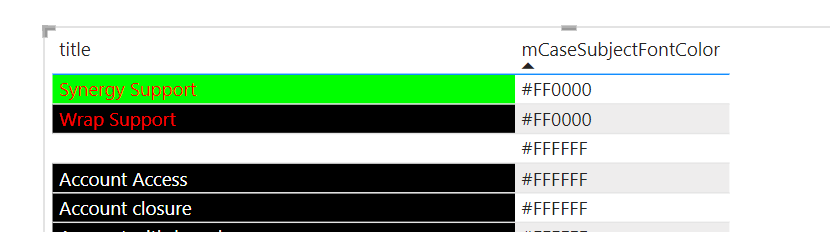 Proof that field values work via Matrix
Expected outcome (ignoing the colours in the proof of concept, I am after is subject A = Front White, If Subject B = Font Blank ....)
 Mocked up - Expected outcome


