cancel
Showing results for 
Search instead for 
Did you mean: 

Data Days is here! Join us now for 60+ days of learning, challenges, and connection. Learn more

Reply
Sean-OReilly
Helper IV
Helper IV

Conditional Formatting in Table

Hi


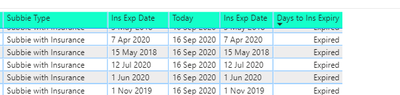
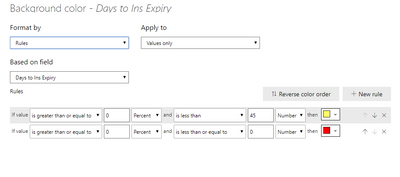
How can I change the Background Colour to Red if the Field = "Expired"

Also if the Days to Ins Expiry < 45 then i want the background to be yellow

See example below:

Sean-OReilly_0-1600271216905.png


Sean-OReilly_1-1600271262926.png


1 ACCEPTED SOLUTION

Hi @Sean-OReilly ,


Please try this:


Expired =
SWITCH (
    TRUE (),
    [Days to Ins Expiry] = "Expired", "Red",
    [Days to Ins Expiry] < 45, "Yellow"
)


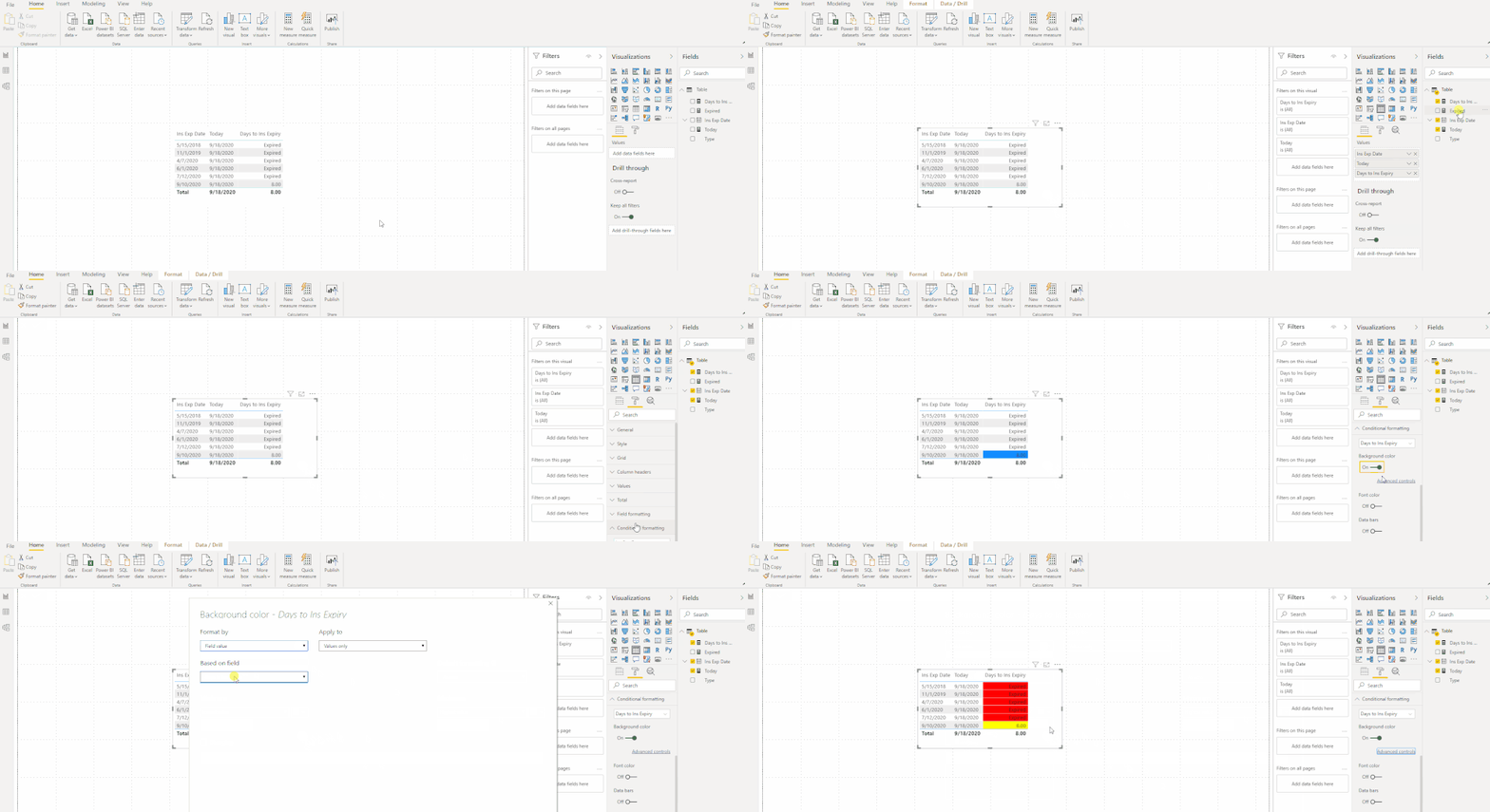
1.gif


https://docs.microsoft.com/en-us/power-bi/create-reports/desktop-conditional-table-formatting#color-...


Best Regards,
Xue Ding
If this post helps, then please consider Accept it as the solution to help the other members find it more quickly.

View solution in original post

3 REPLIES 3
amitchandak
Super User
Super User

@Sean-OReilly , better to create a color measure. And use that in conditional formatting using "Field value" option


example:

color =
switch ( true(),
FIRSTNONBLANK('Table'[commodity],"NA") ="commodity1" && sum('Table'[Value]) >500,"lightgreen",
FIRSTNONBLANK('Table'[commodity],"NA") ="commodity2" && sum('Table'[Value]) >1000,"lightgreen",
// Add more conditions
"red"
)


https://radacad.com/dax-and-conditional-formatting-better-together-find-the-biggest-and-smallest-num...
https://docs.microsoft.com/en-us/power-bi/desktop-conditional-table-formatting#color-by-color-values

Share with Power BI Enthusiasts: Full Power BI Video (20 Hours) YouTube
Microsoft Fabric Series 60+ Videos YouTube
Microsoft Fabric Hindi End to End YouTube

Hi Amitchandak, thanks for your reply

I see where you are coming from.


I cannot use the below formula though as the "days to ins expiry" field is a measure not a column

Can i do something similar using a measure?


Hi @Sean-OReilly ,


Please try this:


Expired =
SWITCH (
    TRUE (),
    [Days to Ins Expiry] = "Expired", "Red",
    [Days to Ins Expiry] < 45, "Yellow"
)


1.gif


https://docs.microsoft.com/en-us/power-bi/create-reports/desktop-conditional-table-formatting#color-...


Best Regards,
Xue Ding
If this post helps, then please consider Accept it as the solution to help the other members find it more quickly.

Helpful resources

Announcements
Fabric Data Days is here Carousel

Fabric Data Days 2026

Don't miss out on Data Days, June 15 through August 7. Learn Fabric, Power BI, SQL, AI and more.

May Power BI Update Carousel

Power BI Monthly Update - May 2026

Check out the May 2026 Power BI update to learn about new features.

Power BI DataViz World Championships carousel

Power BI DataViz World Championships - June 2026

A new Power BI DataViz World Championship is coming this June! Don't miss out on submitting your entry.