cancel
Showing results for 
Search instead for 
Did you mean: 

Learn from the best! Meet the four finalists headed to the FINALS of the Power BI Dataviz World Championships! Register now

Reply
nagaraj007
Post Patron
Post Patron

Conditional Formatting in Matrix Table

Hello All,


I have a scenario wherein I am using Table matrix and want to show conditional formatting if the show 2 numbers are greater than show 1 then show GREEN, if the show 3 data is lesser than show 2 data then show RED. Below is the sample table.


Please advice how to go about this.


Company NameShow 1Show 2Show 3
ABC203010
xyz102030
1 ACCEPTED SOLUTION

Hi @nagaraj007 ,

Do you mean that "From 2016", "From 2018", and "From 2020" are measures?

If so, you can create the two measures like so:

Condition11 = IF ( [Measure 2] > [Measure], 1, 0 )
Condition22 = IF ( [Measure 3] > [Measure 2], 1, 0 )

decimal follow.PNG

Best Regards,
Icey


If this post helps, then please consider Accept it as the solution to help the other members find it more quickly.

View solution in original post

6 REPLIES 6
Icey
Community Support
Community Support

Hi @nagaraj007 ,

You can try this:

1. Create measures.

Condition1 = IF(MAX('Table (2)'[Show 2])>MAX('Table (2)'[Show 1]),1,0)
Condition2 = IF(MAX('Table (2)'[Show 3])>MAX('Table (2)'[Show 2]),1,0)

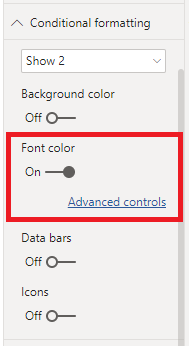
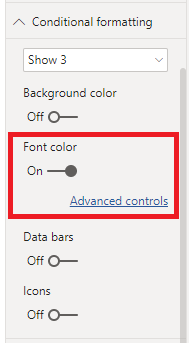
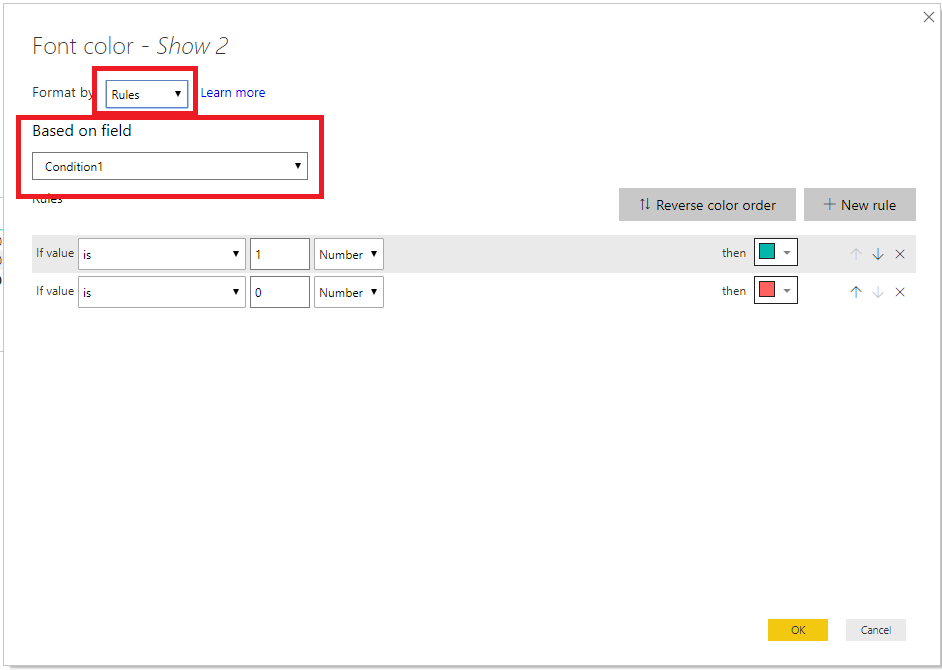
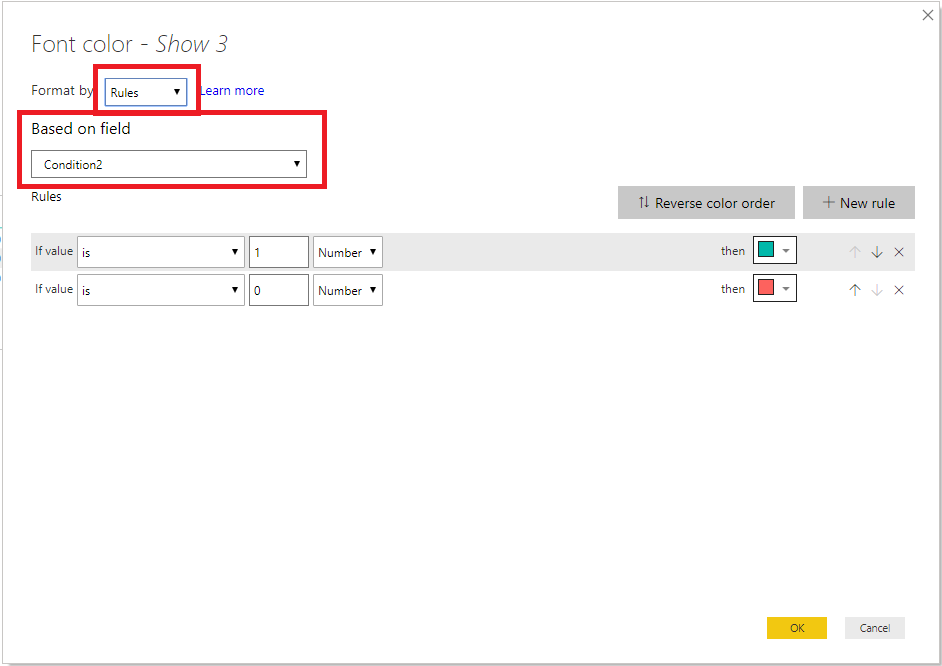
2. Conditional Format.

show2.PNGshow3.PNGshow22.PNGshow33.PNG

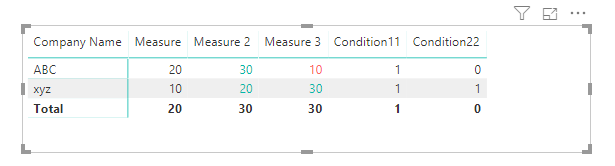
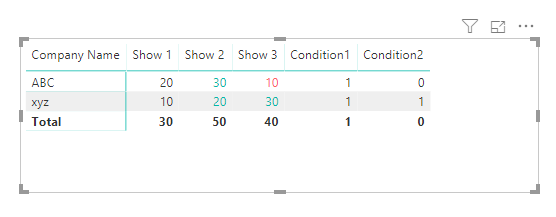
Then, the Matrix shows like what you want.

show.PNG

Best Regards,

Icey


If this post helps, then please consider Accept it as the solution to help the other members find it more quickly.

Hi Icey,


I am unable to get the required solution as per the below query. I have a table as per mentioned below


ExhibitionName    -----------------Table Name

Form2016---------------------------Show Name

Form2018---------------------------Show Name

Form2020---------------------------Show Name


Please advice.

Hi @nagaraj007 ,


Maybe you can give me a screenshot. 


Best Regards,

Icey

Screenshot1.png


Hi @nagaraj007 ,

Do you mean that "From 2016", "From 2018", and "From 2020" are measures?

If so, you can create the two measures like so:

Condition11 = IF ( [Measure 2] > [Measure], 1, 0 )
Condition22 = IF ( [Measure 3] > [Measure 2], 1, 0 )

decimal follow.PNG

Best Regards,
Icey


If this post helps, then please consider Accept it as the solution to help the other members find it more quickly.

Thank you very much for the help.

Helpful resources

Announcements
Join our Fabric User Panel

Join our Fabric User Panel

Share feedback directly with Fabric product managers, participate in targeted research studies and influence the Fabric roadmap.

February Power BI Update Carousel

Power BI Monthly Update - February 2026

Check out the February 2026 Power BI update to learn about new features.

FabCon Atlanta 2026 carousel

FabCon Atlanta 2026

Join us at FabCon Atlanta, March 16-20, for the ultimate Fabric, Power BI, AI and SQL community-led event. Save $200 with code FABCOMM.